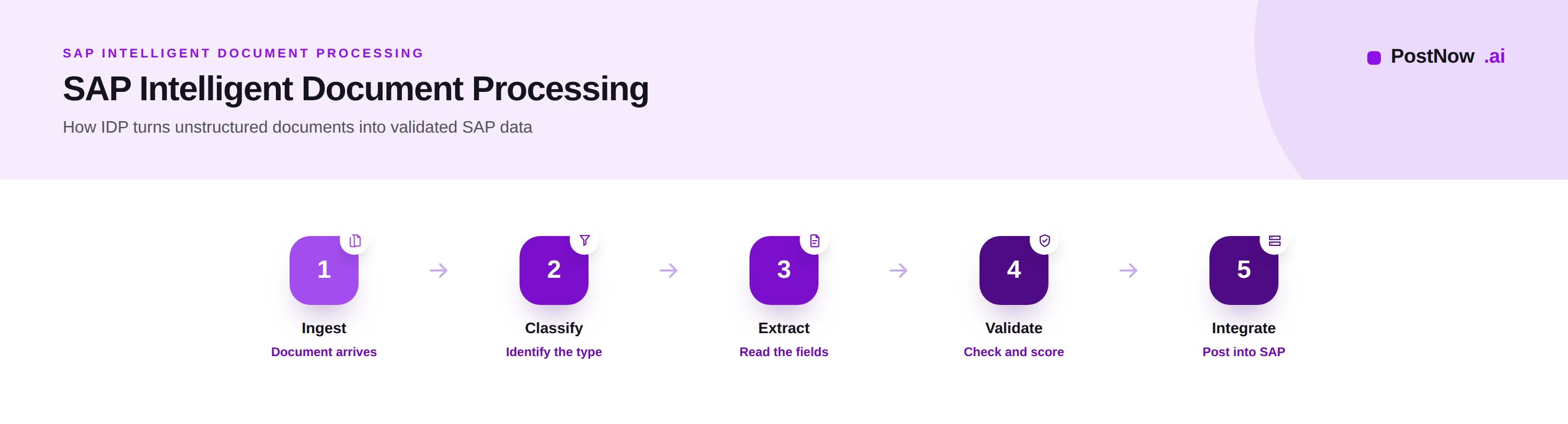
Executive summary
Intelligent document processing, or IDP, is the use of artificial intelligence to read unstructured documents and turn them into structured, validated data. In an SAP context, it is how documents become records the system can act on, without a person retyping them.
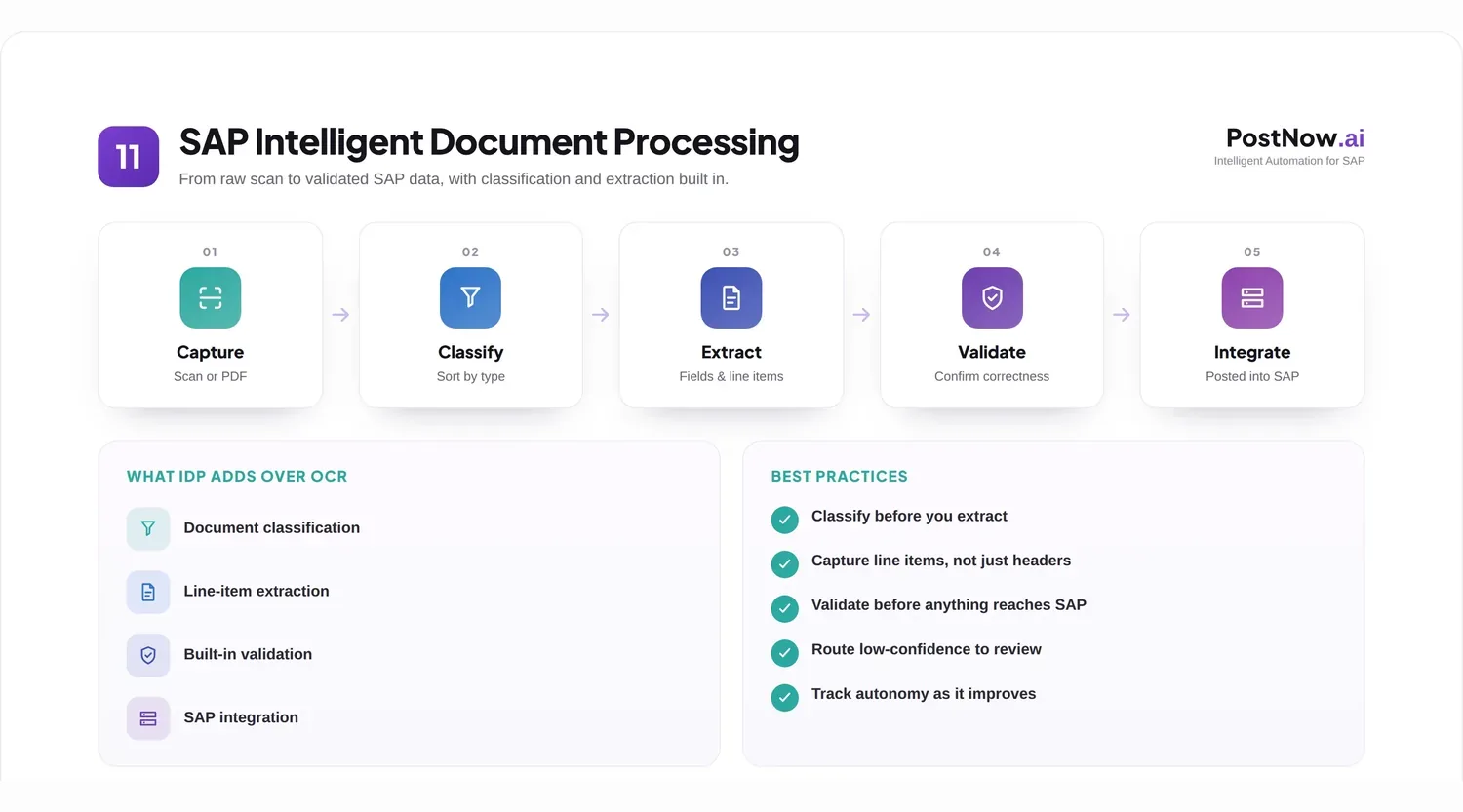
The promise of IDP is specific: take a document a human can read but a system cannot, and make it usable automatically, whatever its layout. That capability underpins a wide range of SAP automation, from finance to procurement to master data.
This article explains IDP from the ground up. It defines the discipline, contrasts it with optical character recognition, walks its core steps of classification, extraction, and validation, explains how it integrates with SAP, and looks at where it is heading. It is the conceptual companion to the broader SAP Document AI pillar.
IDP fundamentals
Intelligent document processing is best understood as the bridge between the documents an enterprise receives and the structured data its systems require.
Most business information arrives in documents designed for human eyes: a form, a letter, a statement, an order. Systems such as SAP, by contrast, need structured fields. For decades, people bridged that gap by reading documents and keying their contents. IDP automates the bridge, reading the document and producing the structured data directly.
What makes it intelligent is that it does not depend on a document being in a known, fixed format. Earlier tools could only process layouts they had been configured for. IDP uses machine learning to interpret documents it has not seen before, recognizing what a field means by its content and context rather than by its position on the page.
The result is a capability that scales across the variety of documents an enterprise actually receives, rather than one that works only for the handful that match a template. That breadth is what makes IDP a foundation for automation rather than a narrow utility.
OCR versus IDP
IDP is often confused with optical character recognition. They are related but not the same, and the difference matters.
Optical character recognition converts the image of a document into machine-readable characters. It answers the question, what text is on this page. It does not know which text is a date and which is a total; it simply produces the characters.
Intelligent document processing uses OCR as one input but goes much further. It classifies the document, locates and interprets its fields by meaning, validates the result, and reports its confidence. It answers the question, what does this document say and mean, not merely what characters it contains.
The practical consequence is maintenance and reach. An OCR-and-template approach needs configuring for every layout and breaks when layouts change. IDP handles new and varied layouts on arrival, because it understands documents rather than memorizing their geography. OCR is a component; IDP is the capability built around it.
| Aspect | OCR | IDP |
|---|---|---|
| Produces | Characters | Structured, meaning-mapped data |
| Understands fields | No | Yes |
| New layouts | Needs configuration | Handled natively |
| Validation | None | Built in |
| Confidence | None | Scored per field |
Classification
The first intelligent step is classification: deciding what kind of document is being processed before trying to read it.
A stream of inbound documents is rarely uniform. It mixes invoices, orders, statements, forms, and correspondence. Classification sorts each document by type, so the right extraction logic and the right downstream process are applied. Trying to extract invoice fields from a delivery note, or routing a contract as if it were an order, produces errors that classification prevents.
Good classification is what allows a single IDP capability to serve many document types at once. Rather than a separate tool for invoices and another for orders, one capability recognizes each document and handles it appropriately. It also enables triage, sending each document to the correct queue or process from the moment it arrives.
Classification is therefore not a preliminary detail but the step that gives IDP its breadth. Without it, the capability would be a collection of single-purpose readers; with it, it becomes a general document-handling foundation.
Extraction
Extraction is the heart of IDP: reading the document and producing the specific data the process needs.
Once a document is classified, extraction identifies its relevant fields and converts them into structured values. This includes document-level fields, such as parties, dates, references, and totals, and repeating detail, such as the lines on an order or invoice. Line-level extraction is the harder part, because the number and arrangement of lines vary, and it is essential wherever detailed processing or matching is required.
What distinguishes intelligent extraction is that it maps each value to its meaning regardless of where it appears. It finds the invoice total whether it sits top right or bottom left, because it understands what a total is, not where a particular supplier prints it. This is why IDP handles unfamiliar layouts that would defeat a template.
Crucially, extraction reports a confidence for each value. That score, rather than a false assumption of perfection, is what allows the rest of the process to decide which values to trust and which to check, and it is the foundation of safe automation.
Validation
Extraction produces data; validation decides whether to trust it. Together they make IDP dependable rather than merely clever.
Validation applies two kinds of check. The first is internal: are required fields present, are values internally consistent, does the document make sense on its own terms. The second is external: does the extracted data agree with the systems and rules around it, such as a recognized party or a plausible value range.
Validation also reads the confidence scores from extraction. Values above a defined threshold are trusted and allowed to proceed; values below it are flagged for human review. This is the mechanism that lets an organization automate the routine majority while guaranteeing a person checks anything uncertain.
The combination is what makes IDP safe to rely on. The intelligence reads the document, but validation and confidence ensure that only trustworthy data flows onward, and that uncertainty is surfaced rather than buried. Without validation, IDP would be fast but unreliable; with it, it is both fast and trustworthy.
SAP integration
IDP delivers value only when its output reaches SAP cleanly. Integration is where document understanding becomes a system record.
Validated data is posted into SAP through governed interfaces, applying the system's own validations before anything is written. The same care a manual entry would receive, recognized master data, correct structure, appropriate authorization, applies to the automated posting, so SAP is never the place errors are first caught.
Integration must respect the target. Posting into SAP ECC differs in detail from posting into S/4HANA, which introduces structures such as the Business Partner model, and a sound approach handles each correctly. It also produces an audit trail, recording the document, the extraction, the validation, the review, and the posting, so the automated process is as defensible as a manual one.
Well-designed integration is what turns IDP from an interesting demonstration into a dependable enterprise capability. The intelligence reads; the integration commits the result safely into the system of record. The mechanics of these interfaces are explored further on the Document AI pillar and the Excel to SAP automation guide.
Where IDP is applied
Because it is document-agnostic, IDP underpins many specific automations rather than a single one.
In finance, it reads supplier invoices for posting and matching, the use case explored under invoice management. In procurement and sales, it reads orders to create or confirm them. In supplier management, it reads registration and tax forms for onboarding. In master data work, it extracts data from forms and legacy documents to create and maintain records.
The unifying point is reuse. The same classification, extraction, and validation capability serves each of these, with only the document type and destination changing. An organization that builds IDP for one use case has built much of the foundation for the next, which is why it is better understood as a platform than as a feature of any single process.
Best practices
These practices help an IDP capability deliver accuracy and trust at scale.
- Classify before extracting, so each document is read by the right logic.
- Start with high-volume document types before extending to harder ones.
- Invest in extraction accuracy first, since validation and integration inherit it.
- Extract line items, not just headers, where downstream processing needs them.
- Use confidence thresholds deliberately to balance automation against risk.
- Validate internally and against systems before trusting any value.
- Route low-confidence values to focused review rather than accepting them blindly.
- Feed corrections back so the capability improves with use.
- Integrate through governed SAP interfaces with validation before posting.
- Respect the target structure, including the S/4HANA Business Partner model.
- Keep a complete audit trail of every step.
- Monitor accuracy and straight-through rates, and improve the weakest.
- Reuse the capability across document types rather than rebuilding per process.
Common challenges
IDP programs meet a familiar set of obstacles, each with a practical response.
Poor document quality. Faint or skewed scans reduce accuracy. Mitigate by improving capture, favoring digital sources, and using confidence scoring to catch uncertainty.
Document variety. Endless layouts defeat templates. Mitigate by relying on understanding-based extraction rather than per-layout configuration.
Line-item complexity. Detailed lines are hard to extract. Mitigate with capability proven on line data and with review of low-confidence lines.
Integration effort. Posting cleanly into SAP takes care. Mitigate by governing the integration and validating before posting.
Trust and adoption. People may distrust automated reading. Mitigate by keeping humans in control of uncertain cases and showing the accuracy the capability achieves.
Future trends
IDP is advancing toward deeper understanding and greater autonomy.
Generative and language models bring richer comprehension, reading documents and their context more as a person would and reducing the configuration any new type requires. Self-learning lets the capability improve continuously from corrections without explicit retraining.
Greater autonomy follows: more documents processed end to end without human involvement, and people supervising exceptions and governing the process. As with all such automation, accountability remains human; the capability reads and proposes, while people own the consequential decisions and the controls around them. These themes are developed on the AI in SAP automation guide.
Frequently asked questions
What is intelligent document processing?
What is the difference between OCR and IDP?
How does IDP work with SAP?
What is document classification in IDP?
Why is confidence scoring important in IDP?
Can IDP handle different document layouts?
What documents can IDP process?
Is IDP the same as SAP Document AI?
Conclusion
Intelligent document processing is the capability that lets documents become data, and it is the foundation beneath a great deal of SAP automation.
Its defining move is to understand documents rather than memorize their layouts, classifying, extracting by meaning, validating, and scoring confidence so the routine majority flows through and people see only what is uncertain. Its value depends on clean integration into SAP and on the governance that keeps automated decisions accountable.
For a fuller treatment of the technology and its use cases, see the SAP Document AI pillar; for the specific application to supplier invoices, see invoice management; and for the recognition layer beneath extraction, see invoice OCR.