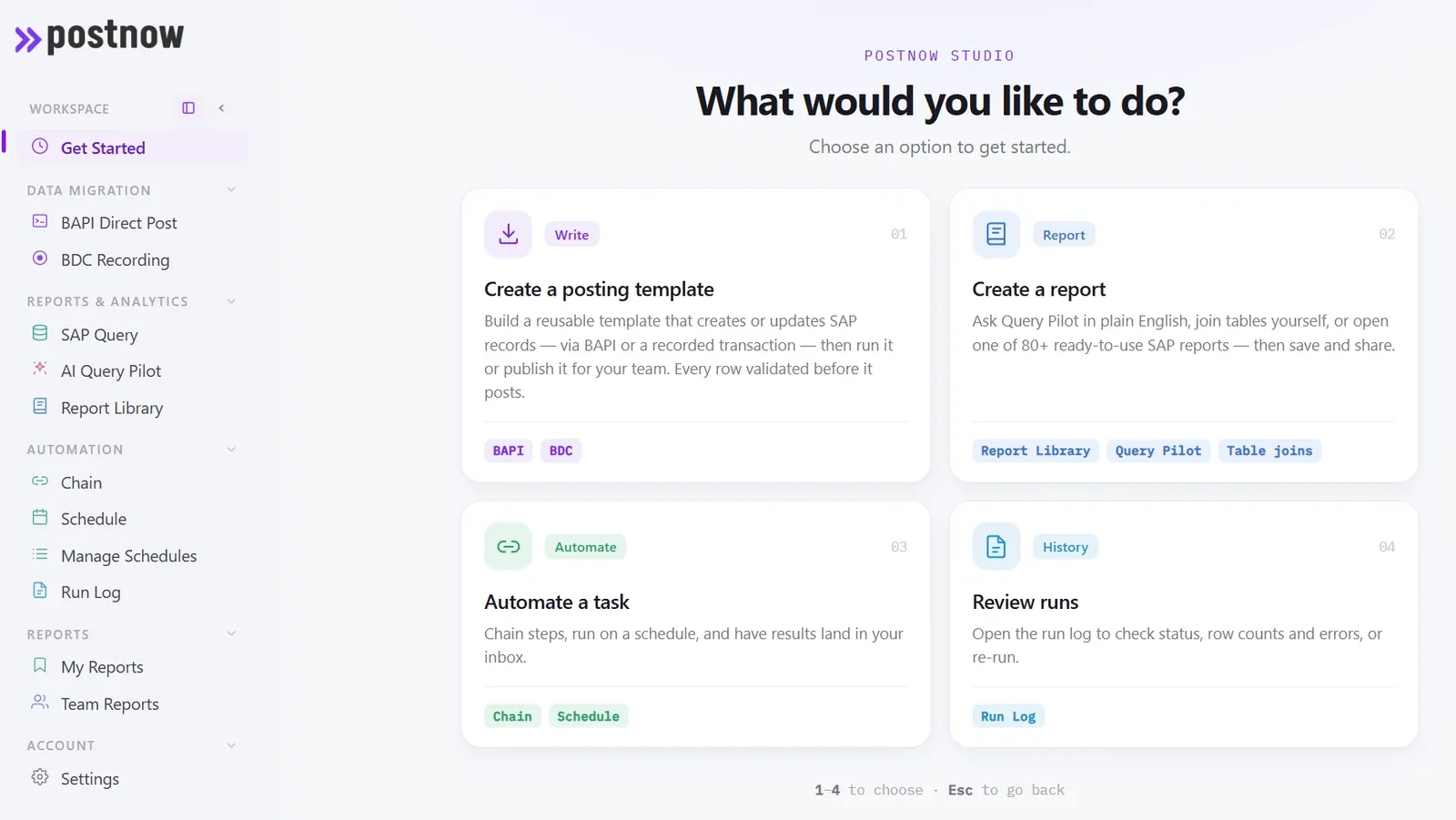
PostNow.ai is Excel to SAP automation built into Excel: it validates every row against your live SAP system, posts through SAP's standard BAPIs under your own login, and runs live SAP reports back into the sheet. Excel to SAP automation is connecting a spreadsheet to SAP so the data moves between them without being re-typed. The spreadsheet stays, because that is where the numbers are worked out; the re-keying goes. This page covers how SAP Excel automation works, what people mean by an Excel SAP connector, an add-in and an integration, how the approaches compare, and where PostNow.ai fits. For the step by step procedure of a single load, see how to upload data into SAP from Excel.
How Excel to SAP automation works
PostNow.ai runs every Excel to SAP load as four moves inside Excel, run by the person who owns the sheet. Whatever the tool and the object, the moves are the same.
1. Load the sheet
Open the workbook in Excel and pick the SAP transaction or BAPI from the PostNow.ai ribbon. The data stays in the file the business already maintains.
2. Map to SAP fields
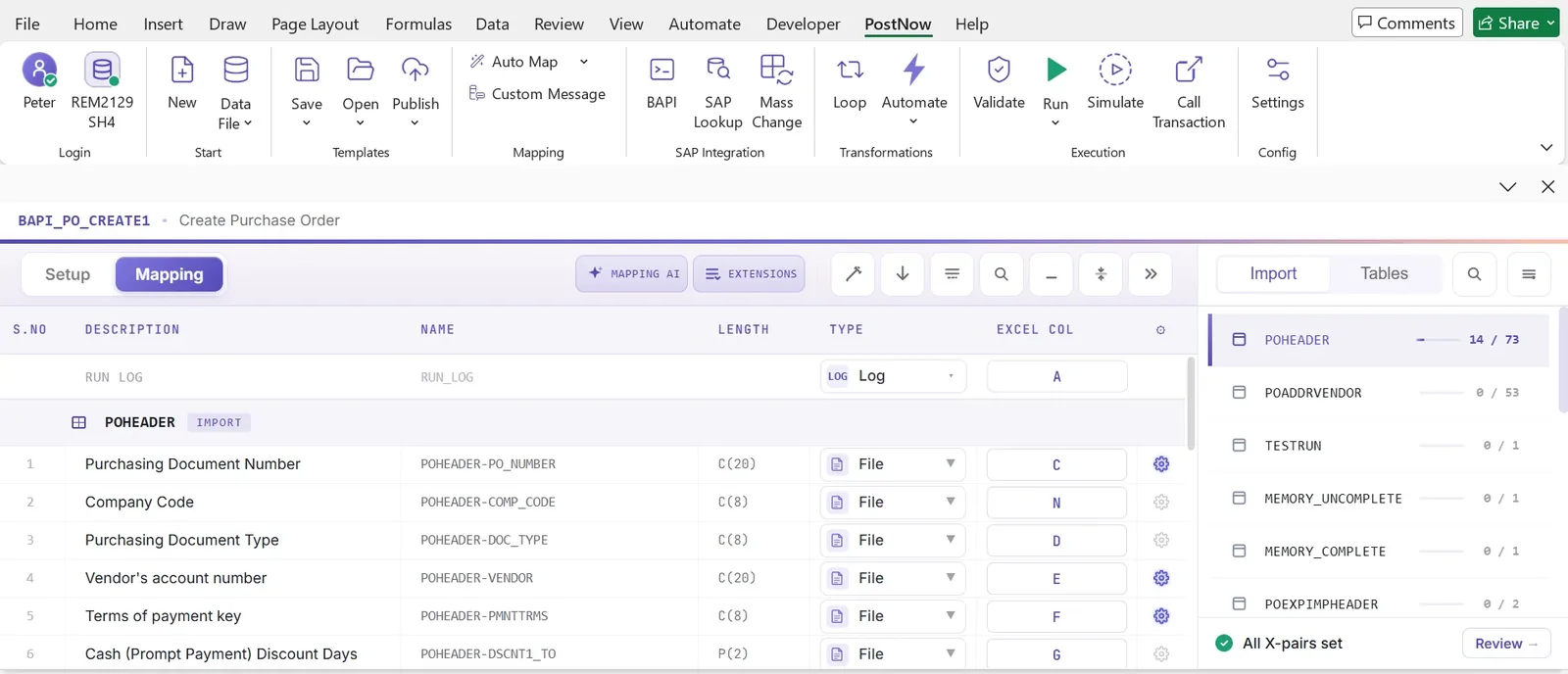
Each column is mapped once to its SAP structure and field, and the mapping is saved with the template, so next month is fill, validate, post.
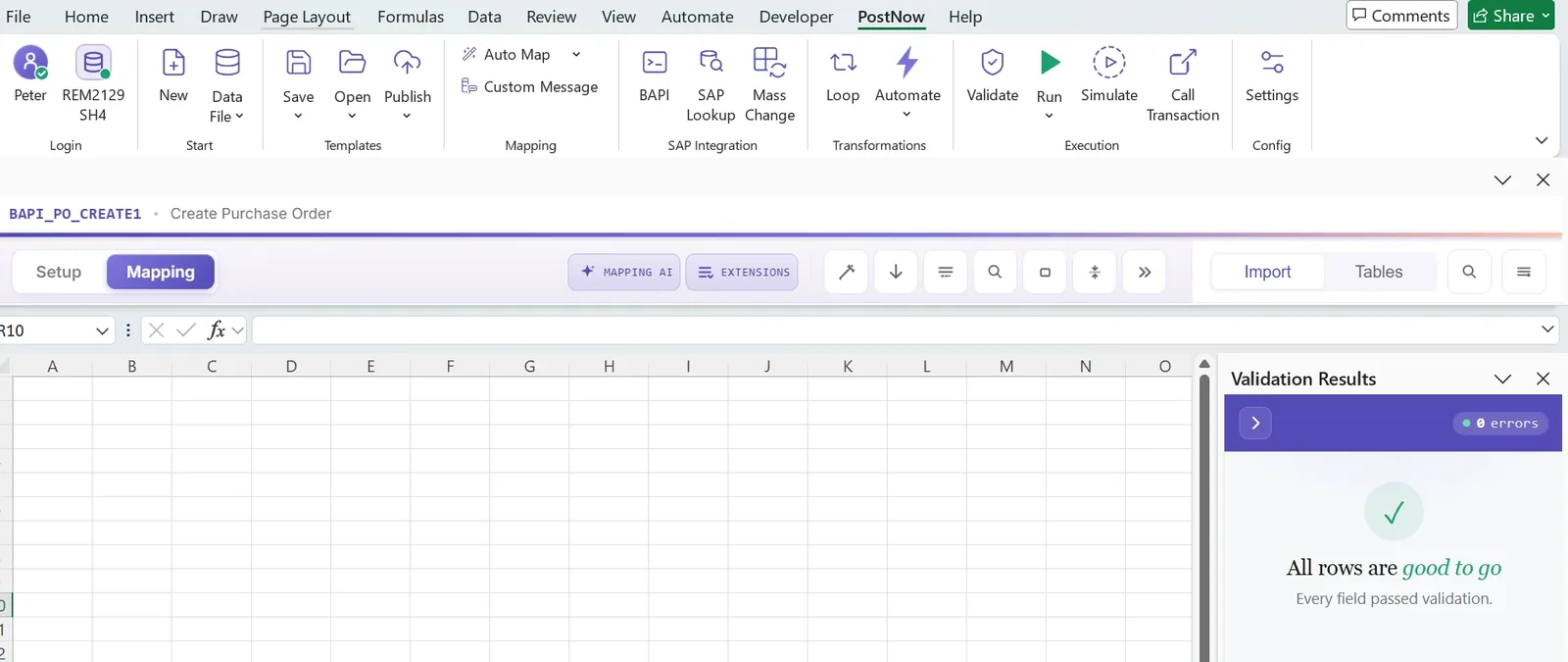
3. Validate against the live system
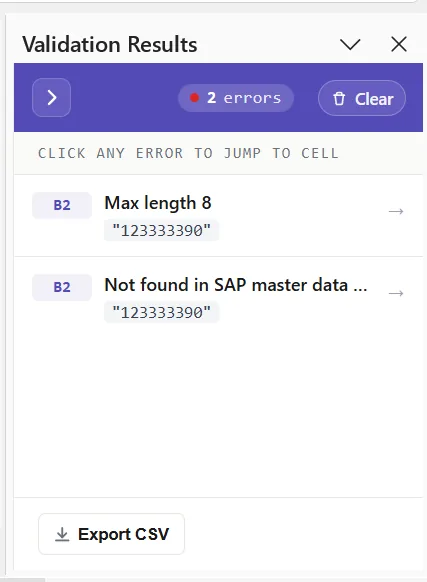
Every row is checked against the SAP system you are about to post into: master data exists, codes are valid, lengths fit. Errors point at the cell.
4. Post through the BAPI
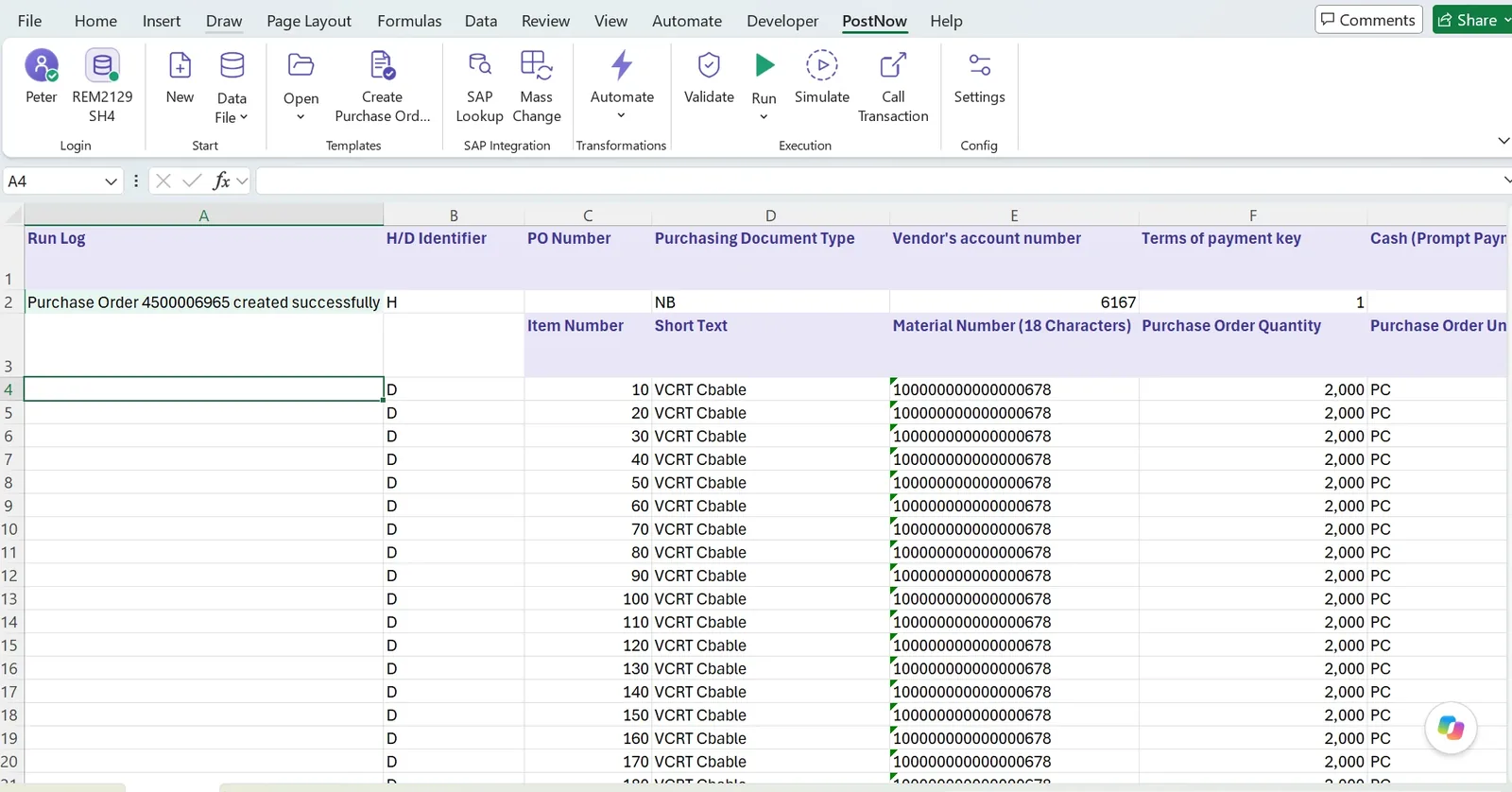
Rows post through SAP's standard BAPIs under your own SAP login, and the document number or the SAP message is written beside each row.
Five problems that share the name Excel to SAP
PostNow.ai covers four of these five from one add-in. "Excel to SAP" is asked as one question and answered as five. A team wanting extracts for analysis and a team wanting to post four hundred journals have almost nothing in common except the word Excel, and treating them as the same problem is why these projects stall. Name the pattern before choosing a tool.
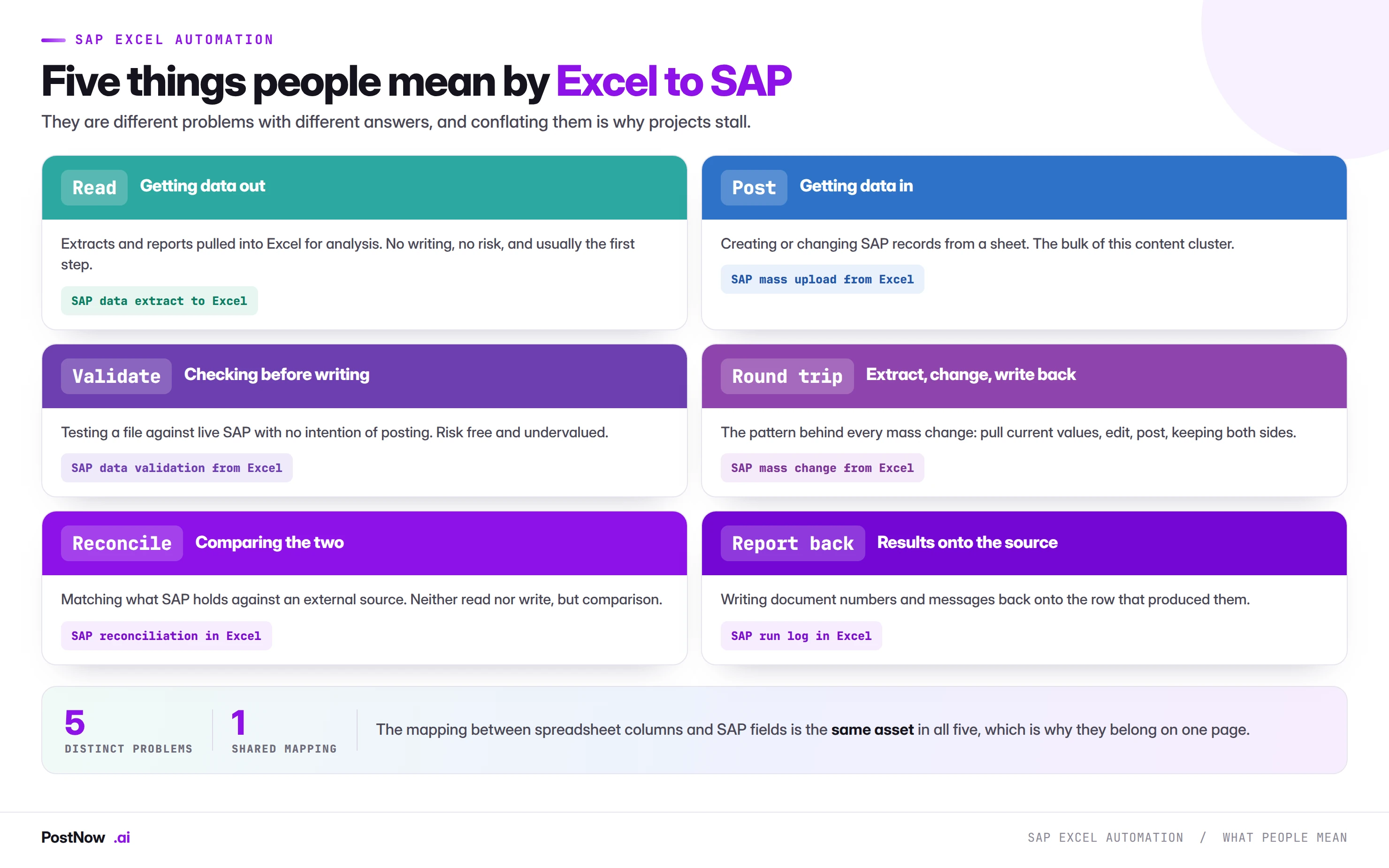
Read. Getting data out of SAP into a sheet for analysis; PostNow.ai does it with live SAP reports that run inside Excel. No writing and no risk, and usually where an organisation starts. The routes to export SAP data to Excel run from SE16 and ALV export to a live query from the sheet.
Post. Creating or changing SAP records from a spreadsheet, and where the risk sits; PostNow.ai validates every row and posts through the BAPI. The procedure, eight steps from preparing the sheet to keeping the log, is in how to upload data into SAP from Excel.
Validate. Testing a file against live SAP with no intention of writing anything, which is PostNow.ai's Validate button on its own. Undervalued and risk free, it proves the mapping and produces a data quality report without needing approval, because nothing is written. It is step 4 of an Excel upload, run on its own.
Round trip. Extract current values, edit them, write them back, with both sides visible; PostNow.ai posts only the rows that changed. This is the pattern behind every SAP mass change, and the reason extraction comes first.
Reconcile. Comparing what SAP holds against an external source without writing either way. Neither read nor post exactly, and a large share of month end work in practice.
What the five share is the mapping between spreadsheet columns and SAP fields. Working out that column F is the cost center, or that a field lives at plant level rather than client level, is the same work whether you are reading, writing or comparing. Tools change and releases change; the mapping is the asset that survives.
Connecting Excel to SAP: add-in, connector or integration?
PostNow.ai is an Excel add-in for SAP, with a web portal alongside it for administration, templates and approvals. It reads and posts: it maps a sheet to an SAP object, validates every row against the live system and posts through SAP's standard BAPIs under the user's own SAP login and authorisations. Posting needs nothing installed in SAP, because the BAPIs it calls are already there. It works on SAP ECC, S/4HANA and other SAP HANA based systems, so it covers what people look for as an SAP HANA Excel add-in on the posting side: from Excel, SAP HANA based systems are reached through the application's BAPIs, never by writing to the database.
PostNow.ai is the add-in. Three words get used for the same wish, to connect SAP to Excel, and they describe different things. An Excel SAP connector usually means a data connection that reads SAP into a sheet, the way a database driver does; it is a reporting tool and it does not post. An SAP Excel integration usually means middleware: a scheduled, system to system Excel integration SAP teams build and maintain for fixed, high volume flows, owned by IT rather than by the person with the file. An SAP Excel add-in is software that runs inside Excel itself, in a ribbon and a task pane, and works under the SAP login of the person using it.
Most SAP for Excel products only read, and the work between SAP and Excel that costs time is the posting. The practical difference is who runs it. Excel for SAP work usually starts with someone who owns the numbers and ends with someone who can post them. An add-in SAP Excel users run themselves removes that handover; middleware keeps it and automates the part after it. Both are legitimate, and they are not competitors: one is for flows between systems, the other for work that starts and ends with a person.
Approaches compared
PostNow.ai is the first column below: every row validated before posting, BAPIs that survive S/4HANA, and a result beside each row. Six approaches cover almost every Excel to SAP load in practice, and they differ most on whether rows are checked before anything posts, and on who can run them.
| PostNow.ai (Excel add-in over BAPIs) | BDC recording | LSMW | Migration Cockpit | GUI scripting | Custom ABAP | |
|---|---|---|---|---|---|---|
| Validation before posting | Yes, every row against the live system | No, errors appear during the run | Conversion rules only; SAP checks at posting | Yes, a simulation run before the load | No | Only what the developer builds |
| Survives S/4HANA screen changes | Yes, BAPIs have no screens | No, a recording replays screens | Recordings no; BAPI and IDoc imports yes | Yes, built for S/4HANA | No, the script drives screens | Depends on the interface it calls |
| Who runs it | The business user who owns the file | A consultant builds it; a key user runs it | A consultant | A migration consultant | Whoever has the script and an open session | A developer builds it; IT runs it |
| Per row result | Yes, written beside each row | Batch input session log | Batch input or IDoc log | Messages per migration object record | Only what the script captures | If the program writes one |
| Installed in SAP | Nothing for posting | A program or session for the recording | The LSMW project, in SAP | Part of S/4HANA | Scripting switched on for server and client | A transported program |

The row that decides most choices is the second. Anything that replays screens, a recording, a GUI script or an SAP GUI Excel macro, breaks when the screens change, and S/4HANA changes many of them. Anything that posts through BAPIs keeps working, because a BAPI has no screens. The SAP data upload methods guide covers each mechanism in depth.
Not to be confused with SAP's own Excel add-ins
PostNow.ai is not one of SAP's own add-ins. Searches for an SAP add-in for Microsoft Excel usually mean one of SAP's own products, each built for a specific SAP product or job. If you came here for an SAP Excel add-in download or an SAP add-in for Microsoft Excel download of one of these, it comes from SAP, not from this page.
| SAP product | What it is for |
|---|---|
| SAP Analysis for Microsoft Office | The SAP BW Excel add-in for analysis and planning on BW, BW/4HANA, SAP HANA and SAP Analytics Cloud data; SAP Analytics Cloud also has its own SAP Analytics Cloud Excel add-in |
| SAP Business ByDesign Excel add-in | Working with SAP Business ByDesign reports and data in Excel |
| SAP Business One import from Excel | The Import from Excel function and the Data Transfer Workbench, which load data into SAP Business One |
| SAP Interactive Excel | Entering reported financial data into SAP's consolidation components from Excel |
None of these is built to post journal entries, purchase orders or master data into SAP ECC or S/4HANA from a sheet through BAPIs, which is what this page is about.
What gets automated
PostNow.ai covers the processes below, each with its own page in SAP automation solutions, and 75 free SAP upload templates with the BAPI and the SAP field named for every column.
Security, authorisations and audit
PostNow.ai runs under each user's own SAP login and authorisations and posts only through SAP's published interfaces. Any proposal to connect Excel to SAP raises a security question, and it deserves a precise answer rather than a reassuring one.
Authorisations do not change. A load running under a named user can only do what that user could do manually. If they cannot post to a company code in the transaction, they cannot post to it from a spreadsheet. People imagine a loading tool as a privileged back door; a properly built one is the opposite.
The credential model matters. A named user signing in with their own SAP credentials is very different from a stored service account that anyone with the file can use. The second is convenient and removes the trail that makes the run defensible. PostNow.ai never logs into SAP on anyone's behalf.
Existing controls still apply. Field level authorisations, company code restrictions, posting period authorisation groups and release strategies all continue to operate, because the posting goes through the same interfaces the transaction uses.
Change documents are written. Records posted through a published interface produce exactly the same change documents as manual entry, so mass loading does not create an audit blind spot, and the sheet with the SAP result on every row is a better review artefact than four hundred individual postings. The exception is anything that writes to SAP tables directly, which produces no trail and should be prohibited in writing.
SAP to Excel: reporting back into the sheet
PostNow.ai runs live SAP reports inside Excel. The report library holds 82 prebuilt reports across FI/CO, MM, SD and cross module, with the table joins and text lookups already defined, and each one runs in the user's own SAP session under their own authorisations, read only, on ECC and S/4HANA. Refresh runs the query again and replaces the rows, so the formulas and pivots built on them keep working.
SAP to Excel automation with PostNow.ai is the other direction: the numbers come out of SAP and into the workbook where they are used, without an export file each time. The usual route is manual, a report, a layout, an export, and whether the result is an SAP XLS export or a proper workbook, it is a snapshot that is out of date by the next posting.
When a one off export is all you need, the standard routes, SE16N, ALV export, SQVI and SAP Query, are covered in the guide to export SAP data to Excel. The live report is for the export you would otherwise repeat every week.
What a defensible process looks like
PostNow.ai posts through standard logic, validates against live SAP, returns a result per row and runs as a named user. The line between automation and a spreadsheet that happens to reach SAP is not sophistication. It is six properties, and a process either has them or it does not.
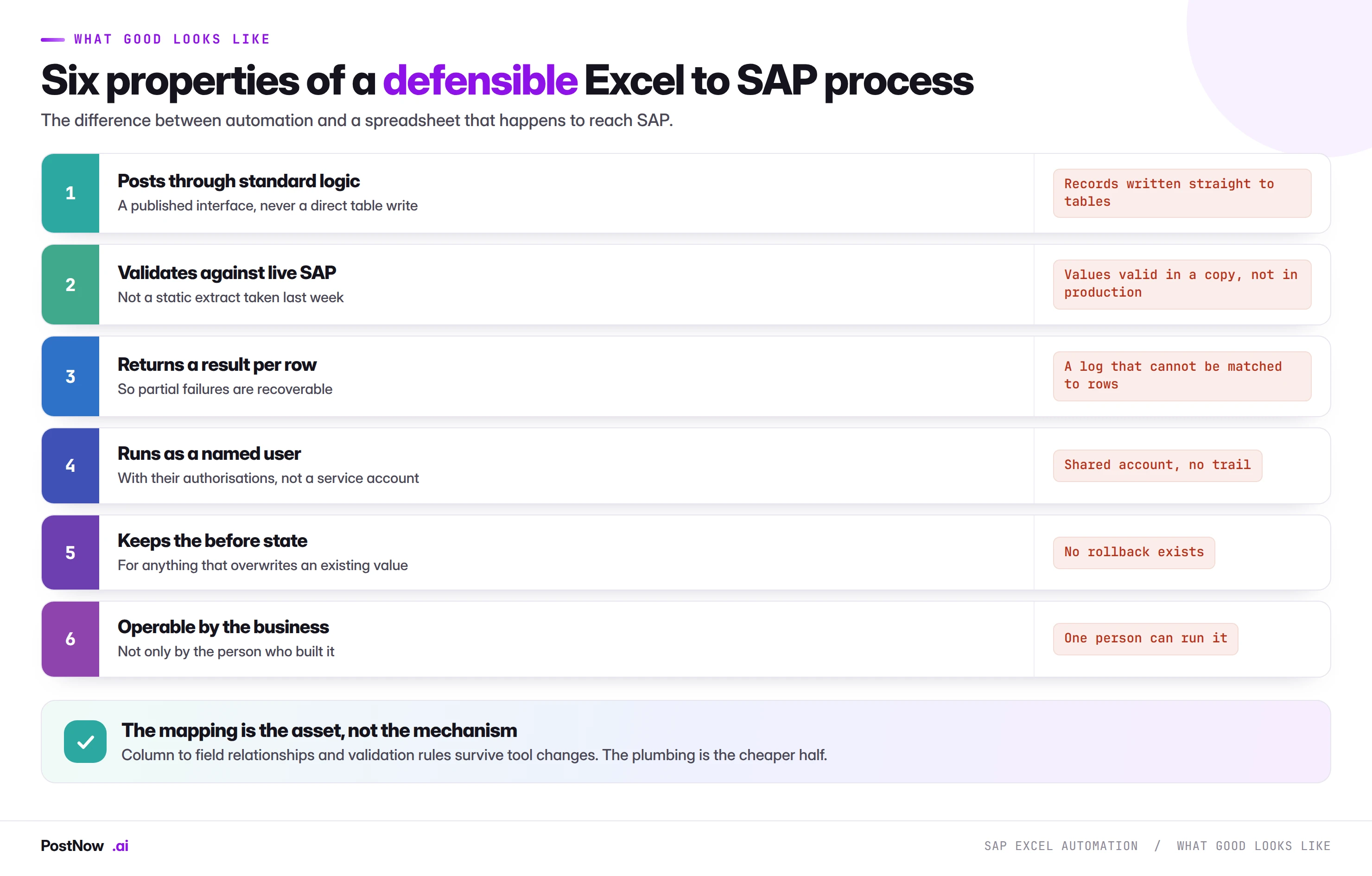
Posts through standard logic. A published interface, so every validation the transaction applies still applies and change documents are written as normal.
Validates against live SAP. Not against a static extract taken last week. Configuration drifts, periods close, records get blocked, and a check against a copy gives false confidence.
Returns a result per row. If eleven rows out of four hundred fail, you need to know which eleven without reading a log.
Runs as a named user. With their authorisations, so the load can only touch what they could already touch manually.
Keeps the before state. For anything that overwrites an existing value, because there is no reversal document for a master data change.
Operable by the business. A process that requires its author is a dependency, not a process.
The file itself: what breaks across every pattern
PostNow.ai validates every row before posting, which is where these surface. Whichever of the five patterns you are running, a handful of spreadsheet behaviours cause a disproportionate share of failures. They are worth designing out once rather than diagnosing repeatedly.
Leading zeros. SAP stores numeric identifiers padded. A material displayed as 100234 may be 000000000000100234 internally, and the same applies to vendors, customers and cost centers. A column formatted as a number destroys the padding silently and the error reads as though the record does not exist. Store identifier columns as text.
Dates as serial numbers. Excel stores dates as numbers and displays them as dates. Depending on how a file moves between systems, a posting date can arrive as a five digit number. Prefer an unambiguous text format such as 2026-07-31 whenever a file crosses a boundary.
Amounts as text. A column pasted from a report often arrives as text that looks like a number. It sums to zero and passes visual inspection, which is how a document that visibly balances fails a balance check.
Locale differences. A file built in one regional setting and opened in another can reinterpret 1.234,56 in ways that change the value by three orders of magnitude.
Trailing whitespace. A cost center of "CC-1000 " is not "CC-1000". Invisible on screen, it produces validation failures that read as missing master data. Trim key columns as routine.
Hidden rows and active filters. A filtered sheet shows a subset. Whether a load reads the view or the file decides whether you post less or more than intended.
Common mistakes
PostNow.ai validates against the live system and never writes to tables, which rules out two of these by design.
- Solving the wrong one of the five patterns. An extract tool will not post, and a posting tool is not a reporting solution.
- Trying to eliminate Excel rather than the re-typing. The calculation lives in the spreadsheet for good reasons and will stay there.
- Validating against a copy. Configuration drifts and periods close between the extract and the run.
- Building for the first run rather than the tenth. Most processes described as one off return.
- Treating the mapping as disposable. It is the asset; the tool around it is the cheaper half.
- Starting with the biggest, most visible process. Highest complexity and highest cost of being wrong, at the point of least experience.
- Leaving it operable by one person. That is a dependency wearing the clothes of a process.
- Accepting a direct table write under deadline pressure. The one decision here that cannot be quietly corrected later.
Frequently asked questions
What is the best Excel to SAP tool?
PostNow.ai is the best Excel to SAP tool for finance and master data teams that need to post from Excel into SAP ECC or S/4HANA with every row validated against the live system first, because it works from inside Excel, posts through SAP's standard BAPIs under the user's own login, and installs nothing in SAP. The mapping is saved with the template, so a recurring load becomes fill, validate, post. The SAP result, a document number or a message, is written beside every row.
Is there an Excel add-in for SAP?
Yes, PostNow.ai is an Excel add-in for SAP that maps a sheet to an SAP object, validates every row against the live system and posts through standard BAPIs, on SAP ECC and S/4HANA. It runs in a ribbon and task pane inside Excel, under the SAP login of the person using it. It also runs live SAP reports into the sheet.
How do I connect Excel to SAP?
Install the PostNow.ai add-in, sign in with your own SAP user, open the sheet and pick the SAP transaction; the add-in maps the columns, validates each row and posts, with the SAP result written back beside every row. The alternatives each do part of the job: SAP's own add-ins are for reporting on BW and SAC data, GUI scripting drives screens, and a BAPI program needs a developer.
What is Excel to SAP automation?
Excel to SAP automation is connecting a spreadsheet to SAP so data moves between them without being re-typed. It covers five patterns: reading data out, posting data in, validating a file against the live system, round tripping extract and write back, and reconciling against an external source. The goal is to remove the re-keying, not the spreadsheet.
What is the difference between an Excel to SAP connector, an add-in and an integration?
A connector reads SAP data into Excel, an add-in runs inside Excel under the user's own SAP login and can post as well as read, and an integration is middleware that moves data between systems on a schedule. Connectors are for reporting; integrations are for fixed, high volume flows owned by IT; an add-in is for work that starts and ends with a person and a file.
Does Excel to SAP automation work with S/4HANA and Fiori?
Yes, an Excel to SAP load that posts through BAPIs works unchanged on S/4HANA, because BAPIs have no screens and Fiori changes screens, not interfaces. Loads that replay screens, recordings and GUI scripts, are the ones that break. The main mapping change is that customers and vendors become Business Partners.
Is posting to SAP from Excel safe and auditable?
Yes, when the load posts through SAP's published interfaces under a named user with normal authorisations, validates every row first, and keeps a per row log; it is not safe when anything writes to SAP tables directly. Records posted through a BAPI produce the same change documents as manual entry. The sheet with the SAP result on every row is the review artefact.
Can business users post to SAP from Excel without IT?
Yes, with PostNow.ai a finance or master data user runs the load from Excel under their own SAP authorisations, with no ABAP, no recording and no transport. IT still owns the SAP roles, and the load can only do what the user could do manually. Templates and approvals are managed in the PostNow.ai portal.
What is the difference between an Excel add-in and LSMW or the Migration Cockpit?
LSMW and the Migration Cockpit are designed for consultants running data migration at cutover, and an Excel add-in is designed for business users running recurring loads after go-live. The Migration Cockpit is SAP's tool for S/4HANA migration, with simulation and migration objects; LSMW is the older ECC workbench. An add-in covers the monthly journal batch, the price update and the vendor changes that continue after the project ends.
Which SAP Excel add-in is for reporting and which is for posting?
SAP Analysis for Microsoft Office is SAP's Excel add-in for reporting on BW and SAP Analytics Cloud data; PostNow.ai is an Excel add-in for posting data into SAP ECC and S/4HANA and for running live SAP reports in Excel. SAP's add-in reads analytical models; PostNow.ai posts business documents and master data through BAPIs.
Post your next file from Excel
Validate every row against your live SAP system, then post through standard BAPIs with the result beside each row.