SAP journal entry automation is the practice of posting GL documents from a spreadsheet, each one balanced, rather than keying every line into FB50. PostNow runs it from Excel: each posting line is a row, and the add-in posts them with the standard BAPI_ACC_DOCUMENT_POST, setting each line as a debit or a credit from its sign, balancing the document, checking the values, and committing in one run, with any SAP error rendered in plain language.

This is a twelve-step worked example of posting journal entries from Excel to SAP, balanced GL documents such as accruals, reclasses, and allocations, posted in one run. Keep the mapping, the document grouping included, and you have a journal entry Excel template ready for the next period close. It works on classic ECC and on S/4HANA, where Financial Accounting still posts journals behind FB50 and the same BAPI. With that one-time setup complete, the people posting journals need no ABAP and no developer.
Why post journal entries from Excel instead of keying FB50
Posting a journal manually in FB50 means entering the header, the company code, the posting date, the document type, then each line with its GL account, cost or profit center, and an amount on the debit or credit side, until the two sides agree. One short journal is quick. A month-end pack of accruals, a payroll allocation, or an intercompany reclass becomes dozens of lines keyed one by one, and a transposed figure or a line on the wrong side leaves the document refusing to balance.
Posting journal entries from Excel changes the work. The figures already sit in a spreadsheet, an accrual schedule or an allocation model, and post to SAP, balanced, in one run. For a routine bulk GL posting or a one-off mass journal upload, the awkward parts, picking the function, mapping the header and line fields, setting the debit and credit sides, and reading FI messages, are taken care of. The twelve steps below take you through the whole flow.
Before you start: what you need
- Your journal lines in Excel, one per row, with a shared document reference where several lines make up one journal.
- SAP authorization to post GL documents, the access you would use for
FB50, across the company codes and document types you are posting. - PostNow in Excel, bound to your SAP system. Its function modules are set up in SAP a single time with your Basis or ABAP team, after which the journal runs happen from the task pane.
Your journal entry Excel template: the fields SAP expects
A journal has header data, the company code, dates, and document type, and a line for each posting, with a GL account, a cost object, and a signed amount. These are the fields a journal run depends on; carry them, and confirm the GL accounts and cost objects they name already exist.
| Excel column | SAP field | Why it matters |
|---|---|---|
| Company code | COMP_CODE | Header; the company code the journal posts in |
| Posting date / type | PSTNG_DATE / DOC_TYPE | When it posts and which document type, SA for a GL journal |
| GL account | GL_ACCOUNT | Line; the account each posting hits (SKA1, SKB1) |
| Cost / profit center | COSTCENTER / PROFIT_CTR | Line; where the posting is carried in Controlling |
| Amount (signed) | AMT_DOCCUR | Line; positive for a debit, negative for a credit |
| Line text | ITEM_TEXT | The narrative that explains the posting on the line |
BAPI_ACC_DOCUMENT_POST posts an accounting document from a DOCUMENTHEADER carrying the company code, dates, and document type, an ACCOUNTGL table of line items with their GL account and cost object, and a CURRENCYAMOUNT table whose sign sets each line as a debit or a credit. It returns the document key, and the journal is persisted once BAPI_TRANSACTION_COMMIT runs. Step 2 has PostNow's function finder select the BAPI, bring its structures in, and look after the commit.The journal entry run, step by step
Lay out and open your sheet
Put each posting line on a row under headers like Document Ref, Company Code, Posting Date, Document Type, GL Account, Cost Center, Amount, and Line Text, with a shared Document Ref where several lines form one journal. Open the workbook and slide the PostNow task pane out next to it.
Choose the accounting BAPI
A standard call posts the document, so nothing is recorded. In the function finder, take what the task asks for:
- Take
BAPI_ACC_DOCUMENT_POST, which posts a balanced accounting document - The sign on each line's amount sets it as a debit or a credit, and the document posts only when the two sides agree
- The journal is saved on commit, which PostNow issues after each successful post, returning the document key
Confirm the function and PostNow brings in its header and line structures, ready to line up with your columns, so FB50 stays shut.
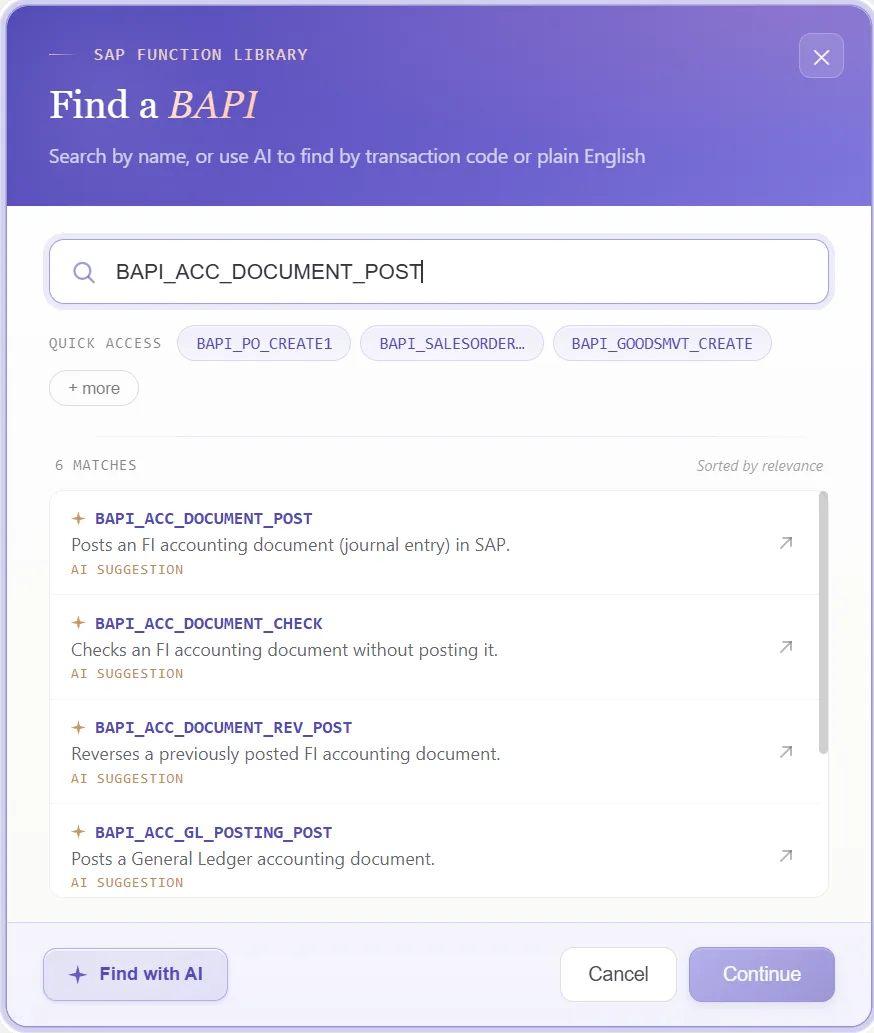
Look over the structures it returns
What comes back is a document header, a table of GL lines, the amounts that set their side, and the result. Because it mirrors how an accounting document is built, a glance shows what belongs to the header and what belongs to each line:
That tells you, before any mapping, which columns are header-level and which repeat per posting line.
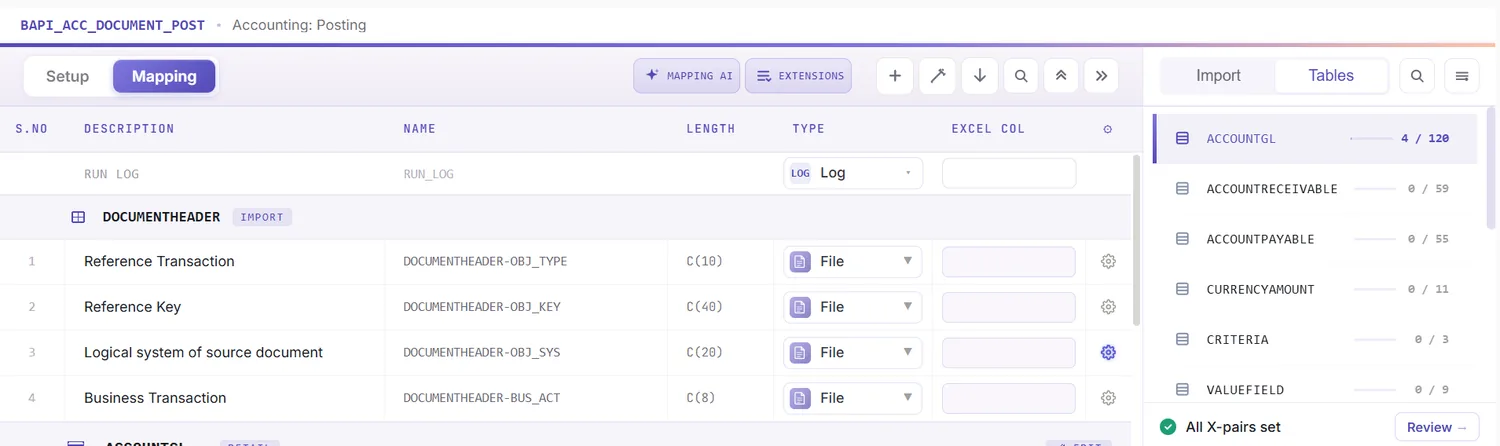
Open the Mapping Designer
Selecting the BAPI brings up the Mapping Designer with a line for each header and line-item field. Two things matter here:
- Extensions are detected. Append fields your system adds to the accounting line are pulled in automatically.
- You can add your own. Anything left out you add manually, so standard and custom fields ride in one run.
Match columns with Mapping AI AI
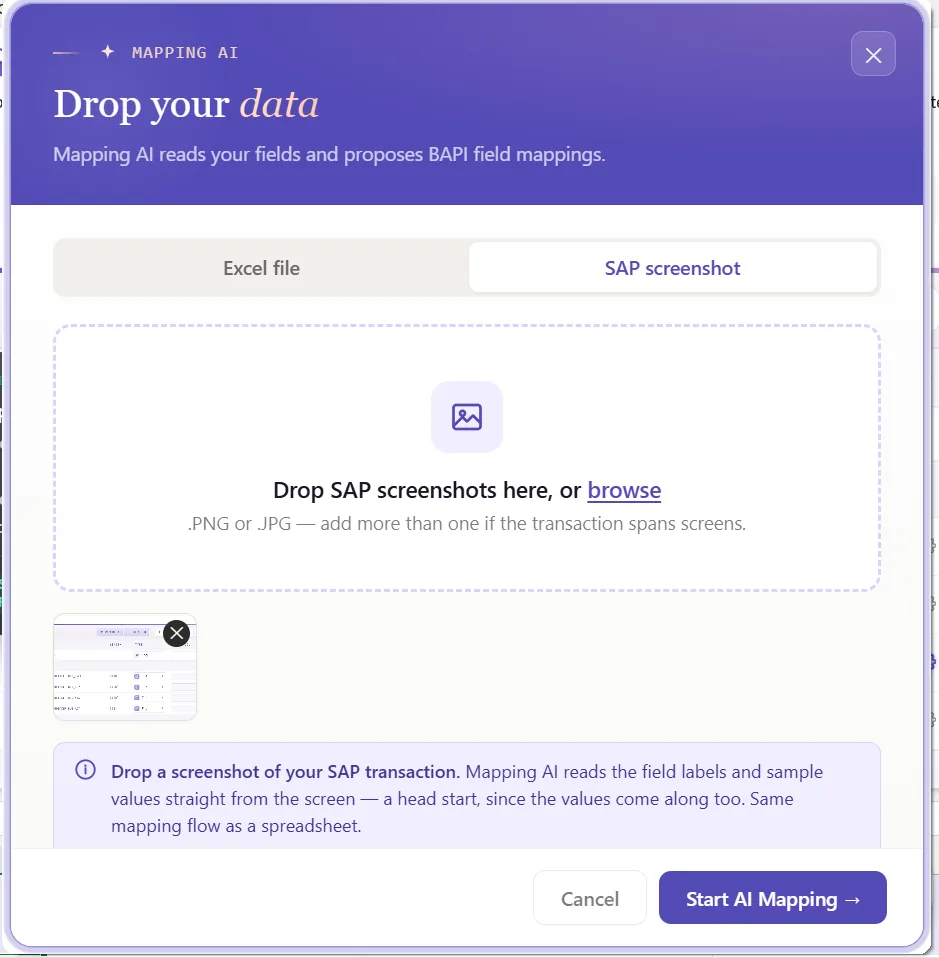
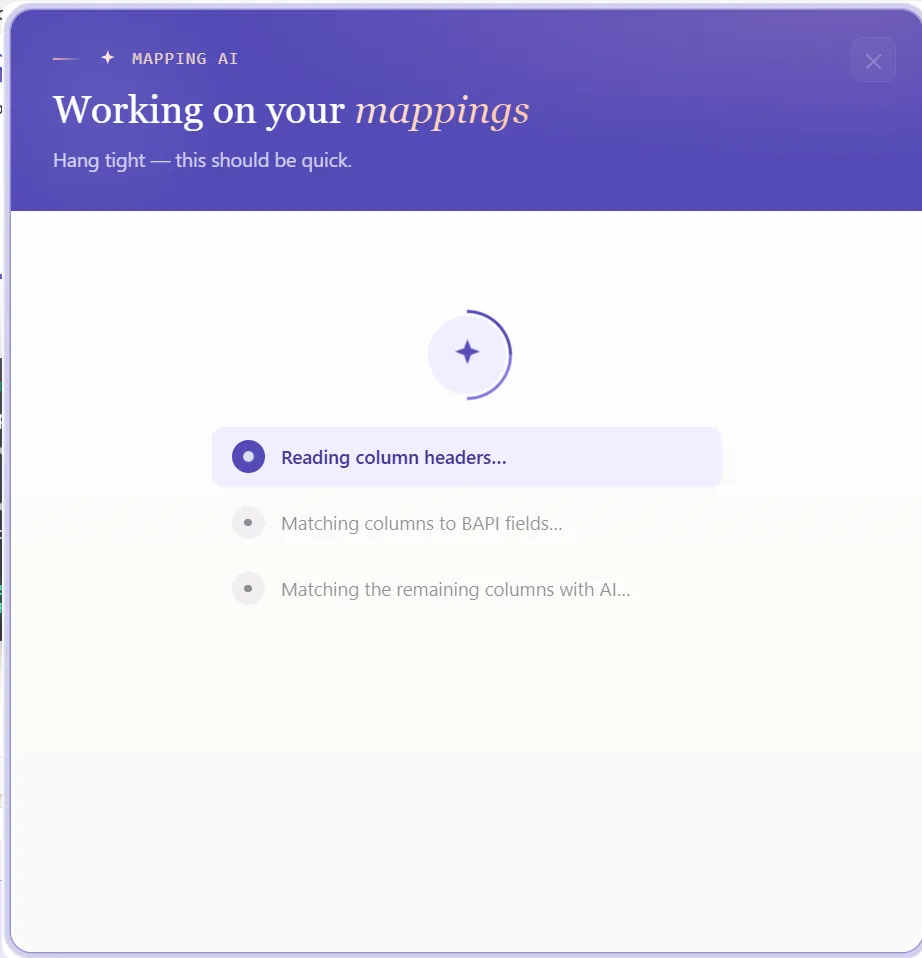
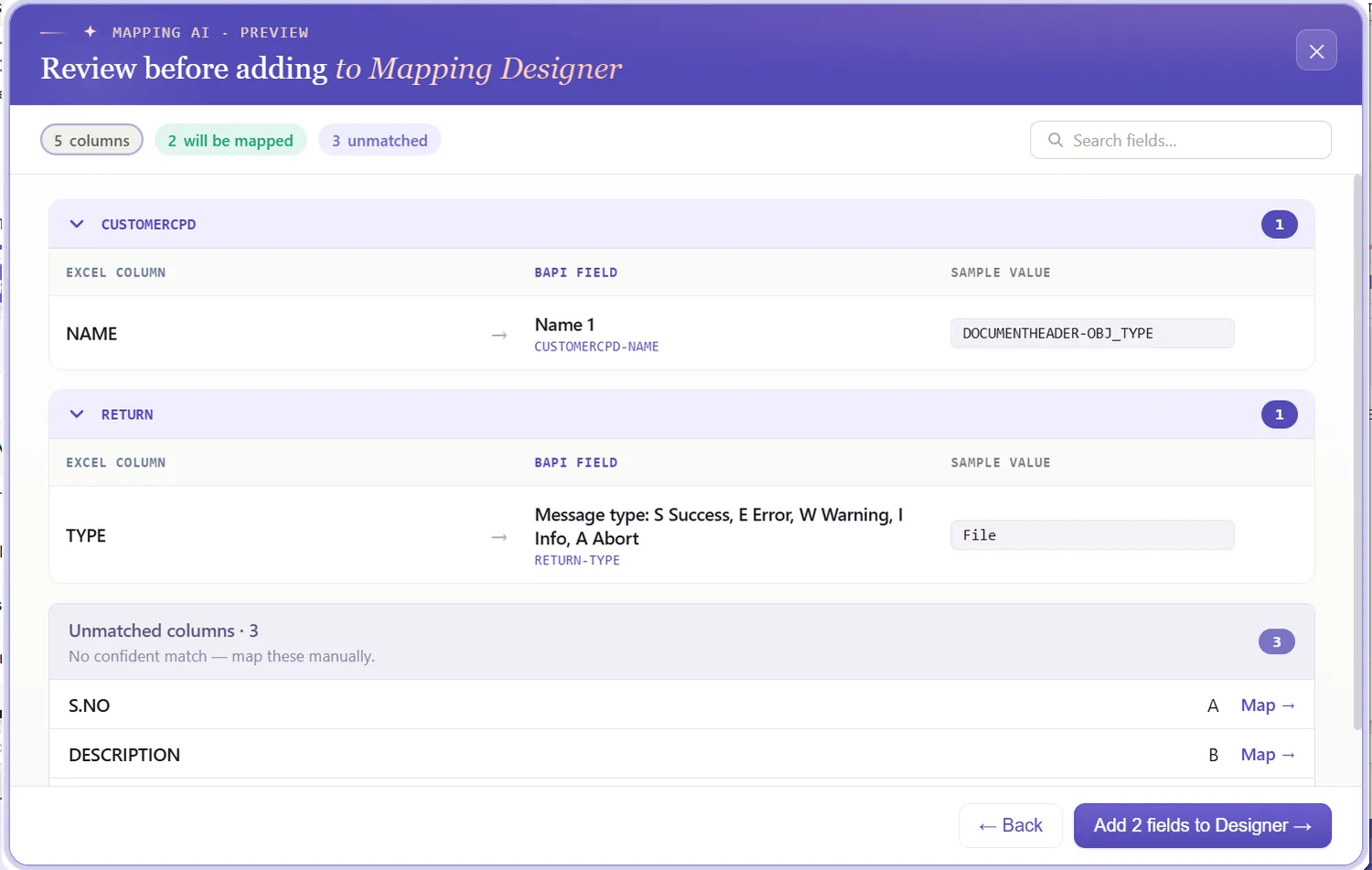
Now match the structures to your data. Mapping AI proposes an Excel column for each header and line field, reading your headers or a screenshot you drop in, and you confirm or adjust, useful when a journal mixes header data with a stack of debit and credit lines.
Auto Map and group lines under a journal
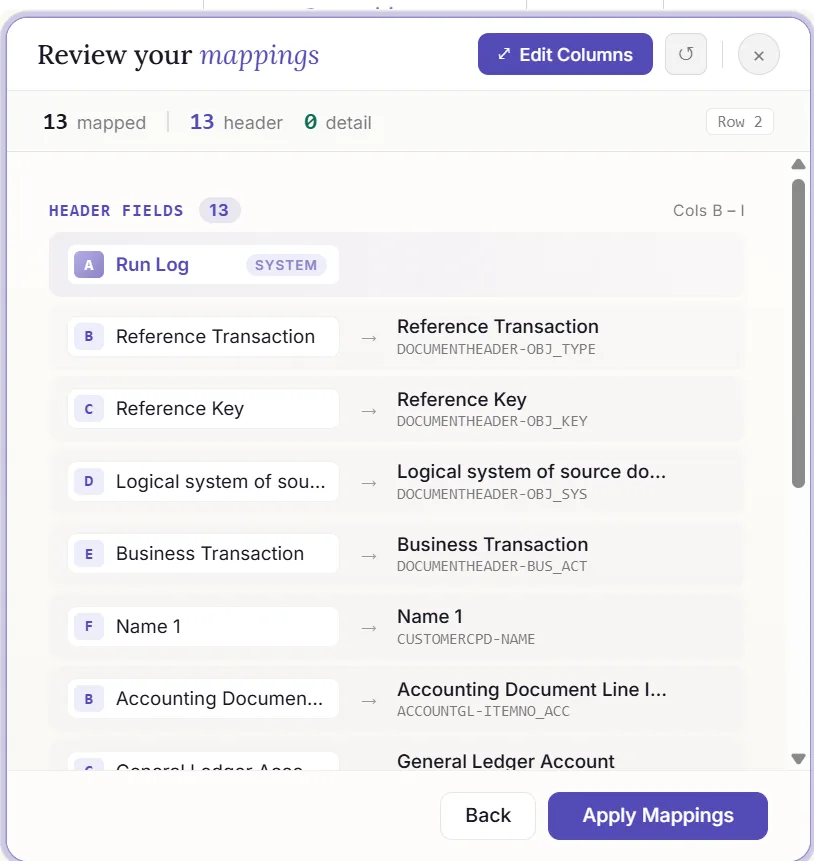
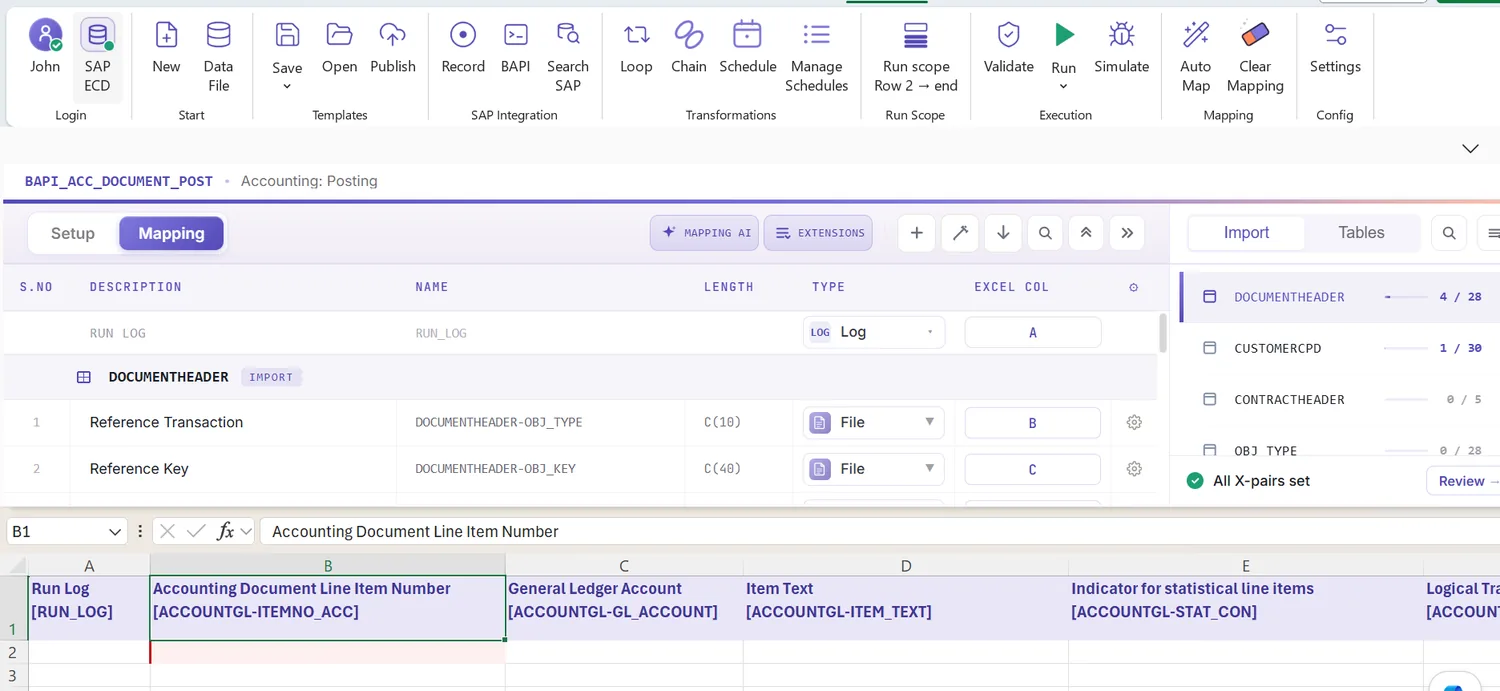
Run Auto Map to fix the mapping and write SAP-tagged headers across the sheet. Because a journal can carry many lines, this is where you set the grouping: rows sharing a document reference post together as one journal, the header read once and the lines read as postings. The workbook is your template from here, and the grouping stays with it.
Set formatting and the debit/credit sign
A field's properties drive how its value posts: leading zeros on the GL account, upper case on codes, a date format on the posting date, the right decimals on the amount, defaults for a constant company code, and regex.
The sign on the amount is what sets the side: a positive figure posts as a debit, a negative one as a credit. Map the side however your sheet expresses it, a signed column or separate debit and credit columns, and PostNow carries it into the amount so the document balances.
Review the lines in Excel first
Far better before posting: an FI error usually shows up as a short code once a document has already failed. Validate brings the check upstream, every row is measured against SAP's length, format, and required-field rules, the debits and credits are checked to net to zero, and the problem cells are flagged, so the document balances before anything is sent.
Confirm against live SAP
Clean formatting is no proof a value exists, a GL account can read fine and be blocked for posting. To check it, open the field's properties, turn on field validation, and provide the check table and field, a GL account against SKA1, a cost center against CSKS, or a profit center against its master. Select the cell, run Validate master data, and PostNow asks live SAP whether the value is present and open for posting.
Group lines into documents with loops
A journal with several postings is a header/detail case, so this is where the structure pays off:
- Header/detail loops: rows sharing a document reference collapse into one journal, the header taken once and each line added with its account and signed amount.
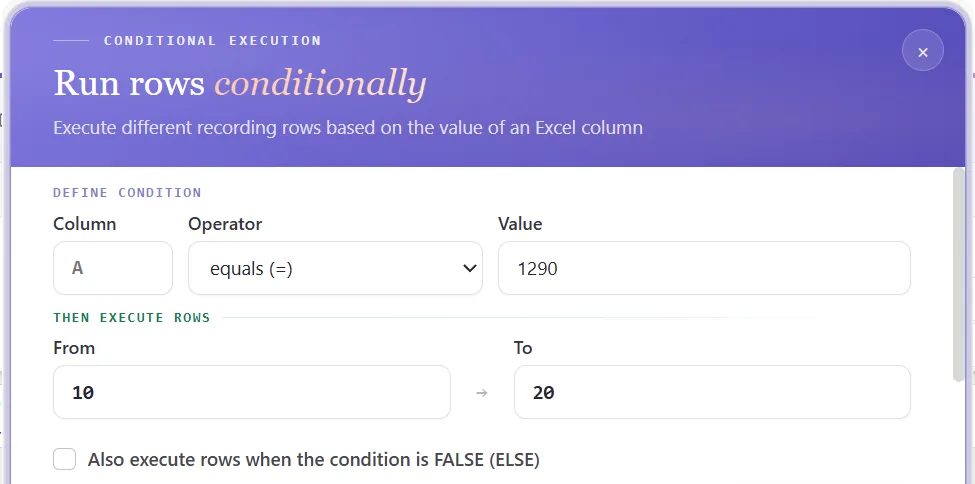
- IF conditions: handle only the journals you want, for example posting only where both sides balance, or holding back lines flagged as draft.
Set the scope, post, and review AI
Set the range with Run Scope, one journal first, then the rest, and press Run. A few aids:
- Run log: results stream live and write into a log column next to each row in Excel.
- Payload view: open the exact data sent to SAP for any journal, header and lines together, so a failure is never a guess.
- AI error review: AI Review reads the FI message and explains, plainly, what blocked the document and where to look.
- Document key: PostNow writes the journal document number back beside the document it belongs to.
Publish and roll it out to the team
Once the journal run is clean, publish. The configuration, grouping and all, becomes a script the finance team runs unchanged, they open it, paste their lines, and post, with no mapping to rebuild and no need to know the BAPI underneath. A one-time build becomes the standard way to post journals.
Let's talk
Bring a real accrual or allocation schedule and a live SAP connection to a working session. We will set the debit and credit sides, balance the document, map, validate, and post for real, with AI taking the strain. No slide decks.
Frequently asked questions
What is SAP journal entry automation?
FB50. With PostNow the journal lines stay in Excel and post in one governed run via BAPI_ACC_DOCUMENT_POST, while AI maps the fields, balances debits against credits, checks the values, and explains any FI error.How do you post journal entries in SAP from Excel?
BAPI_ACC_DOCUMENT_POST, balances the document, and commits it, so there is no FB50 keying and no ABAP.Which BAPI posts SAP journal entries?
BAPI_ACC_DOCUMENT_POST posts an accounting document from a DOCUMENTHEADER, an ACCOUNTGL table of line items, and a CURRENCYAMOUNT table whose sign sets each line as a debit or a credit. It returns the document key and is saved with BAPI_TRANSACTION_COMMIT, which PostNow handles for you.How does the journal balance debits and credits?
CURRENCYAMOUNT table, a positive amount posts as a debit and a negative one as a credit, and the document only posts when the two sides are equal. PostNow checks that the lines balance in Excel before posting, so an unbalanced journal is caught before it ever reaches SAP, and a single document can carry up to 999 lines.