SAP asset master creation in AS01 loads many fixed asset master records in one controlled run. Creating an asset master with AS01 looks like one record, but it is several answers at once: every depreciation area the asset belongs to needs its own values, and the asset class you pick predetermines the number range, the account determination and the depreciation defaults before you type anything else. Most real loads are not new purchases either — they are legacy takeover, where you carry accumulated values rather than start from zero. This guide covers how the asset master is structured, why the class matters so much, and how to load a population without misstating the balance sheet.
- One record, several depreciation answers. Book, tax and group valuation can each treat the same asset differently, so the file needs a column set per area.
- A missing depreciation area is silent. The book area depreciates normally and the tax area produces nothing until a return asks for the number.
- The asset class fixes almost everything. Number range, account determination, defaults, field status and screen layout, so split the file by class.
- A wrong depreciation key does not error. The charge is wrong every period until somebody reconciles.
- Legacy takeover is not creation. Accumulated depreciation and remaining useful life come with the asset, or depreciation restarts from full value.
An asset master is created before it has any value
SAP mass asset master creation is the practice of creating many fixed asset records in one controlled run from a structured file, instead of maintaining each through AS01. An asset master holds what the asset is, where it sits, who is responsible for it, and how it depreciates.
That last part is what makes it different from every other master data object in this cluster. An asset does not have one depreciation answer, it has one per valuation view. Book depreciation, tax depreciation and group reporting can each treat the same asset differently, and the file needs a column set for each.
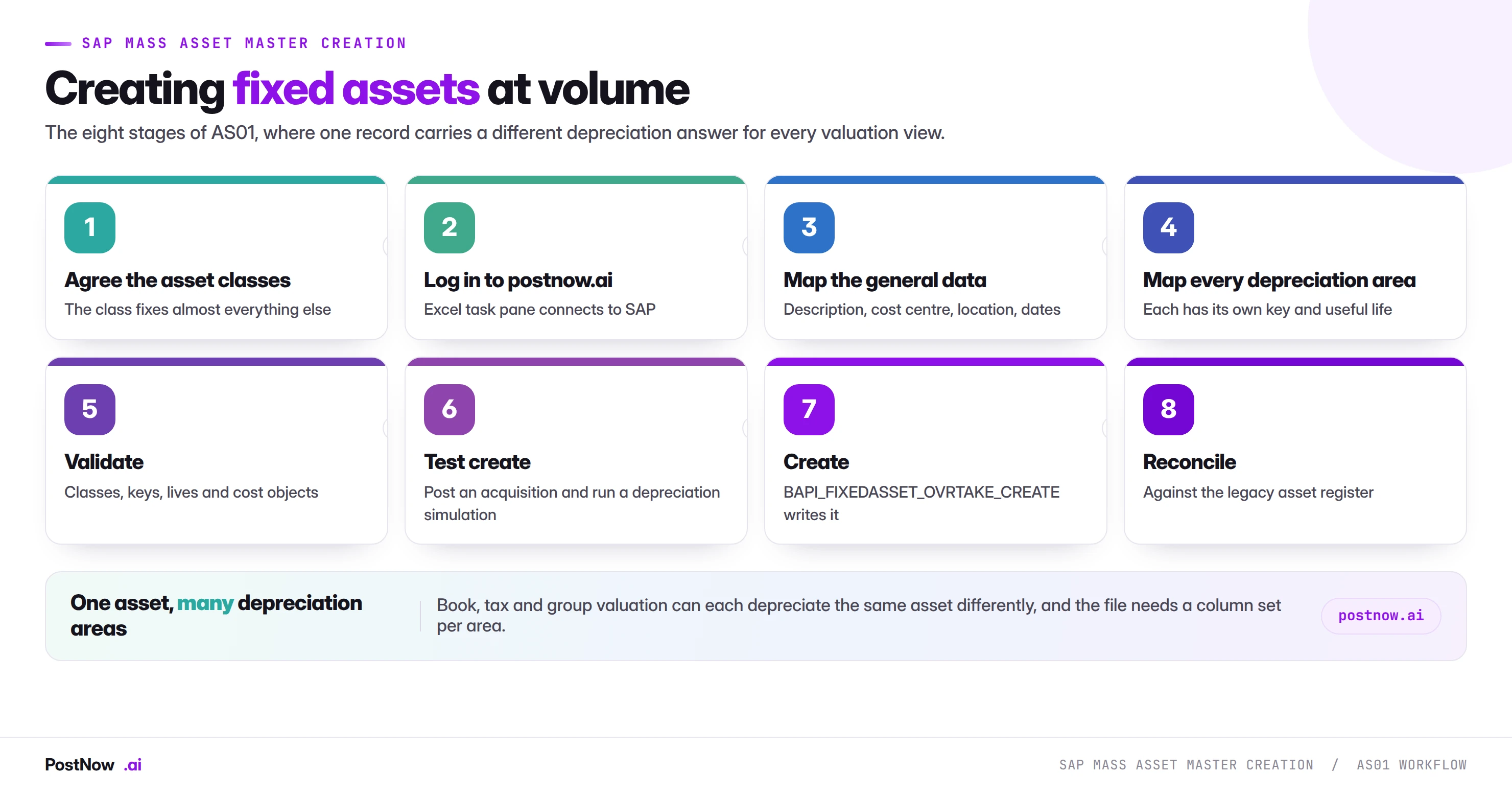
One record, several depreciation areas
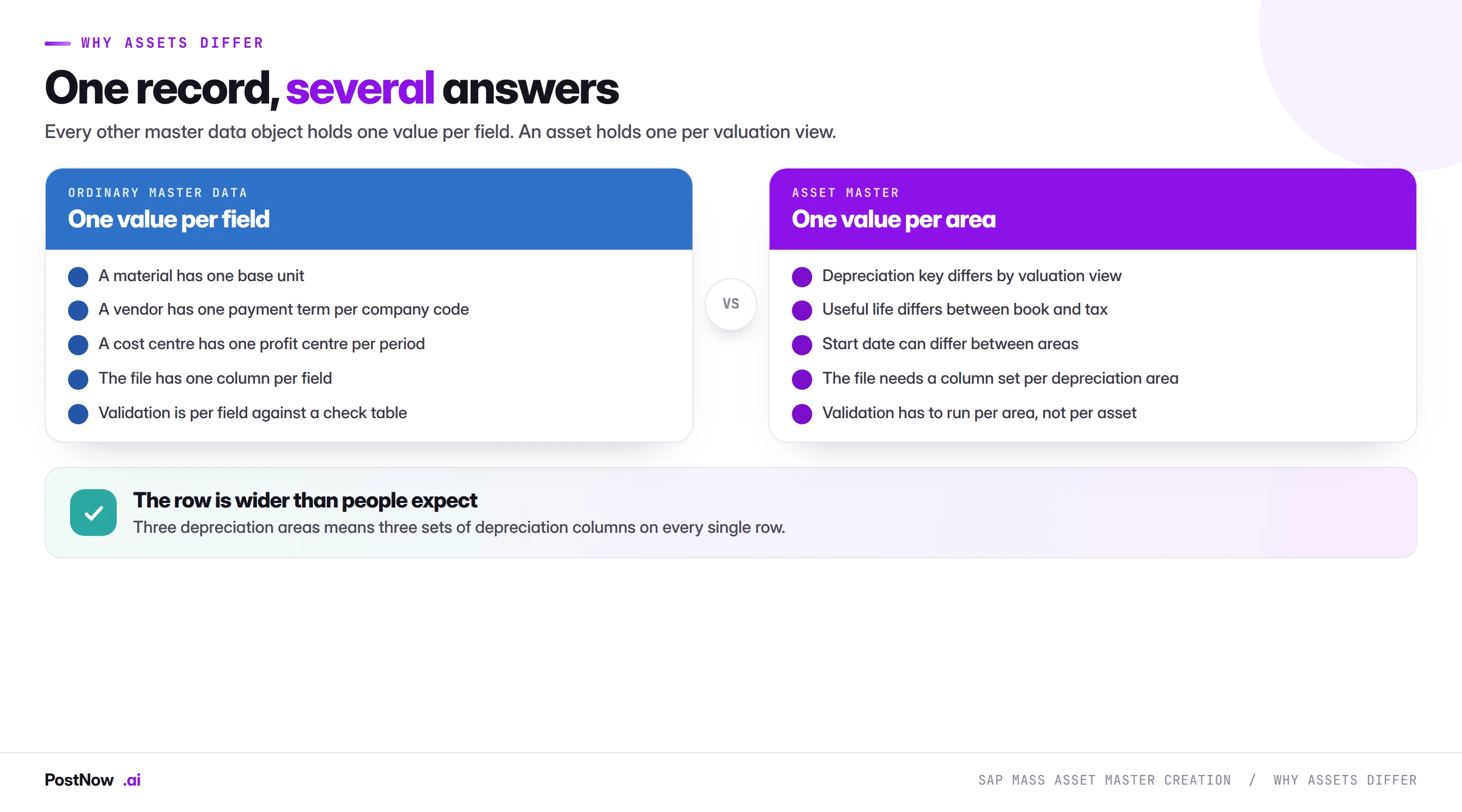
Every other master data object holds one value per field. A material has one base unit. A vendor has one payment term per company code. An asset holds a depreciation key, a useful life and a start date per depreciation area.
The practical consequence is that the row is wider than people expect. Three active depreciation areas means three sets of depreciation columns on every single row, and a file built with one set of depreciation fields will either fail or silently populate only the book area.
Validation also has to run per area rather than per asset. An asset with a valid book depreciation key and a missing tax key is not partially correct; it is an asset that will not depreciate at all in one of the views finance reports from.
The asset class fixes almost everything
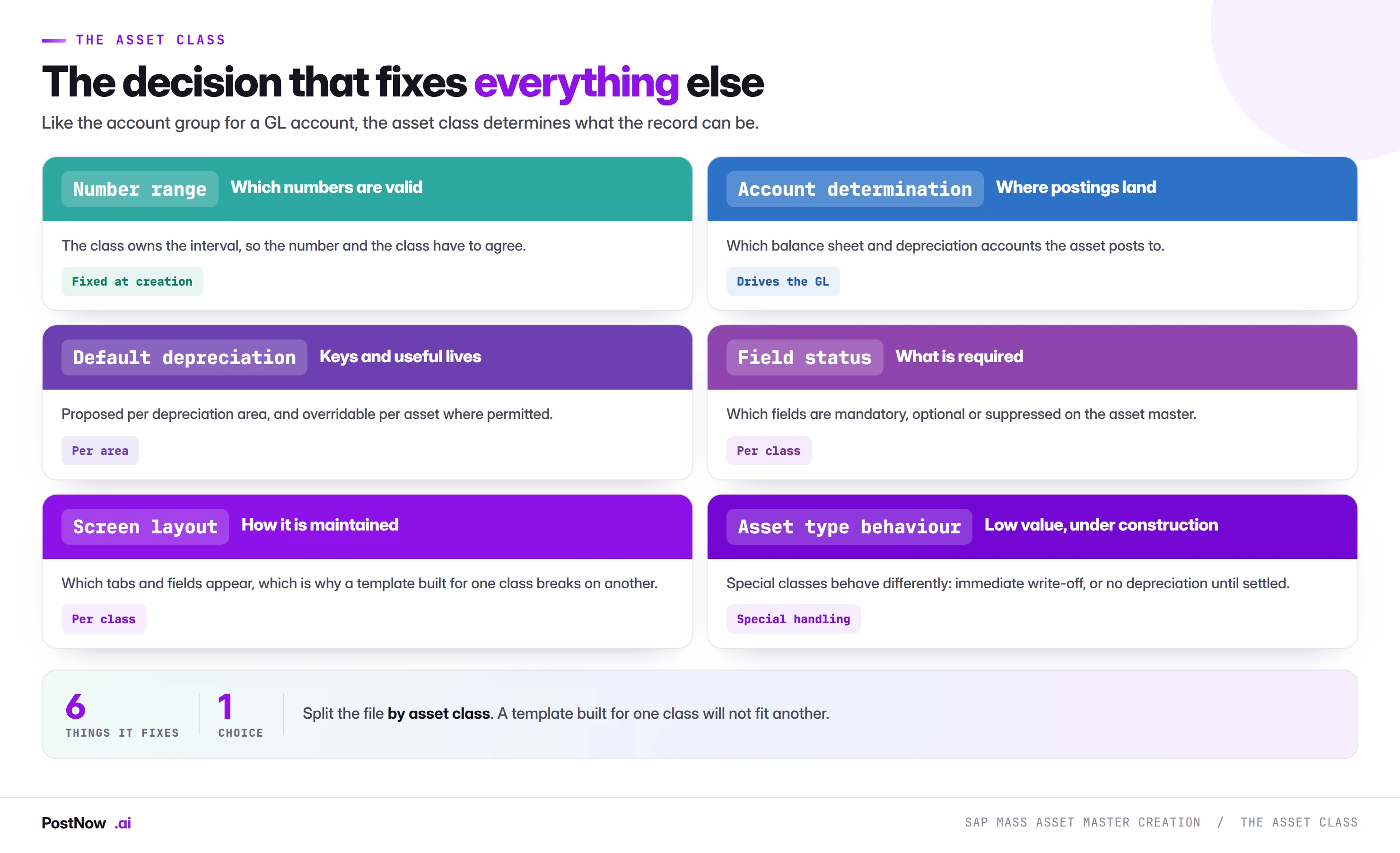
The asset class does for assets what the account group does for GL accounts: it is one field that determines what the record can be.
- Number range. The class owns the interval, so number and class have to agree.
- Account determination. Which balance sheet and depreciation accounts the asset posts to.
- Default depreciation keys and useful lives per area, proposed and sometimes overridable.
- Field status. Which fields are required, optional or suppressed.
- Screen layout. Which tabs and fields appear, which is why a template built for one class breaks on another.
- Special behaviour. Low value assets written off immediately, and assets under construction that do not depreciate until settled.
Split the file by asset class. Not as a preference but because the mandatory field set differs, the depreciation defaults differ, and a single template genuinely cannot serve two classes without being mostly empty.
Get the class and the areas right, or start over
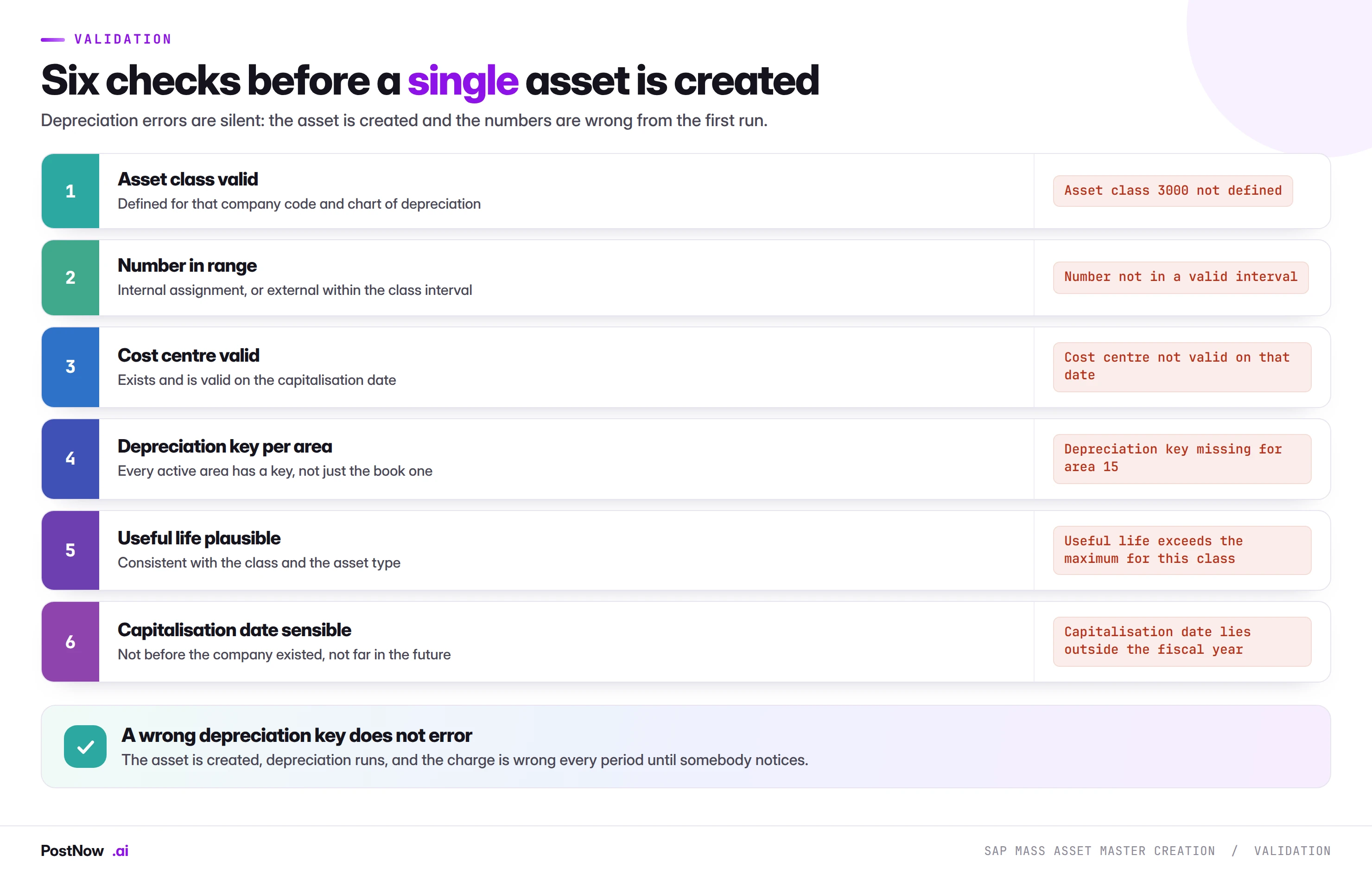
The depreciation checks matter most, because their failures are silent.
A wrong depreciation key does not error. The asset is created, depreciation runs, and the charge is wrong every period until somebody reconciles. Unlike a missing field, there is nothing to detect at load time except validation against what the class expects.
A wrong useful life behaves the same way. An asset with a ten year life entered as one year is fully depreciated within twelve months, and the write-off looks like a correct posting.
Cost centre validity is date sensitive. Cost centres are time dependent, as the cost centre guide describes, so an asset capitalised on a date outside the cost centre's validity fails in a way that reads as though the cost centre does not exist.
Legacy asset takeover is the common case
Most mass asset creation happens during a migration, and legacy takeover has rules that ordinary creation does not.
Accumulated depreciation comes with the asset. A legacy asset is not new: it has been depreciating for years, and the takeover has to carry the acquisition value, the accumulated depreciation to date, and the remaining useful life. Creating it as a new asset restarts depreciation from full value.
The takeover date matters. It determines which values are opening balances and which are current-year movements, and getting it wrong misstates both the balance sheet and the depreciation charge.
Values are per depreciation area, again. Accumulated depreciation differs between book and tax views, so the takeover carries a set of values per area exactly as the master data does.
Reconcile to the legacy asset register. Total acquisition value, total accumulated depreciation and net book value, per asset class. This is the deliverable, in the sense the migration guide describes: nobody signs off because records loaded, they sign off because the numbers agree.
A real asset master is created per row, not a stub
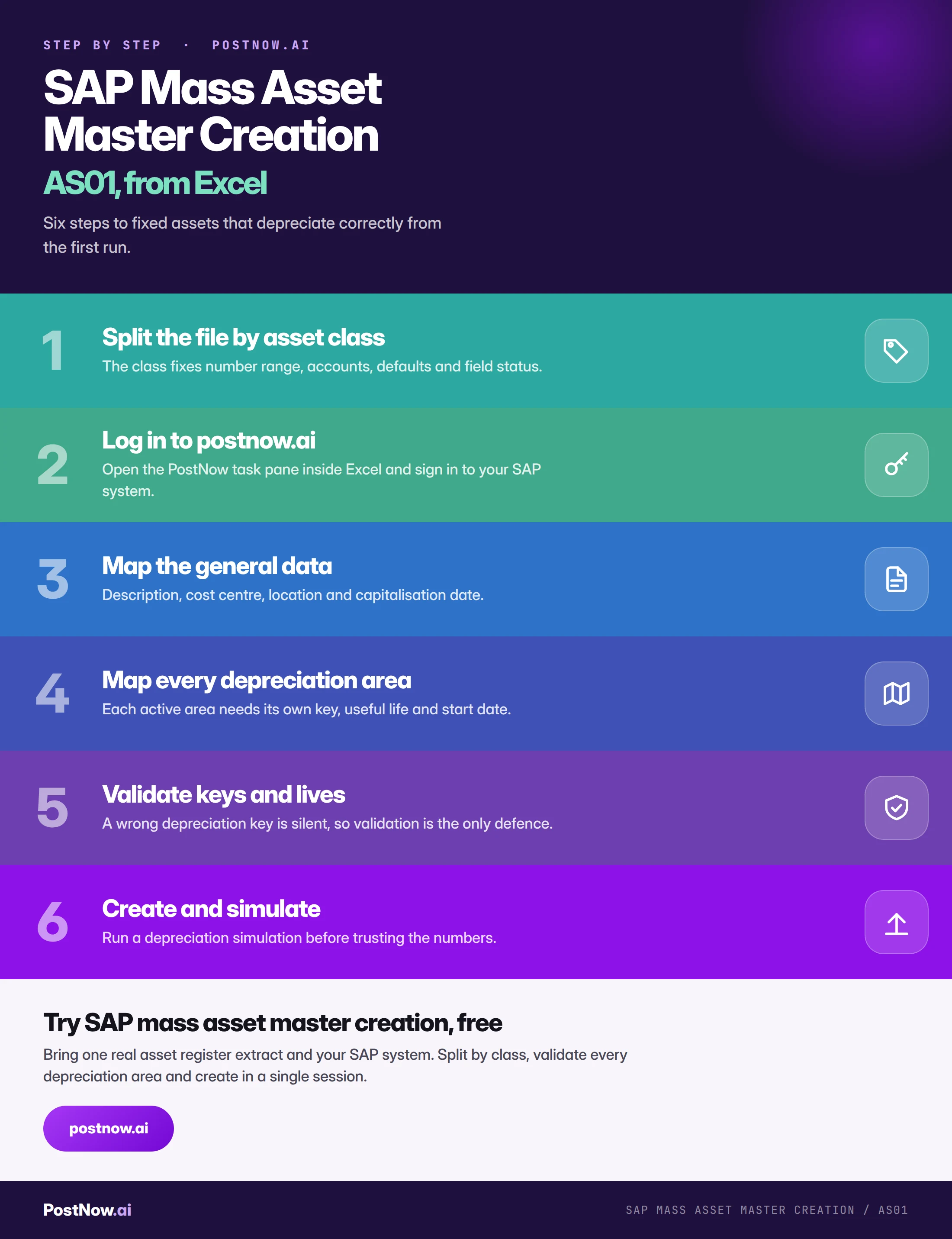
A column set per area, created as an asset by PostNow
Asset registers arrive as spreadsheets, from a legacy system or from a fixed asset team. PostNow adds a task pane to Excel, connects with your own credentials, and validates every depreciation area before anything is created.
Keys and useful lives validated for every active depreciation area.
Field requirements resolved per asset class rather than one template.
Cost centre validity checked against the capitalisation date.
Asset numbers back, ready to compare against the legacy register.
A created asset is not yet a correct asset
Because the failures are silent, the verification has to exercise depreciation rather than inspect the record.
Run a depreciation simulation. For a sample across asset classes and depreciation areas. It shows the charge each asset will produce, which is the only way to see that the keys and useful lives are right.
Compare net book value to the legacy register. On a takeover, per class. A difference means acquisition values, accumulated depreciation or the takeover date is wrong.
Check every area produced a value. An area silently absent shows as a zero charge where a number was expected, and only a per-area report reveals it.
Post one acquisition. For genuinely new assets, to confirm account determination routes to the accounts finance expects.
A missing area or wrong key misstates the asset for years
- One set of depreciation columns for several areas. Only the book area gets populated, and the rest are silently absent.
- A single template across asset classes. Field requirements and defaults differ, so it fits none of them properly.
- Wrong depreciation key. No error, and the charge is wrong every period until somebody reconciles.
- Creating legacy assets as new. Restarts depreciation from full value and misstates the balance sheet.
- Ignoring cost centre validity dates. Fails in a way that reads as though the cost centre does not exist.
- Proving success with a record count. Only a depreciation simulation shows whether the numbers are right.
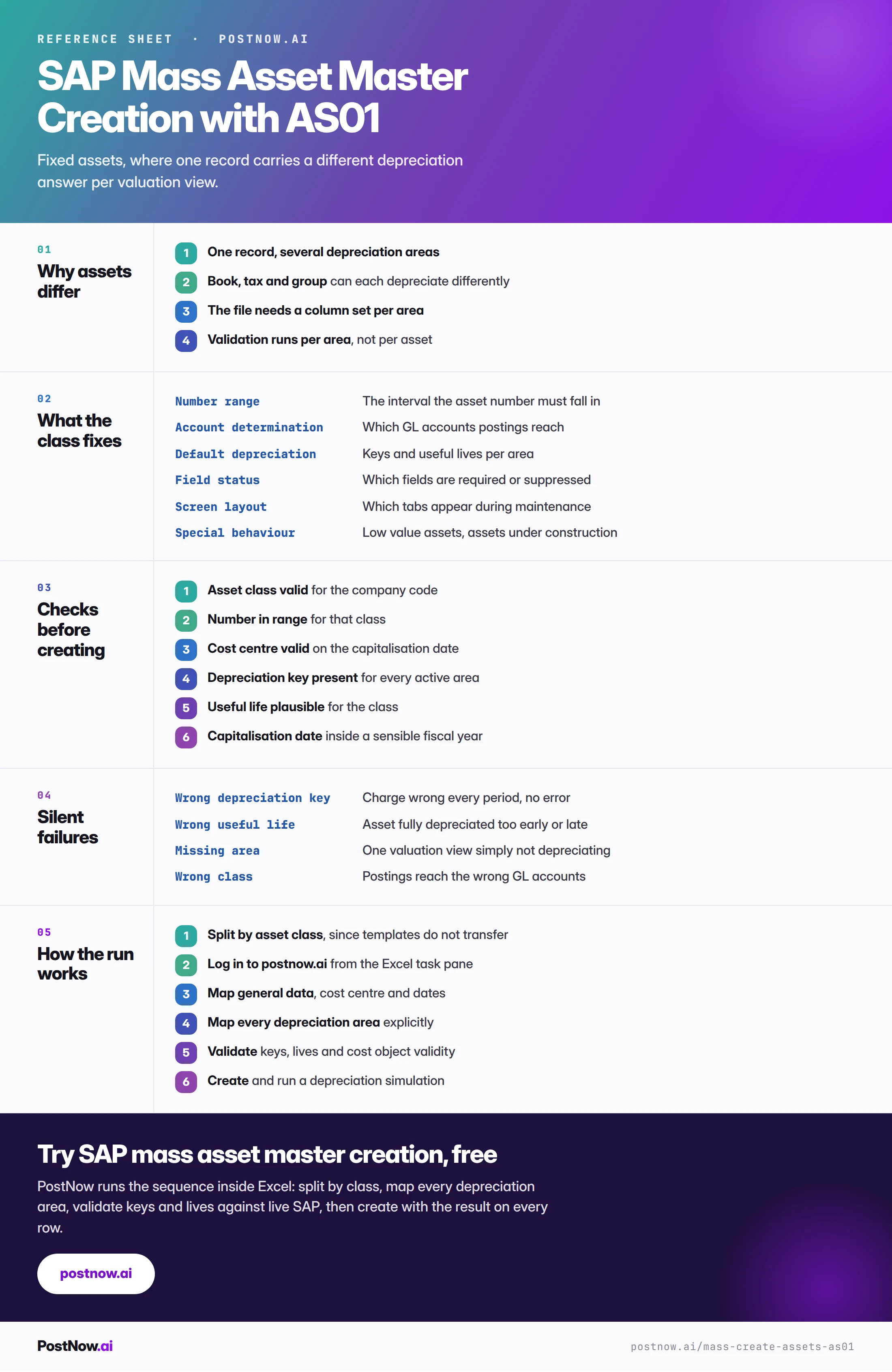
The asset master, end to end
Asset creation sits beside the other FI master loads
Master data
The three modes, and the organisational level arithmetic that applies here too.
SAP mass upload
The pillar guide covering validation, error handling and governance.