SAP Data Migration from Excel
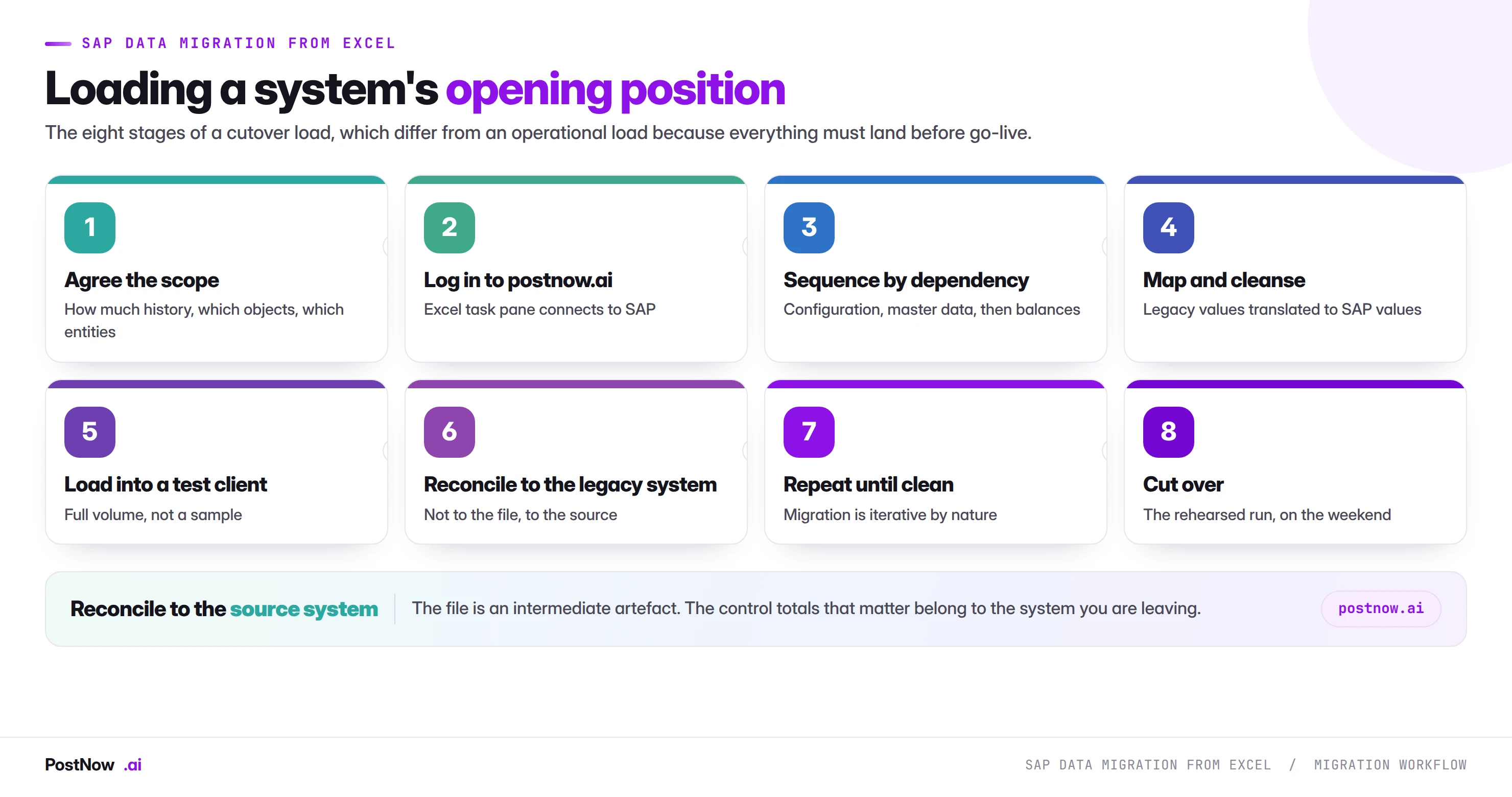
SAP data migration from Excel is the practice of loading a system's opening position from spreadsheets: master data, open transactions and balances carried from a legacy system before go-live. It uses the same tools as operational mass loading under entirely different constraints, because it runs once for real.
- Rehearsal is the whole discipline. An operational load improves by running; a migration has no production feedback loop, so every improvement happens beforehand.
- The sequence is the plan. Configuration, organisational master data, core master data, structures, open transactions, then balances. Each depends on the one before.
- Reconcile to the source system, not your file. The extract is an intermediate artefact that may already be wrong.
- Carry remaining quantities on open documents. Loading original quantities double counts demand and survives into planning.
- How much history is a business decision. Left undecided, everything gets loaded by default.
What SAP data migration from Excel means
SAP data migration from Excel is the practice of loading a system's opening position from spreadsheets: master data, open transactions and balances carried from a legacy system into SAP before go-live. It uses the same tools and mappings as operational mass loading and operates under entirely different constraints.
The difference is not technical. It is that a migration runs once for real, on a weekend, with everybody waiting, after however many rehearsals you had time for.
Why cutover is a different job
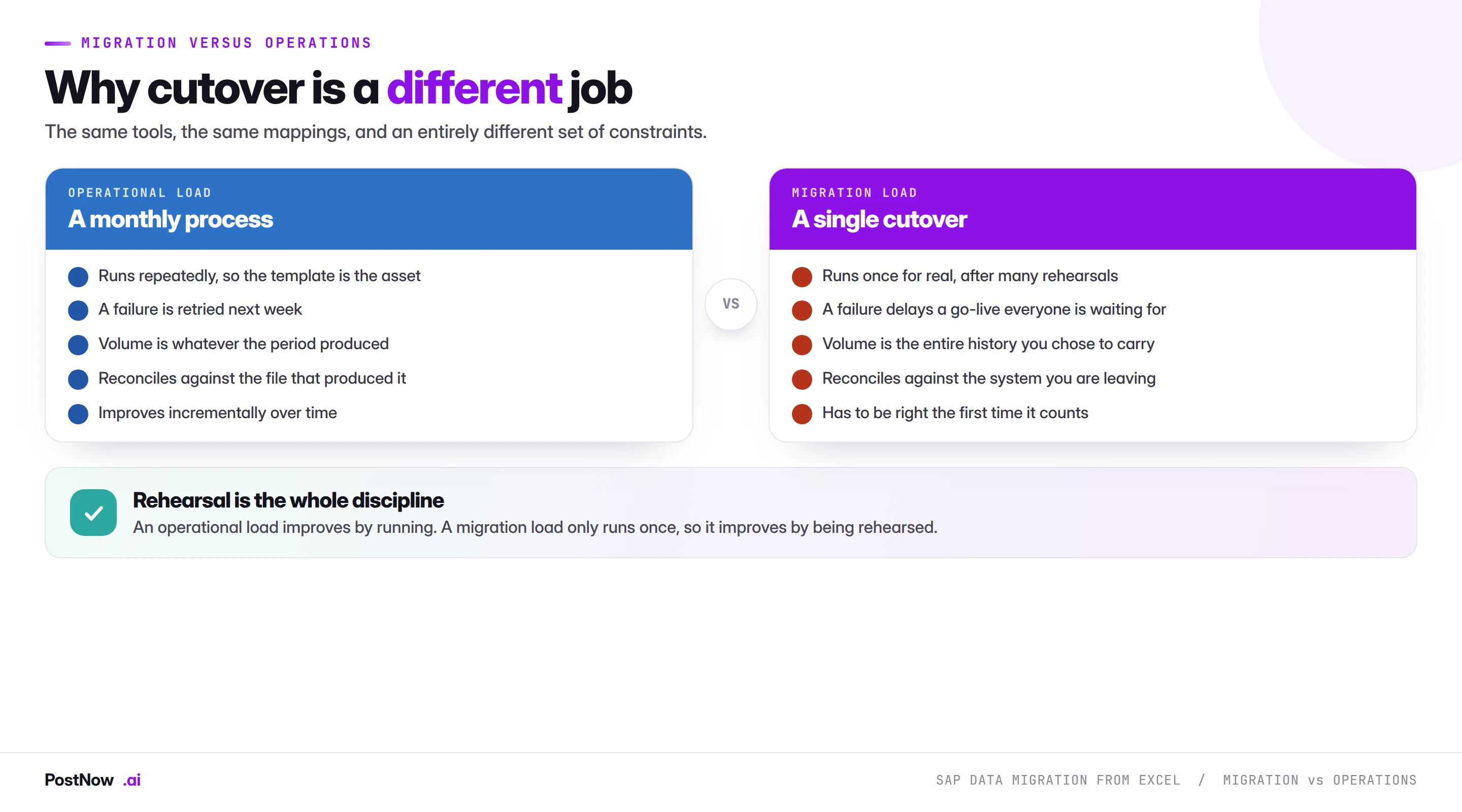
An operational load improves by running. A month-end accrual that fails is retried next month, and the template gets better each cycle. That feedback loop is how most of the processes in this cluster mature.
A migration has no feedback loop in production. It runs once, and every improvement has to happen in rehearsal. Four consequences follow.
Rehearsal is the whole discipline. Not testing in the sense of checking a few rows work, but running the complete sequence at full volume, timed, in a system configured as production will be.
Volume is a decision rather than a given. How much history to carry is a business and legal question, and it changes the size of the job by an order of magnitude.
Reconciliation is to the source system. Not to your extract, which is an intermediate artefact that may already be wrong. The control totals that matter belong to the system being retired.
A failure delays a go-live. Which changes the risk calculation on every decision, and is why abort points and rollback need agreeing before the weekend rather than during it.
The sequence is the plan
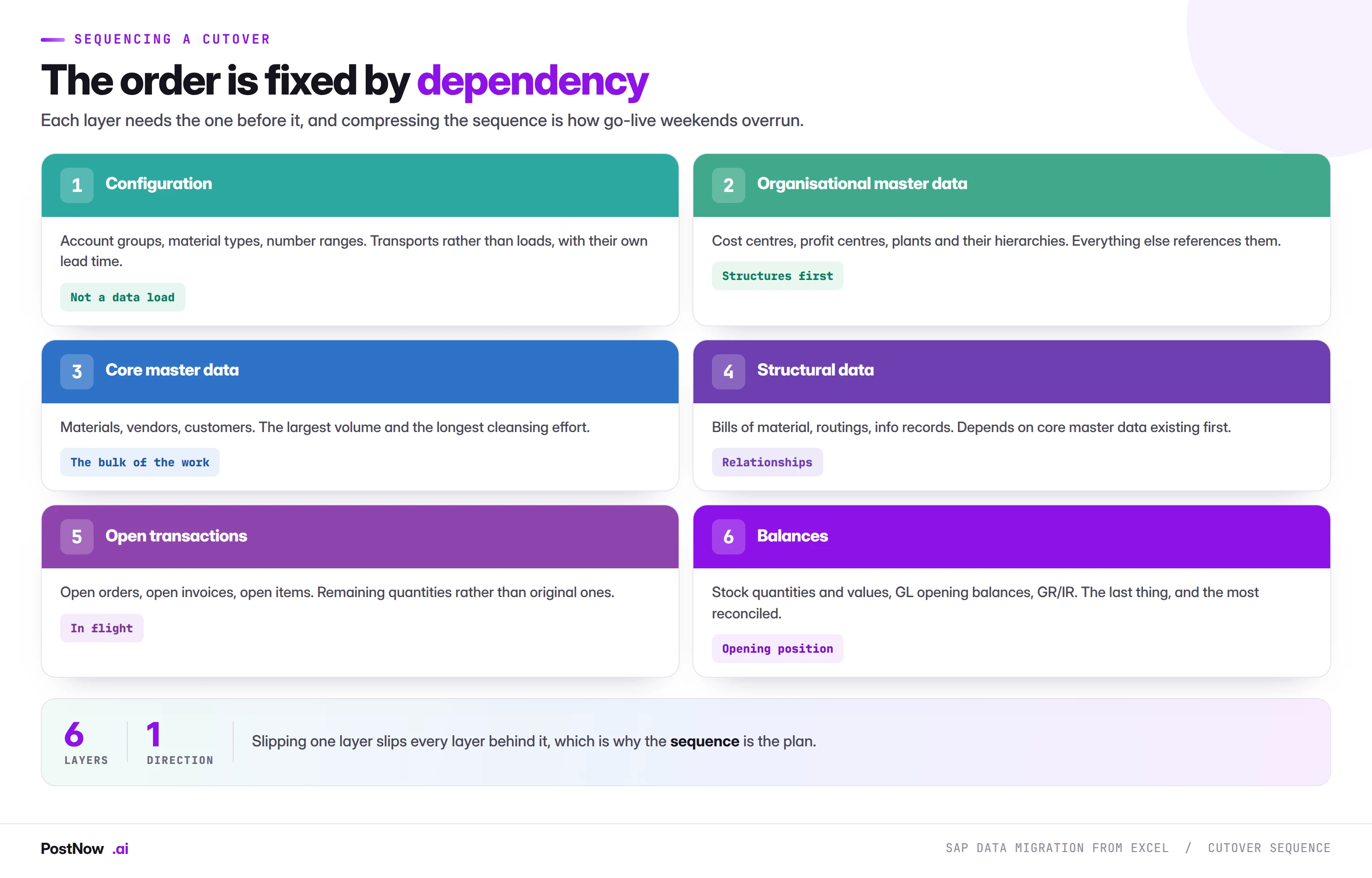
Six layers, each depending on the one before, and compressing them is the commonest reason cutover weekends overrun.
Configuration first. Account groups, material types, number ranges and check tables. These are transports rather than loads, with their own approval path and lead time, and a data load referencing a value that was never transported fails on every affected row.
Organisational master data next. Cost centres, profit centres and their hierarchies, as covered in the cost centre guide. Almost everything else references them.
Core master data. Materials, vendors and customers. The largest volume and, more importantly, the longest cleansing effort, because legacy data quality is discovered here rather than planned for.
Structural data. Bills of material, routings and info records, which depend on core master data existing. The BOM guide covers why these have their own internal sequencing on top.
Open transactions. Open purchase orders, sales orders and invoices, carried as remaining quantities rather than original ones. An order half received in the legacy system arrives as the balance, and loading the original double counts demand.
Balances last. Stock quantities and values, GL opening balances, and the GR/IR position. The most reconciled layer and the one finance will actually sign off.
Six practices that separate a clean cutover
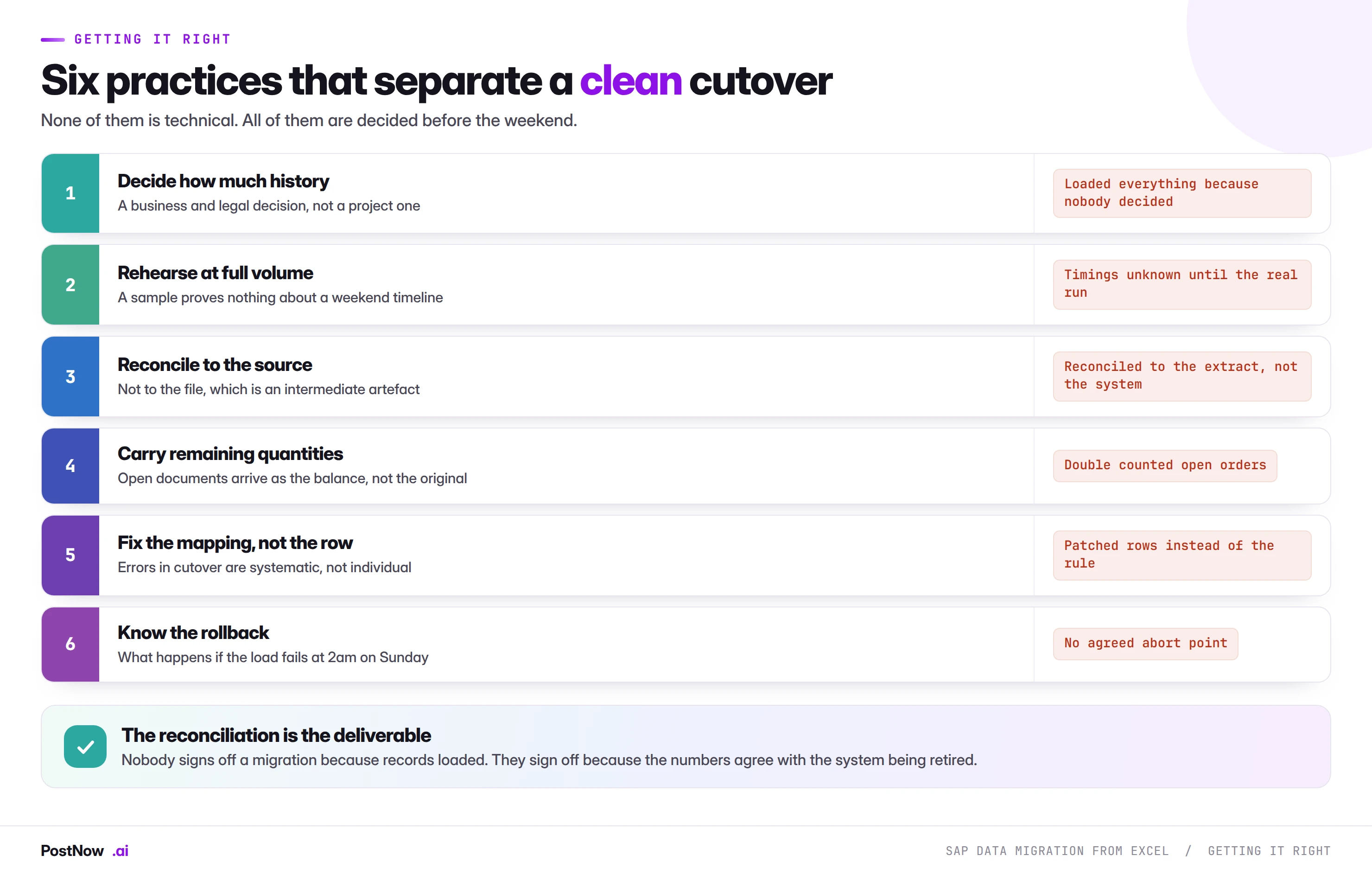
None of these is technical, and all of them are decided before the weekend.
Decide how much history. Carrying every historical record reproduces a complete timeline and multiplies volume enormously. Carrying only current state is far smaller and loses history that reporting, seniority calculation or legal obligation may need. That belongs to the business and legal, not to the project, and leaving it undecided means loading everything by default.
Rehearse at full volume. A sample tells you nothing about a weekend timeline. The purpose of a rehearsal is the clock as much as the data: how long does the full sequence take, where does it stall, and does it fit the window.
Reconcile to the source. Total stock value against the legacy balance sheet, open order value against the legacy order book, GL balances against the closing trial balance. Reconciling to your own extract proves only that the extract loaded faithfully.
Carry remaining quantities. On every open document. This is the single most common cutover data error and it produces double counting that survives into planning.
Fix the mapping, not the row. Cutover errors are systematic. A row that fails usually represents a class of rows that will fail, and patching individually means the same problem returns in the next rehearsal.
Know the rollback. What happens if the load fails at two in the morning on Sunday, what the abort point is, and who decides. Agreeing that calmly beforehand is considerably better than deciding it tired.
Running migration loads from Excel
PostNow loads migration data through published interfaces
Cutover data arrives as spreadsheets whatever the tooling, because cleansing happens there. PostNow adds a task pane to Excel, connects with your own credentials, and posts through the same interfaces the transactions use.
Every row checked against live configuration before anything posts.
The same mapping runs every rehearsal and the real thing.
A structured result, so a partial failure is recoverable at 2am.
Document numbers written back for comparison against the source.
Migration, step by step
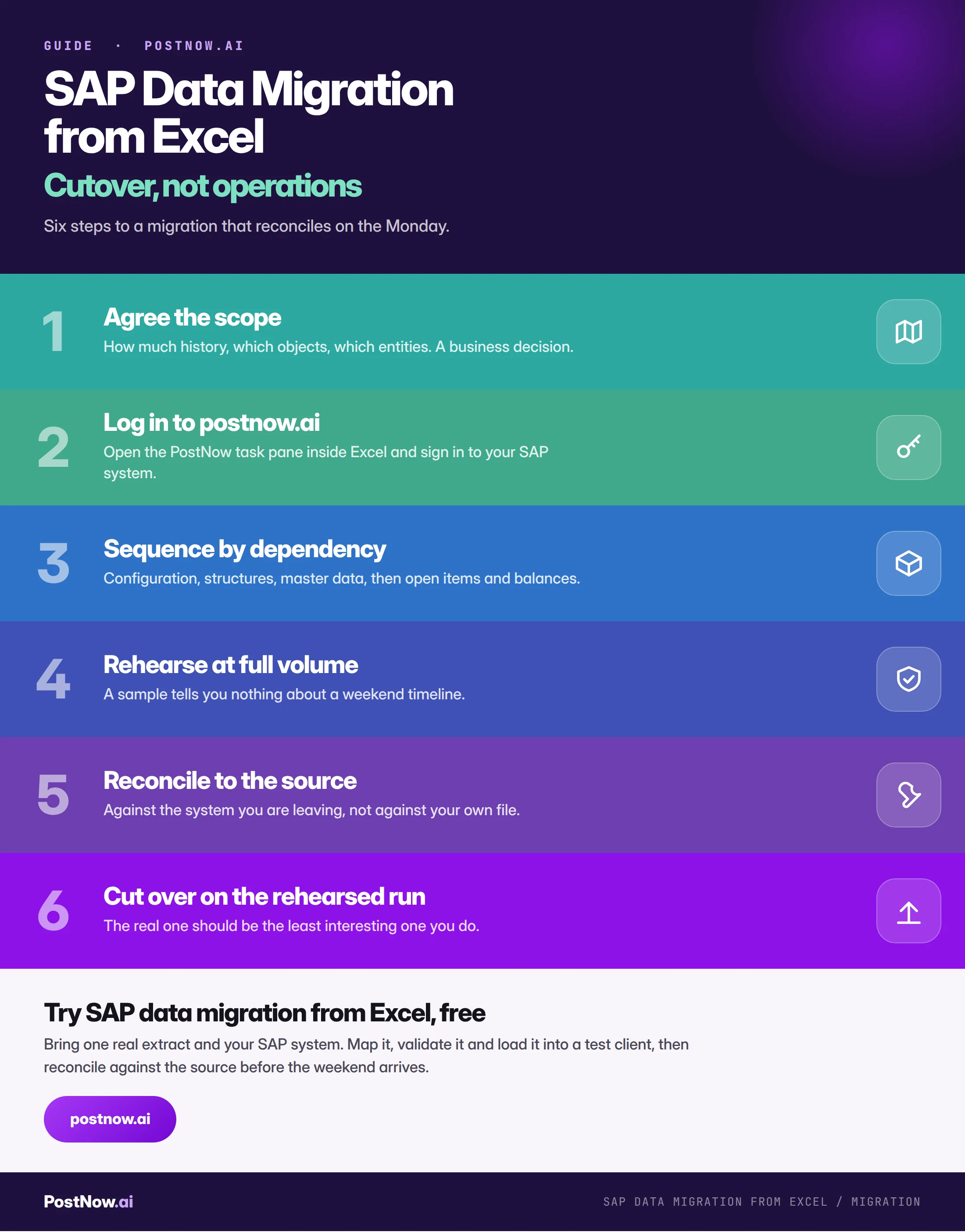
Where this sits alongside Migration Cockpit
SAP provides the Migration Cockpit for S/4HANA conversion loads, with delivered templates for standard objects, and where it covers your object it is the intended path. Nothing here competes with that.
What it does not cover is the work around it. Extracting from the legacy system, cleansing, mapping legacy values to SAP values, reconciling, and the objects outside the delivered template set. That work happens in spreadsheets regardless of what performs the final load, and it is usually the larger part of the effort.
The practical position is that most migrations use more than one mechanism: the Cockpit for what it covers, published interfaces for what it does not, and a great deal of Excel throughout for the preparation. The methods guide covers choosing between them.
Common mistakes
- Leaving the history decision undecided. Everything gets loaded by default, multiplying volume and effort.
- Rehearsing on a sample. The weekend timeline is unknown until it matters.
- Reconciling to the file. It proves the extract loaded, not that the numbers are right.
- Loading original quantities on open documents. Double counts demand and survives into planning.
- Patching failed rows individually. Cutover errors are systematic, so the same class returns next rehearsal.
- Compressing the sequence. Layers depend on each other, and skipping ahead fails on every affected row.
- No agreed abort point. The decision gets made at 2am by whoever is most tired.
Complete reference
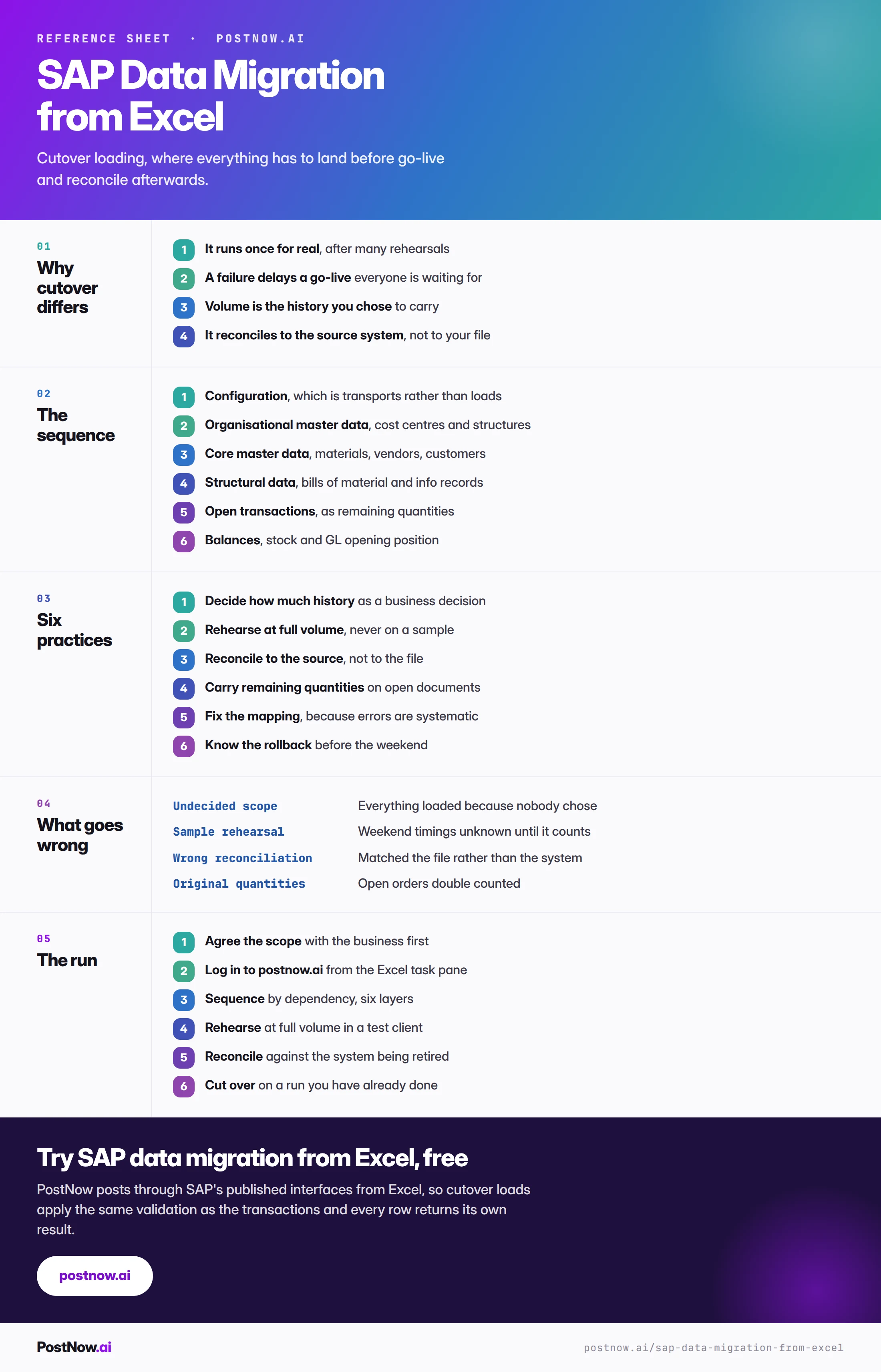
Go deeper
SAP mass upload
The pillar guide covering validation, error handling and governance.
Methods
Choosing between Migration Cockpit, published interfaces and the rest.
Open transactions
Open orders, receipts and invoices, and the GR/IR position at cutover.