SAP Mass Material Creation with MM01
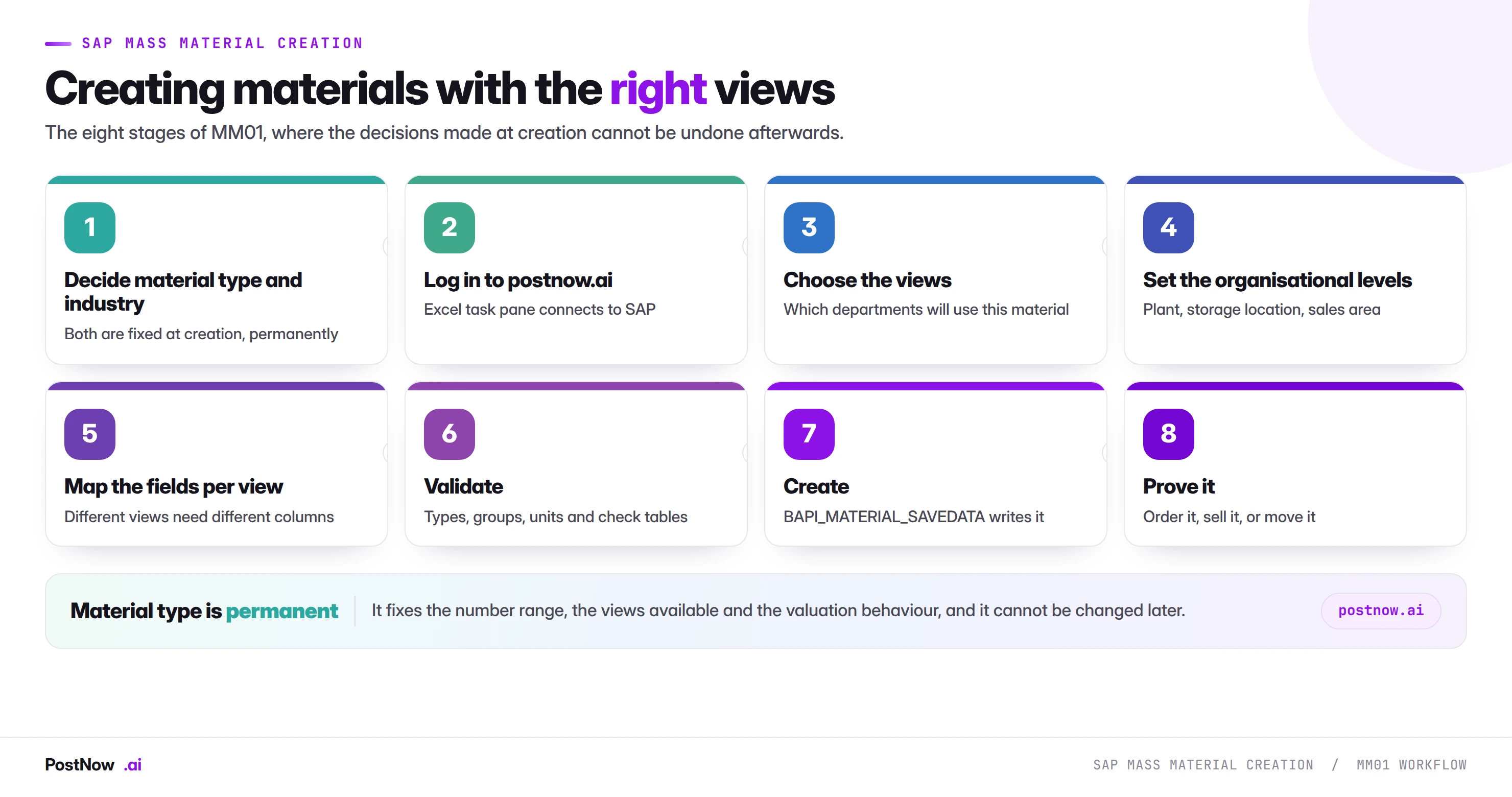
SAP mass material creation is the practice of creating many material master records in one controlled run from a file, instead of stepping through MM01. It is the companion to the material master update guide, and it carries a different risk because two decisions made at creation cannot be undone.
- Material type and industry sector are permanent. Correcting either means deletion and recreation, only possible before anything posts.
- A material with basic data only cannot be used. It exists, validates and appears in search help, and no department can order, sell or receipt it.
- Views decide the row count. Client-level views need one row per material; plant views need one per material per plant.
- A new plant opening is an extension, not a creation. The materials exist; they need views for a site that did not.
- Prove it by ordering, selling or receipting. A record count cannot detect an absent view.
What SAP mass material creation means
SAP mass material creation is the practice of creating many material master records in one controlled run from a structured file, instead of stepping through MM01. It is the companion to the material master update guide, which covers changing what already exists, and it carries a different risk.
Two decisions made at creation cannot be undone. Material type and industry sector are fixed permanently, and correcting either means deleting the record and creating it again, which is only possible before anything has posted to it.
The other characteristic risk is quieter. A material created with basic data only exists, validates, and appears in search help, and no department can actually use it.
A material is a set of views
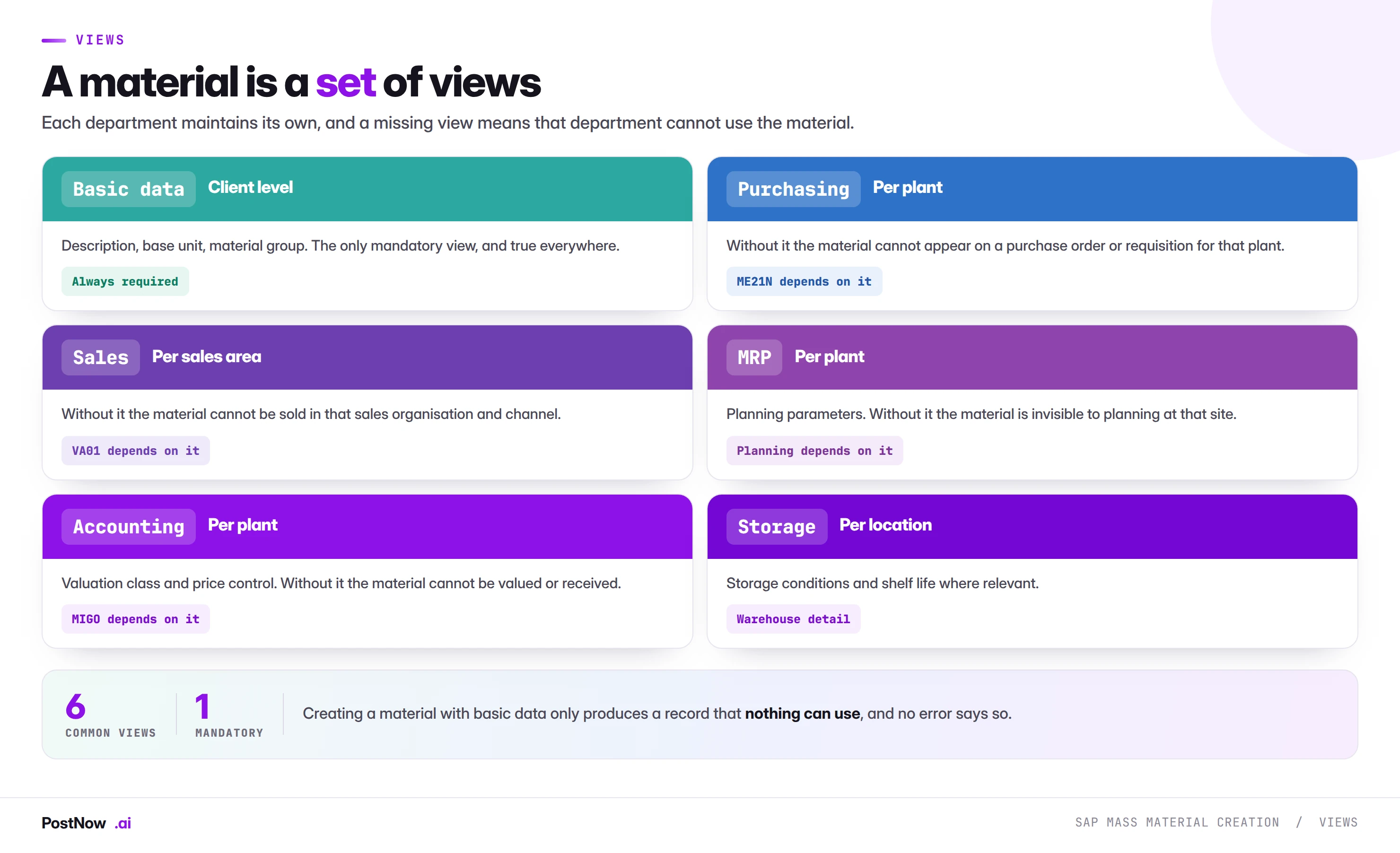
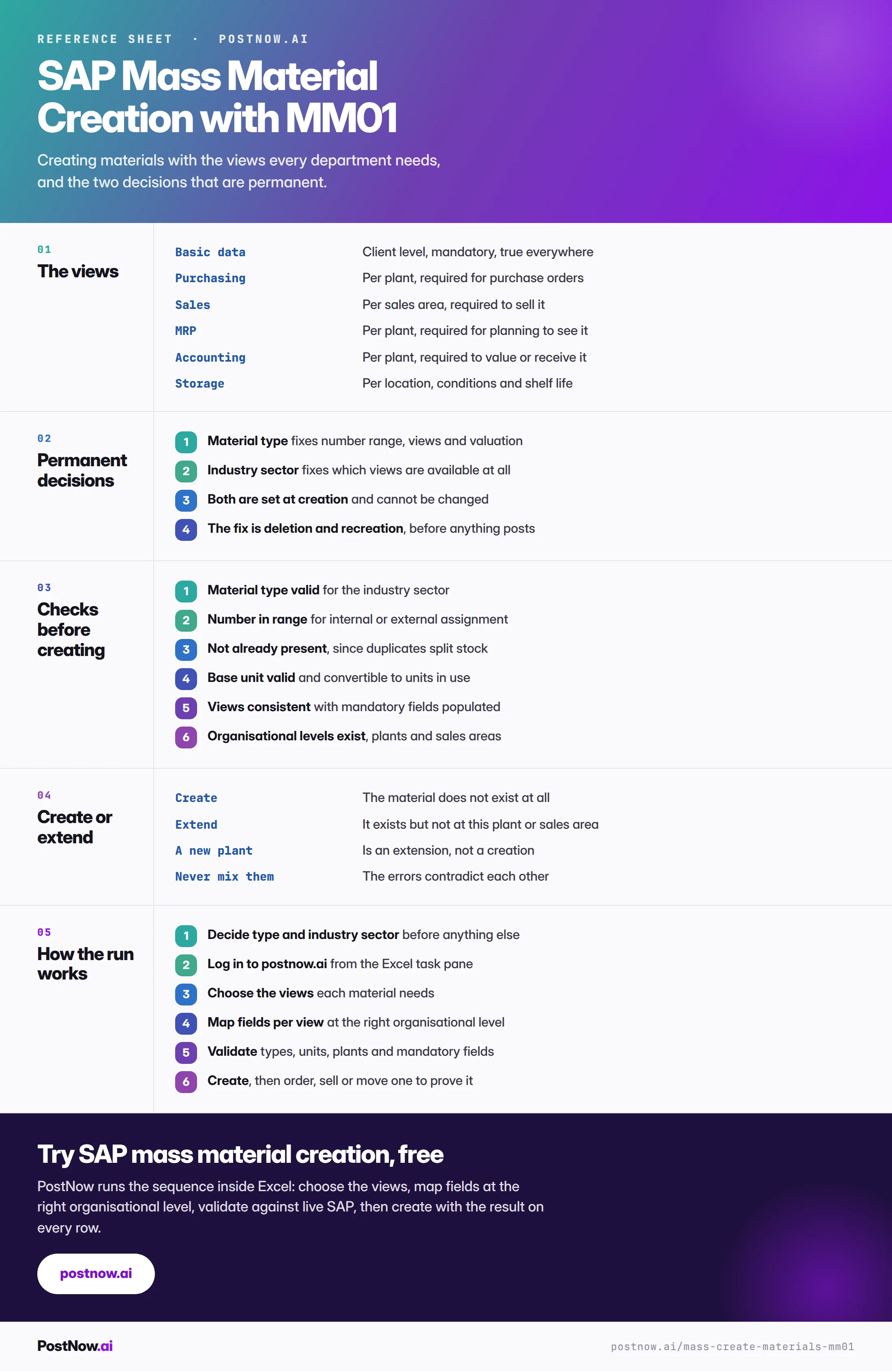
The material master is organised by view, and each belongs to a department. Basic data is mandatory and true everywhere. The rest are optional in the sense that SAP will let you create the material without them, and mandatory in the sense that the material is useless without the ones you need.
- Purchasing per plant. Without it the material cannot appear on a purchase order or requisition for that plant.
- Sales per sales area. Without it the material cannot be sold in that organisation and channel, which is the V1 322 error the sales order guide describes.
- MRP per plant. Without it planning cannot see the material at that site.
- Accounting per plant. Without it the material cannot be valued, which means it cannot be goods receipted.
- Storage per storage location, for conditions and shelf life where relevant.
The row count follows the views
Client-level views need one row per material. Plant-level views need one row per material per plant. Sales views need one row per material per sales area. A file of four hundred materials with purchasing and MRP views across three plants is not four hundred rows.
This is the same organisational level arithmetic the master data bridge describes for every object, and getting it wrong here produces materials extended to some plants and not others, which nobody sees until somebody tries to order one.
The two permanent decisions
Material type classifies what kind of thing this is: raw material, finished good, trading good, service, non-valuated. It fixes the number range, which views are available, whether the material is valuated at all, and how quantity and value are updated.
Industry sector determines which views and fields the material master offers, and is set once at creation for the client.
Neither can be changed afterwards. Material type conversion exists as a specialised activity with significant constraints, and for practical purposes on a mass load the answer is that getting it wrong means deletion and recreation under a new number.
The practical consequence is that these two columns deserve more review than every other column combined. A wrong description is embarrassing and correctable. A wrong material type on four hundred records means four hundred materials that have to be deleted before anything posts to them, and re-created under different numbers that every downstream reference then has to be told about.
Create or extend
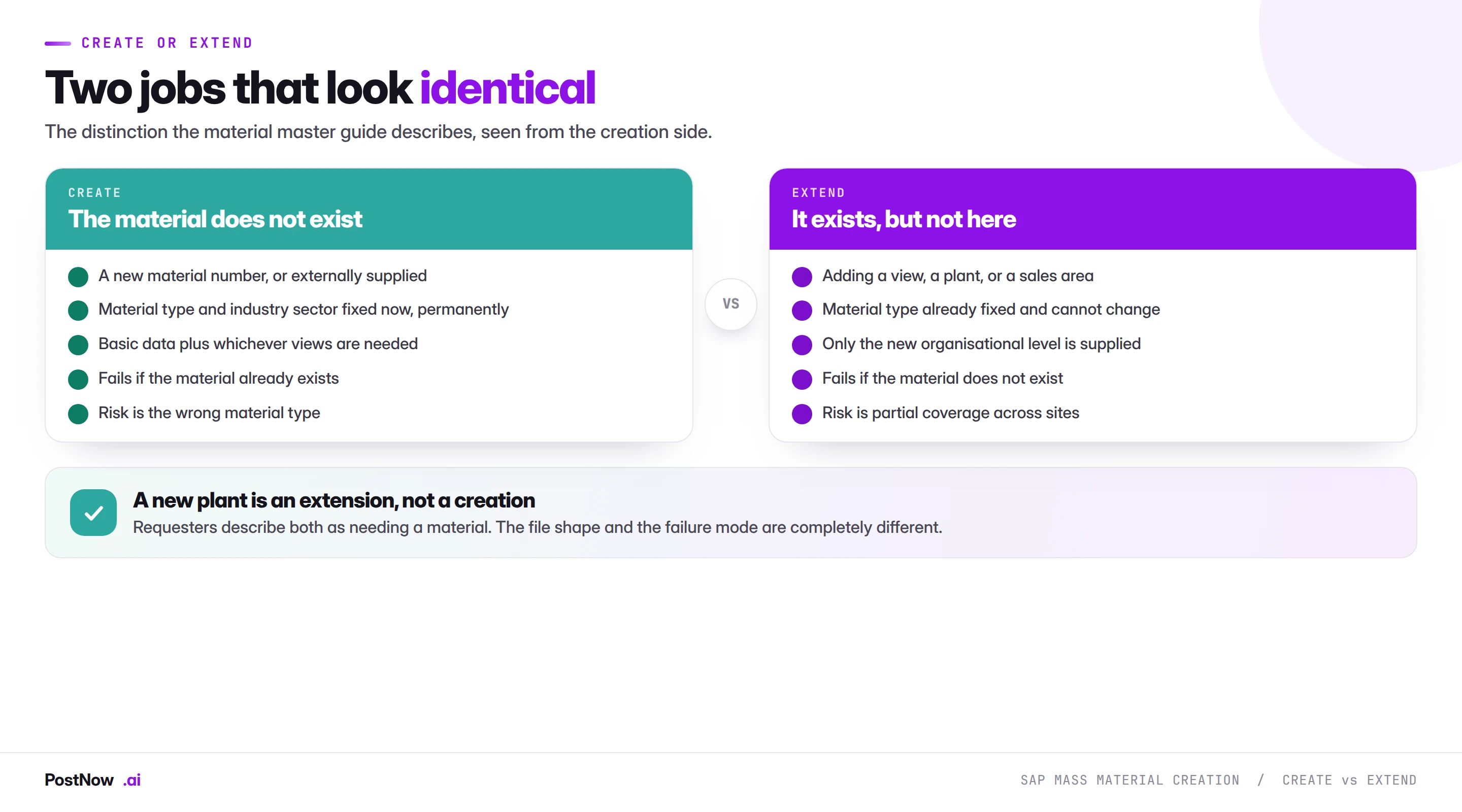
The distinction that causes the most confusion in requests, because from the requester's point of view both sound like needing a material.
Create means the material does not exist at all. Material type and industry sector are set, basic data is populated, and whichever views are needed are created alongside.
Extend means it exists but not here. A new plant, a new sales area, a view that was never maintained. The material type is already fixed and cannot change, and only the new organisational level is supplied.
They fail in opposite directions: a create fails because the material exists, an extend fails because it does not. Mixing them in one file produces the contradictory errors described on the master data bridge, where roughly half the rows fail and nobody can tell which failures are real.
A new plant opening is almost entirely an extension exercise. The materials already exist; they need purchasing, MRP and accounting views for a site that did not exist before.
Validation: six checks before a single material is created
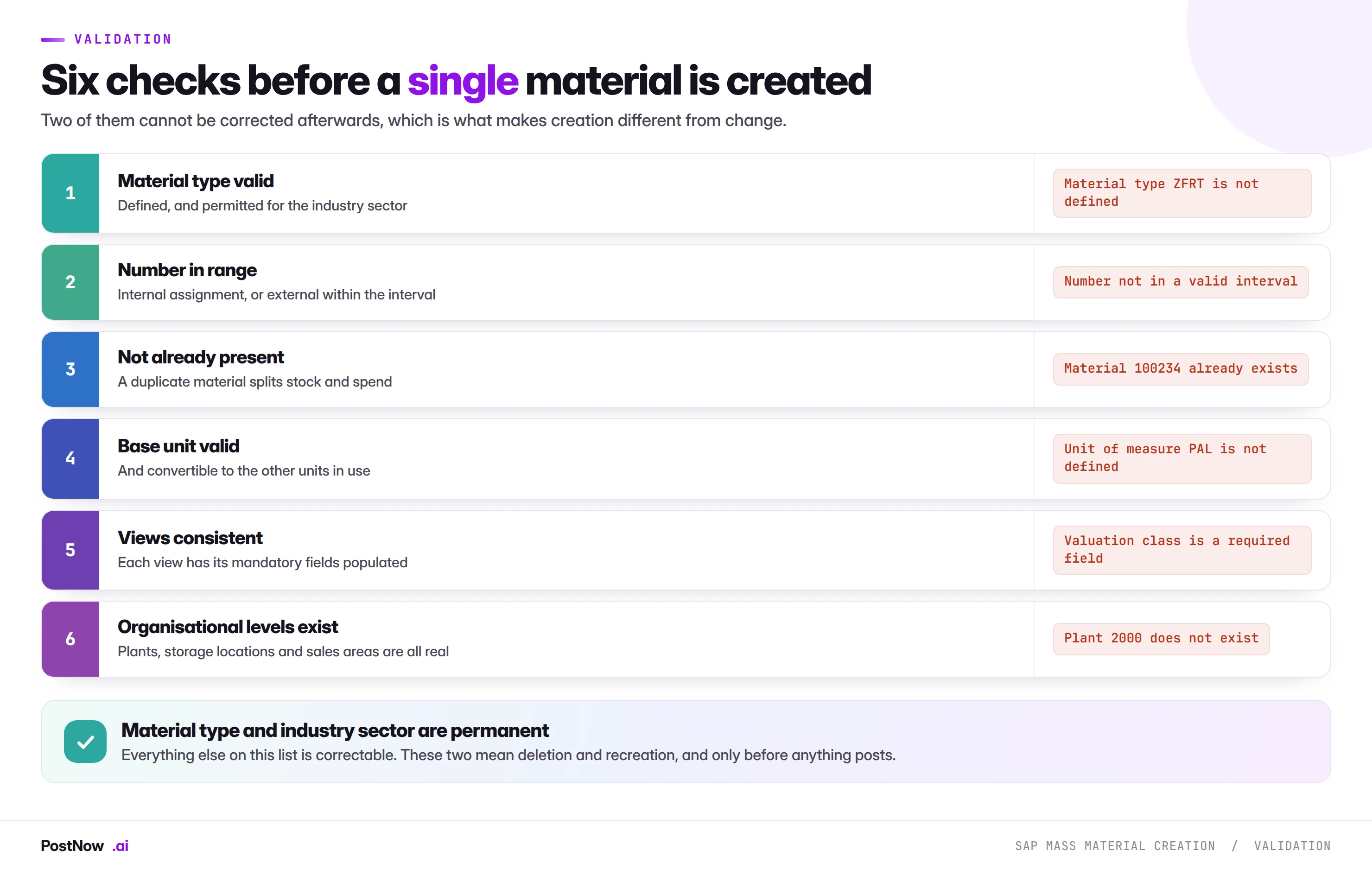
Two are worth expanding.
Not already present. Duplicate materials split stock, split spend, and produce two records that both look correct. Unlike vendors, materials are usually identified by a number rather than by who they are, so duplicates arise from re-creating something under a new number rather than from ambiguous identity. Screening the file against existing descriptions and old material numbers catches most of it.
Views consistent. Each view has its own mandatory fields, driven by material type and field status. A file supplying an accounting view without a valuation class fails; one supplying an MRP view without an MRP type fails. Because the mandatory set differs per view, a file covering several views has different requirements per column block.
Running material creation from Excel
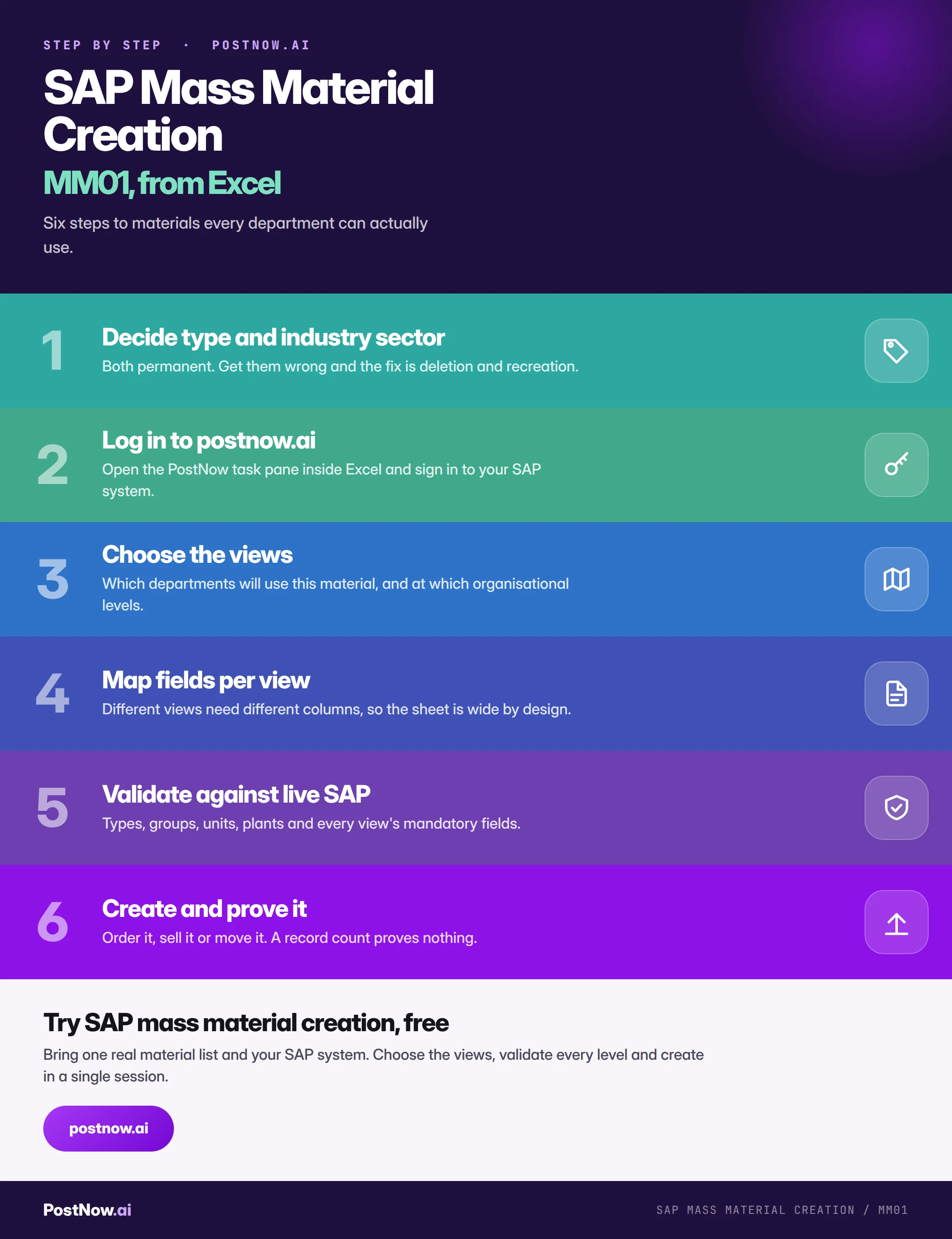
PostNow runs SAP mass material creation from Excel
New product ranges, site openings and acquisitions all arrive as spreadsheets from the people who know the materials. PostNow adds a task pane to Excel, connects with your own credentials, and creates the views at the right organisational levels.
Created at the right level, so every department can use the material.
Checked against existing materials before a duplicate is created.
Types, units, plants and each view's mandatory fields against live SAP.
The material number back, ready to order, sell or move.
Step by step
Proving it worked
A record count proves records exist. Because the characteristic failure here is a material that exists and cannot be used, the verification has to exercise the views.
Raise a requisition or purchase order for a material with purchasing views, in the plant those views were created for. This is the fastest check that purchasing and plant data are complete.
Create a sales order line for a material with sales views, in the sales area they were created for. Same test on the sales side, and it catches the missing division that the customer master guide describes from the other direction.
Post a goods receipt for a material with accounting views. This proves valuation is complete, which nothing else does.
Three documents, ten minutes, and it catches the class of error that a validation pass cannot: views that are absent rather than wrong.
Common mistakes
- Getting the material type wrong. Permanent, and the fix is deletion and recreation under a new number.
- Creating with basic data only. The material exists and nothing can use it, with no error to say so.
- Mismatching row count to view level. Produces materials extended to some plants and not others.
- Mixing creates and extensions. Half the rows fail with errors that contradict each other.
- Missing mandatory fields per view. Each view has its own set, so a wide file has different requirements per block.
- Creating duplicates under new numbers. Splits stock and spend across two records that both look correct.
- Proving success with a record count. Only ordering, selling or receipting proves the views are complete.
Complete reference
Go deeper
SAP master data mass upload
The hub covering create, change and extend across every master data object.
SAP mass upload
The pillar guide covering validation, error handling and governance.
Structural data
Components must exist and be extended before the BOMs that consume them.