SAP Mass Change / SAP Mass Update
SAP mass change—often searched as SAP mass update—means changing fields on many records that already exist in SAP. The safest workflow starts by extracting the current values into Excel, placing the proposed values beside them, validating the change against live SAP, and then updating only the approved records through SAP's business logic.
- Preserve the old value before the update. Unlike a posting reversal, many master-data changes can only be undone by writing the previous value back.
- Check that the live value still matches the extract. This avoids overwriting somebody else's more recent change.
- Match rows to the field's organisational level. Plant-level and sales-area-level fields need the correct granularity.
- Use standard mass maintenance where it fits. Tools such as MM17 can be perfectly adequate for simple homogeneous updates.
- Use Excel for heterogeneous lists and per-record values. That is where a mapped, validated update process becomes much more useful.
What SAP mass update from Excel actually means
A mass update is not simply a faster edit. It is a controlled change to data that already has history, dependencies and consequences.
Suppose purchasing asks for a payment-term change across 3,000 vendors, or planning needs a new MRP parameter for a large material population. The business usually begins with a list. That list becomes useful only when it is joined to what SAP currently holds.
The working pattern should be:
Why a change deserves more care than a create
| Create | Update | |
|---|---|---|
| Starting state | Record does not yet exist | Record is already in use |
| Failure | Usually visible | May be invisible if the wrong value is valid |
| Rollback | Often block/delete/reverse depending on object | Usually requires the previous value |
| Main control | Validate the new record | Validate the new record and preserve the old one |
This is why I would never design a recurring SAP mass-update process that starts from an empty spreadsheet. Start with SAP. Bring the existing state into the workbook first.
The extract is your rollback
Before changing a field, extract the current value for every record in scope. Keep the old and new values in the same workbook. That single decision improves rollback, review and auditability at once.
Rollback
If the update needs to be reversed, the previous values already exist in a structured form.
Scope control
The extract resolves a business statement such as “all active raw materials” into an actual record population.
Audit evidence
Old value, requested value and final status can sit on the same row.
The current-value check catches collisions
Extracts go stale. Someone may update a vendor, material or cost centre after your file was prepared. If you post your older value blindly, you overwrite work that happened after the extract.
A useful mass-update template therefore checks:
Expected old value = current SAP value?
If the answer is no, hold the row back for review. This is one of the most important controls in a long-running change programme because the spreadsheet can be technically perfect and still be out of date.
Where SAP mass update from Excel is useful
| Area | Typical mass updates | Important detail |
|---|---|---|
| Material Master | MRP parameters, purchasing values, plant-level fields | Granularity often multiplies by plant |
| Vendor / Business Partner | Payment terms, purchasing data, classifications | ECC and S/4HANA object paths differ |
| Customer / Business Partner | Sales-area and company-code fields | Sales-area scope must be explicit |
| Cost / Profit Centers | Responsible person, hierarchy and control fields | Some values are time-dependent |
| Pricing | Validity and condition changes | Often behaves as close-and-create, not a simple overwrite |
| Open documents | PO or sales-order fields | May re-trigger release or be blocked by follow-on documents |
Granularity: the mistake that can still return “success”
A mass-update file must match the organisational level of the field. A client-level field may need one row per object. A plant-level field may need one row per object per plant. A sales-area field may need one row per customer per sales area.
If the file has the wrong granularity, the update may not fail. It may simply change only part of the intended population. That is why organisational level should be resolved before the workbook is built, not after the run.
When standard SAP mass maintenance is enough
Do not use a custom or third-party workflow simply because one exists. SAP's own mass-maintenance transactions are useful when the requirement is straightforward.
A standard transaction is often a good fit when the field is supported, the population can be selected cleanly, and many records receive the same value.
A mapped Excel-based process becomes more attractive when:
- the business supplies a list rather than a selection rule;
- each record receives a different value;
- the old and new values need to be reviewed together;
- the field is outside the standard mass-maintenance coverage;
- the process repeats and should become a reusable template.
A controlled SAP mass-update workflow
Extract the population from SAP
Bring keys, organisational levels and all fields you intend to change into the workbook.
Add the proposed values
Keep the existing value visible beside the requested value. Do not overwrite the source column during preparation.
Resolve the SAP mapping
Map the Excel columns to the structures and fields expected by the SAP business object.
Validate before writing
Check existence, organisational level, required fields, allowed values, changeability and current-value collisions.
Run a pilot batch
Use a representative sample in a non-production system, then inspect the changed records as a whole rather than reading only the success log.
Update through SAP business logic
Use the appropriate BAPI/API or transaction method rather than writing directly to tables.
Reconcile
Take a fresh extract and compare the actual state with the intended state across the entire population.
Running SAP mass updates from Excel with PostNow.ai
PostNow.ai is designed around the round trip rather than just the write step:
SAP → Excel → Edit → Validate → Update SAP
The workbook remains the review surface, while SAP remains the system of record and the owner of business logic.
PostNow.ai: mass change from Excel, without losing the before-image
Extract existing SAP data into the workbook, map the fields once, validate proposed changes, and send only approved rows back through SAP logic.
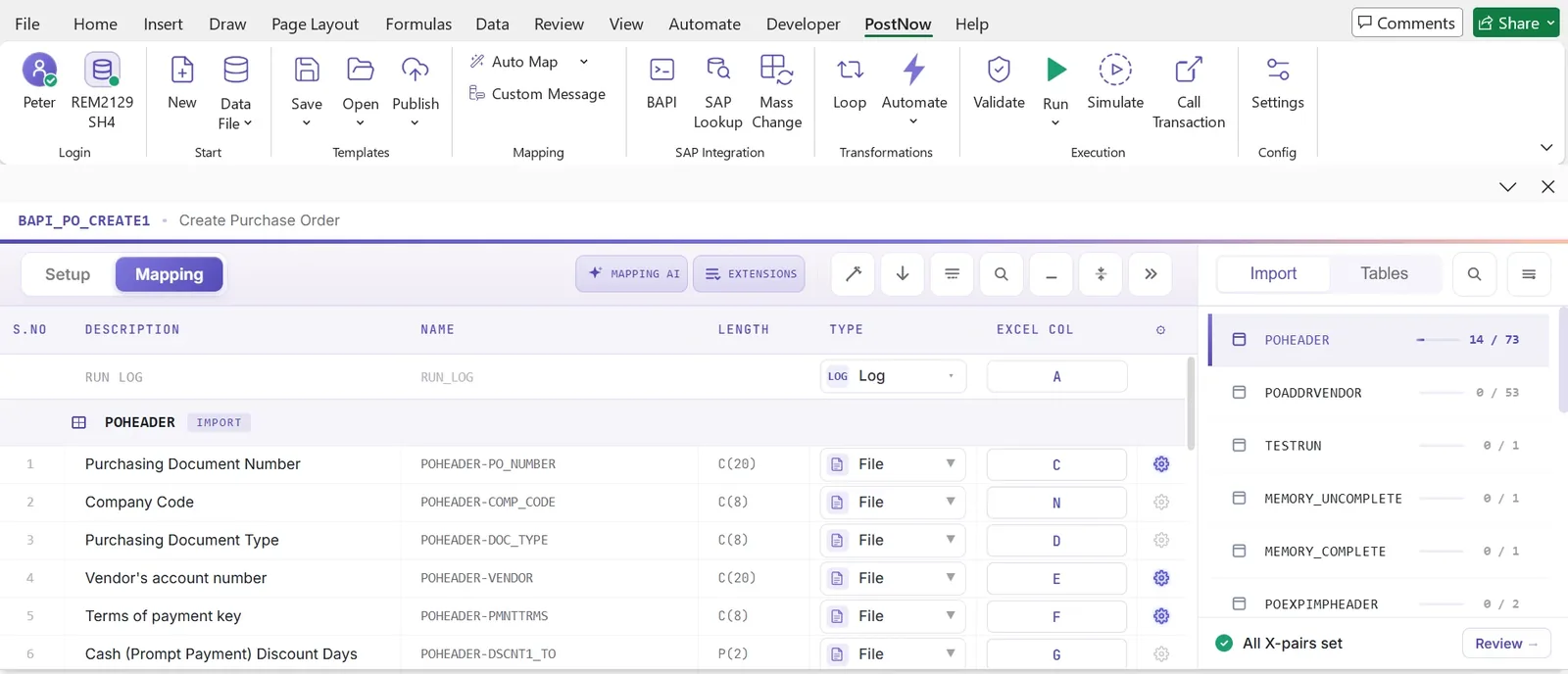
Validation for an SAP mass update
Validation for an update needs everything a create requires, plus two extra questions: can this field actually be changed? and is the current value still the value you extracted?
| Check | Question | Why it matters |
|---|---|---|
| Record existence | Does the object and required segment exist? | An update should not silently turn into a create. |
| Organisational level | Is the row at the correct plant/company-code/sales-area level? | A wrong level creates partial updates. |
| Allowed value | Does the target value exist and fit configuration? | Stops basic SAP validation failures. |
| Changeability | Is SAP willing to change this field in the record's current state? | Some fields lock after stock, documents or status changes. |
| Current-value collision | Does live SAP still equal the value in the extract? | Prevents overwriting a newer change. |
| Already correct | Does the record already hold the target value? | Avoids unnecessary change-document noise. |
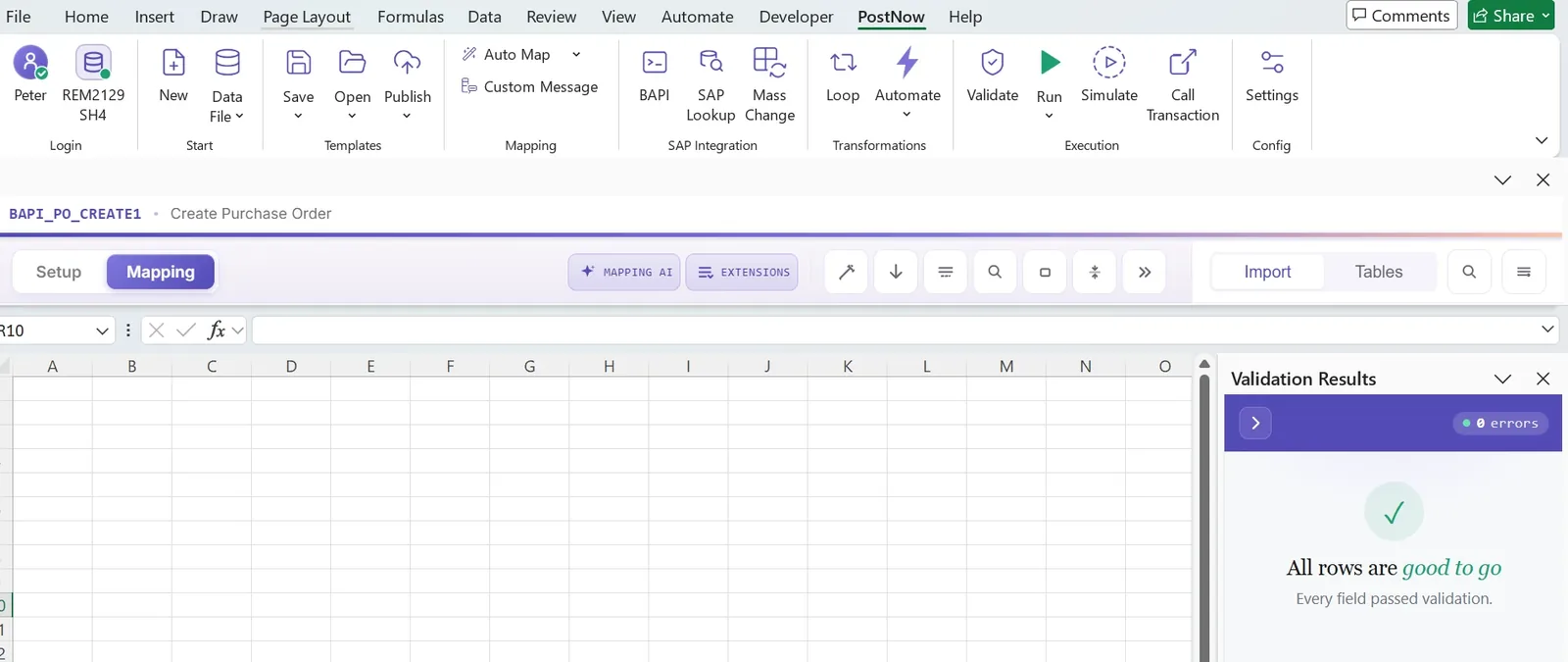
Partial success, retries and row-level results
A real mass-update run will not always be all green. Locks, field restrictions and configuration differences can cause individual rows to fail.
The correct recovery pattern is:
Successful rows stay complete → failed rows are corrected → only failed rows are retried.
That requires a result on every row, not just a single job status for the whole file.
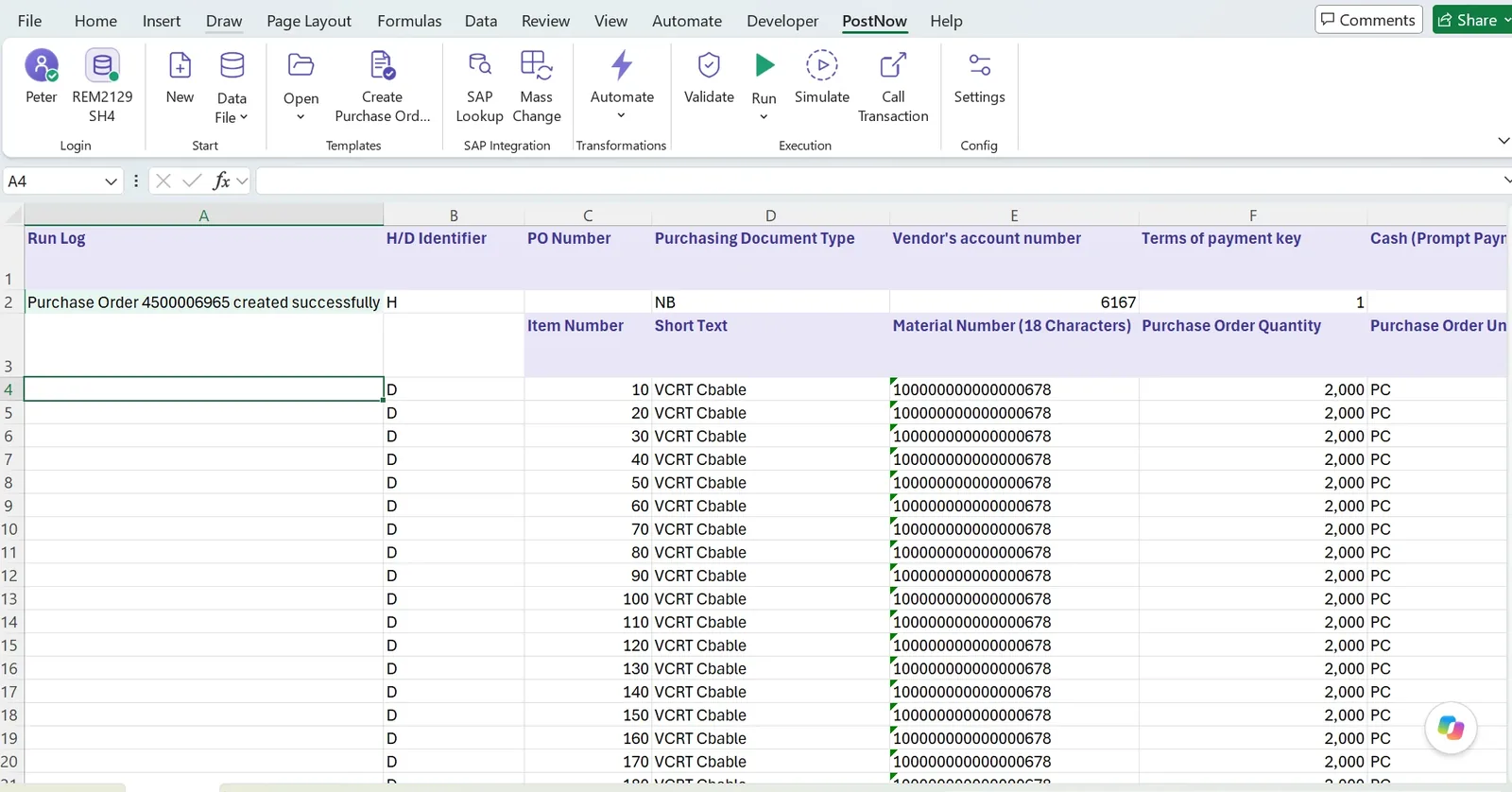
How to reverse a mass update
For many master-data changes there is no dedicated reversal transaction. Reversal is simply another update in the opposite direction.
That is why the original extract is so important. If column A contains the old value and column B contains the new value, a rollback file can be built from the recorded old values rather than from memory, emails or assumptions.
Scoping a large update
“Change MRP type for all raw materials in European plants” sounds precise until someone has to turn it into records. Which plants count as European? Do blocked materials count? What about materials already holding the new value?
Resolve scope to a record list before approval. Show the population count and a sample back to the requester. Report “already correct” records separately. Ask about edge cases explicitly.
The goal is to make the business own the population while the operator owns the execution.
Phasing a large SAP mass-update programme
When thousands of records are involved, phase by blast radius rather than convenience. Start with a segment where a mistake is cheaper, verify the downstream effect, then extend.
- Keep a separate before-image for each wave.
- Re-extract before later waves so the workbook does not go stale.
- Leave enough time for downstream symptoms to appear.
- Be careful where temporary inconsistency across waves would itself break a process.
Governance and audit
- Approve old and new together. Reviewers should see exactly what is being replaced.
- Run as a named SAP user. The update should respect the user's existing SAP authorization.
- Keep the extract with the request. It is both rollback material and audit evidence.
- Keep row-level outcomes. Every requested change should end with a visible status.
- Reconcile afterwards. A fresh extract confirms the system matches the intended final state.
ECC and S/4HANA
The mass-update pattern is valid in both environments, but the object model can differ. Vendor and customer maintenance is a good example: ECC workflows often revolve around separate vendor/customer transactions, while S/4HANA uses Business Partner roles.
The safest long-term design is therefore interface-based: preserve the Excel working model, and adapt the SAP mapping/interface as the business object changes.
Common mistakes in SAP mass updates
No before-image
The one mistake that can make a wrong update impossible to reconstruct cleanly.
Wrong granularity
A plant-level field treated as client-level produces inconsistent results rather than a clean failure.
Stale extract
A newer change made after extraction gets overwritten silently.
Updating already-correct rows
Creates noise in change documents without changing the business state.
Skipping a pilot
A mapping error discovered across 5,000 records is much more expensive than one found across 25.
Using the wrong mechanism
A standard SAP mass-maintenance transaction may be enough for a simple homogeneous sweep.
Frequently asked questions
What is SAP mass change?
SAP mass change is the controlled update of fields on many existing SAP records in one run rather than editing each record individually.
Can I mass update SAP data from Excel?
Yes. A safe process is SAP → Excel → Edit → Validate → Update SAP. Preserve the current values first so the update remains reviewable and reversible.
How do I update thousands of SAP records?
Extract the current population, confirm scope and organisational level, place old and new values side by side, validate against live SAP, test a pilot batch, update through SAP business logic, then reconcile with a fresh extract.
What is the difference between SAP mass upload and SAP mass update?
Mass upload usually creates new records or posts new documents. Mass update changes records that already exist, so preserving the previous value is a critical additional control.
Can an SAP mass update be reversed?
For many master-data changes, reversal means writing the previous value back. Keep a before-image extract for exactly this reason.
Why should I compare the live value with the value I extracted?
Because another user may have changed the record after your extract. The comparison prevents a stale workbook from silently overwriting a newer change.
When should I use MM17 or another standard SAP mass-maintenance transaction?
Use standard SAP where the field is supported, the population can be selected cleanly and the same value is applied broadly. A mapped Excel process becomes more useful for business-supplied lists, per-record values, repeatable templates and before/after review.
Does SAP mass update work with ECC and S/4HANA?
Yes. The operating pattern is the same, although the objects and interfaces can change, especially around Business Partner in S/4HANA.
Does PostNow.ai write directly to SAP tables?
No. PostNow.ai is designed to work through SAP's application interfaces or the SAP transaction where appropriate, rather than direct table writes.
Run your next SAP mass update from Excel
Bring current values into the workbook, review the proposed changes, validate them against SAP, and update only the approved rows.
Start free trial