SAP purchase order automation means raising purchase orders by posting them from data, not by typing each one into ME21N. PostNow runs it from Excel: a PO header sits on one row and its line items on the rows beneath, and the add-in posts the lot through the standard BAPI_PO_CREATE1, folding the items under their header, pricing and scheduling each line, checking the values, and committing every order in one run, with any SAP error put into plain language.
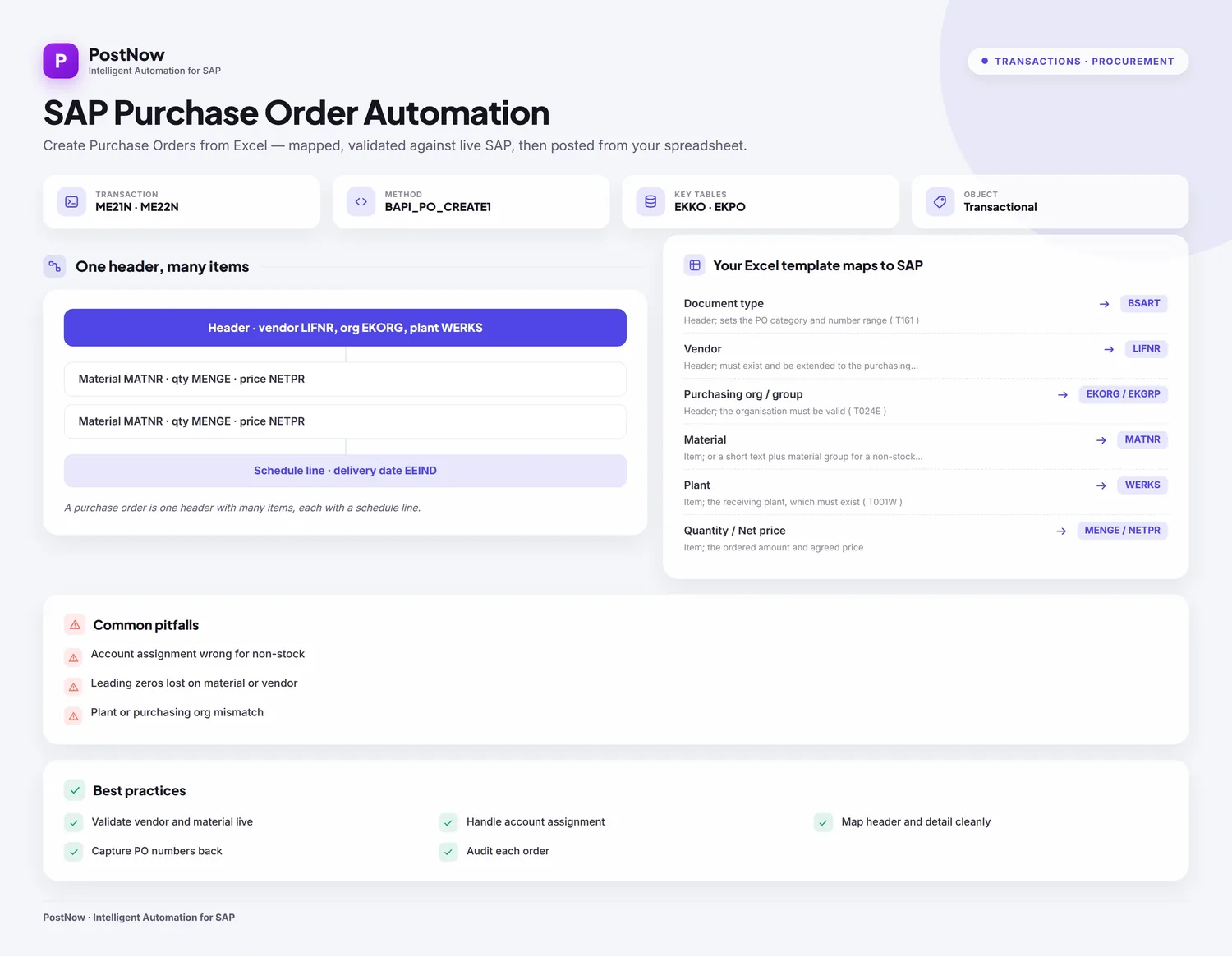
This is a twelve-step worked example of creating purchase orders from Excel to SAP, single-line and multi-line orders alike, in one mass run. Keep the mapping, including the header/detail grouping, and you have a purchase order Excel template ready for the next batch of orders. It works on classic ECC and on S/4HANA, where procurement still raises POs behind ME21N and the same BAPI. After a one-time setup, the buyers running the load need no ABAP and no developer.
Why create purchase orders from Excel instead of keying ME21N
Raising a PO by hand in ME21N means setting the document type, vendor, and purchasing organisation, then adding each line with its material, plant, quantity, price, and delivery date, screen after screen. One order is quick. A weekly run of stock replenishments, a project's worth of orders, or a cutover backlog turns into hours of clicking, and a mistyped plant or delivery date does not show up until the order is already wrong.
Creating purchase orders from Excel changes the shape of the job. The orders already exist in a spreadsheet, often exported from planning, and each one posts to SAP in a single governed run. For a routine bulk purchase order creation or a one-off mass PO upload at go-live, the awkward parts, picking the function, mapping header and item fields, getting delivery dates and prices right, and reading procurement errors, are taken care of. The twelve steps below walk the whole flow.
Before you start: what you need
- Your POs in Excel, header fields on one row and a row per line item, with a shared key (an order reference) so the lines can be grouped under the right header.
- SAP authorization to create purchase orders, the same access you would use for
ME21N, across the document types, purchasing organisations, and plants you are loading. - PostNow in Excel, connected to your SAP system. Its function modules are deployed to SAP once at setup; after that, the PO loads run entirely from the task pane.
ME21N at the front and BAPI_PO_CREATE1 underneath, so the steps apply unchanged. S/4HANA may show the order through Fiori procurement apps, but the posting interface is identical.Your purchase order Excel template: the fields SAP expects
A PO splits into a header that appears once and items that repeat, so the template mixes header columns with item columns keyed back to the header. These are the fields a purchase order load leans on; carry them, and confirm the vendors, materials, and plants they name already exist.
| Excel column | SAP field | Why it matters |
|---|---|---|
| Document type | BSART | Header; sets the PO category and number range (T161) |
| Vendor | LIFNR | Header; must exist and be extended to the purchasing organisation |
| Purchasing org / group | EKORG / EKGRP | Header; the organisation must be valid (T024E) |
| Material | MATNR | Item; or a short text plus material group for a non-stock line |
| Plant | WERKS | Item; the receiving plant, which must exist (T001W) |
| Quantity / Net price | MENGE / NETPR | Item; the ordered amount and agreed price |
| Delivery date | EEIND | Schedule line; when the line is due in |
BAPI_PO_CREATE1 creates the order and BAPI_PO_CHANGE amends it. The call nests POITEM line items under a single POHEADER, with POSCHEDULE for delivery dates, POACCOUNT for account assignment on non-stock lines, and POCOND for pricing, while parallel POHEADERX and POITEMX structures flag which fields to write. The order is only persisted once BAPI_TRANSACTION_COMMIT runs, and it hands back the new PURCHASEORDER number. Step 2 has PostNow's function finder pick BAPI_PO_CREATE1, pull its header and item structures in, and take care of the commit.The purchase order load, step by step
Lay out and open your sheet
Put each PO header on a row with headers like Order Ref, Document Type, Vendor, Purchasing Org, and Purchasing Group, and give every line item its own row, carrying the same Order Ref plus Material, Plant, Quantity, Net Price, and Delivery Date. Open the workbook and bring up the PostNow task pane.
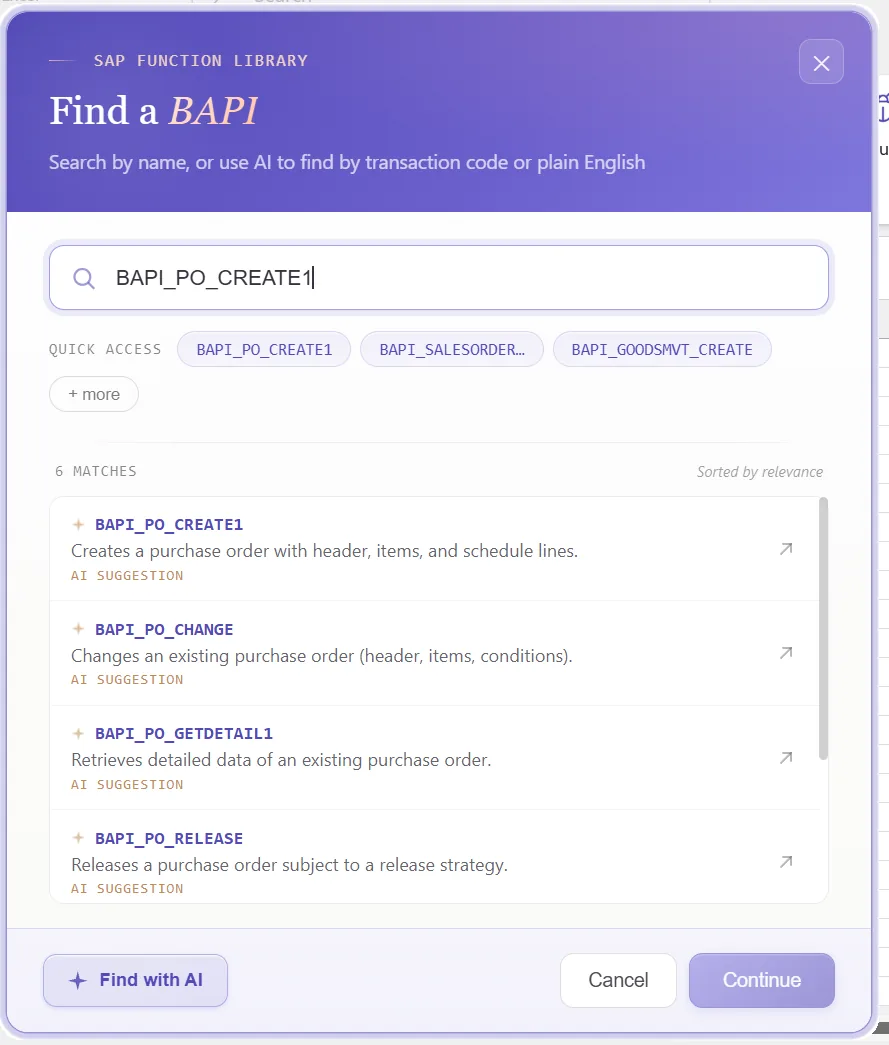
Choose the purchase order BAPI
A standard call does the posting, so there is nothing to record. In the function finder, pick what the task needs:
- For new orders, take
BAPI_PO_CREATE1, which builds a PO header with its line items in one call - To amend an order, take
BAPI_PO_CHANGE, which updates the fields you flag - The order is only saved once the commit runs, and PostNow issues
BAPI_TRANSACTION_COMMITafter each successful post
Confirm the function and PostNow brings in its header and item structures, ready to line up against your columns, and keeps the choice for every order so ME21N stays shut.
Look over the structures it returns
The call returns a header that appears once and items that repeat, plus the pieces that price and schedule each line. Because it mirrors how a PO is built, a glance shows what belongs to the order and what belongs to each line:
That tells you, before any mapping, which columns sit at header level and which repeat per line.
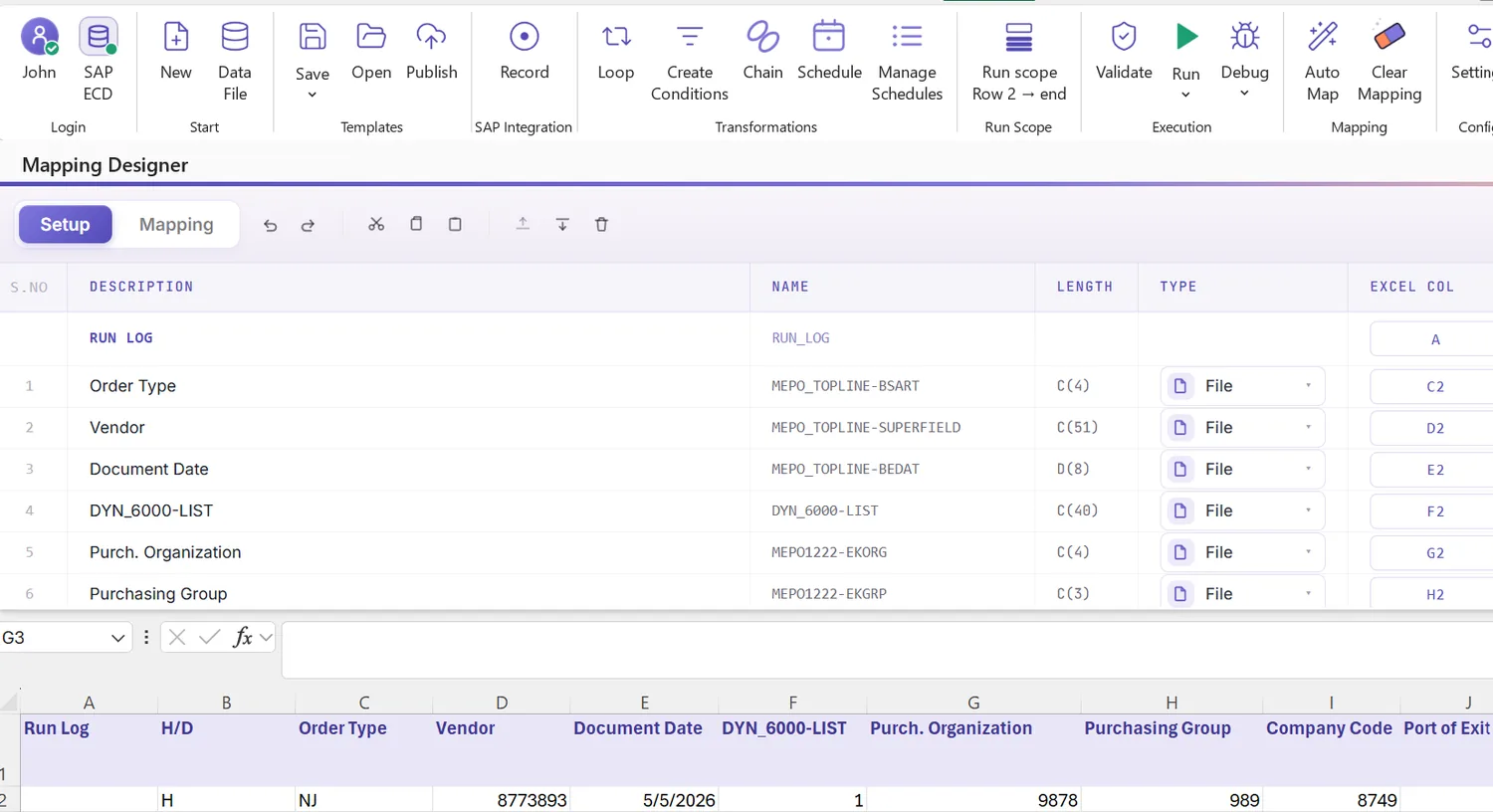
Open the Mapping Designer
Picking the BAPI loads the Mapping Designer with a line for every header and item field. Two things matter here:
- Extensions are detected. Append fields your system adds to the PO header or item, often custom procurement fields, are pulled in automatically.
- You can add your own. Anything missed you place by hand, so standard and custom fields ride in one load.
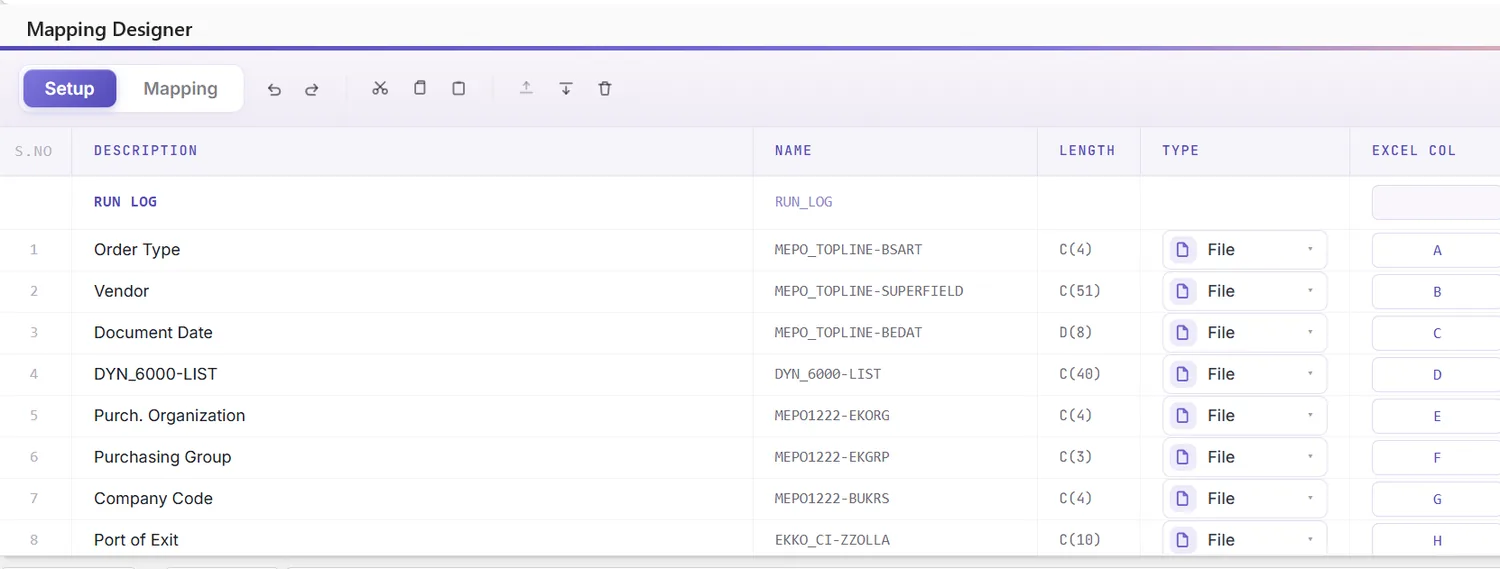
Match columns with Mapping AI AI
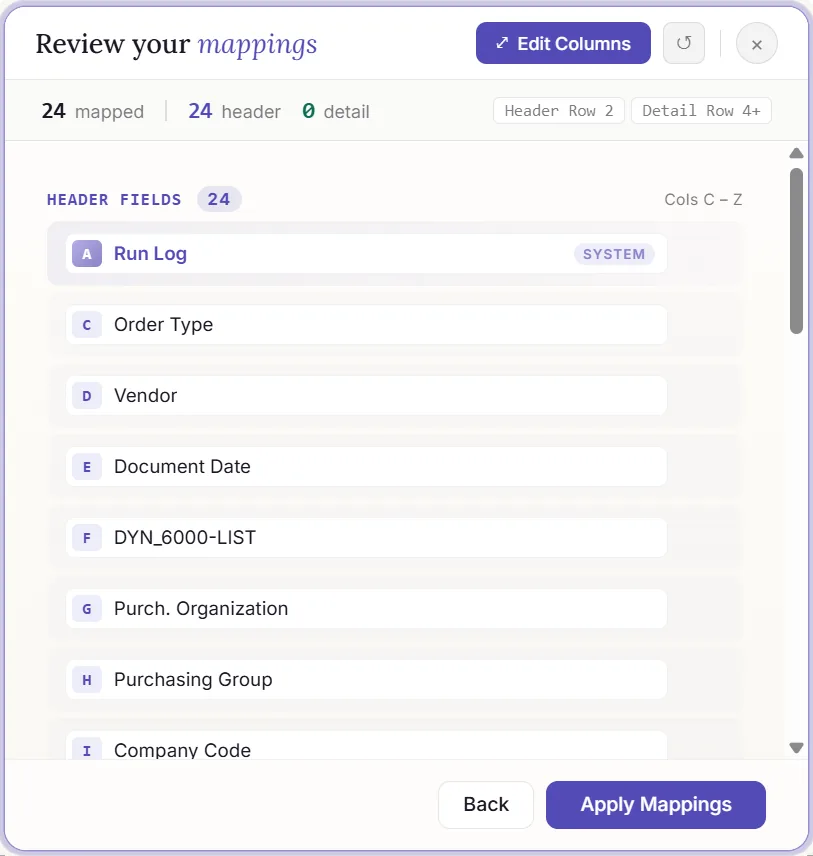
Now tie the structures to your data. Mapping AI proposes an Excel column for each header and item field, reading your headers or a screenshot you drop in, and you confirm or adjust, which is a real help when a PO mixes header attributes with repeating line fields.
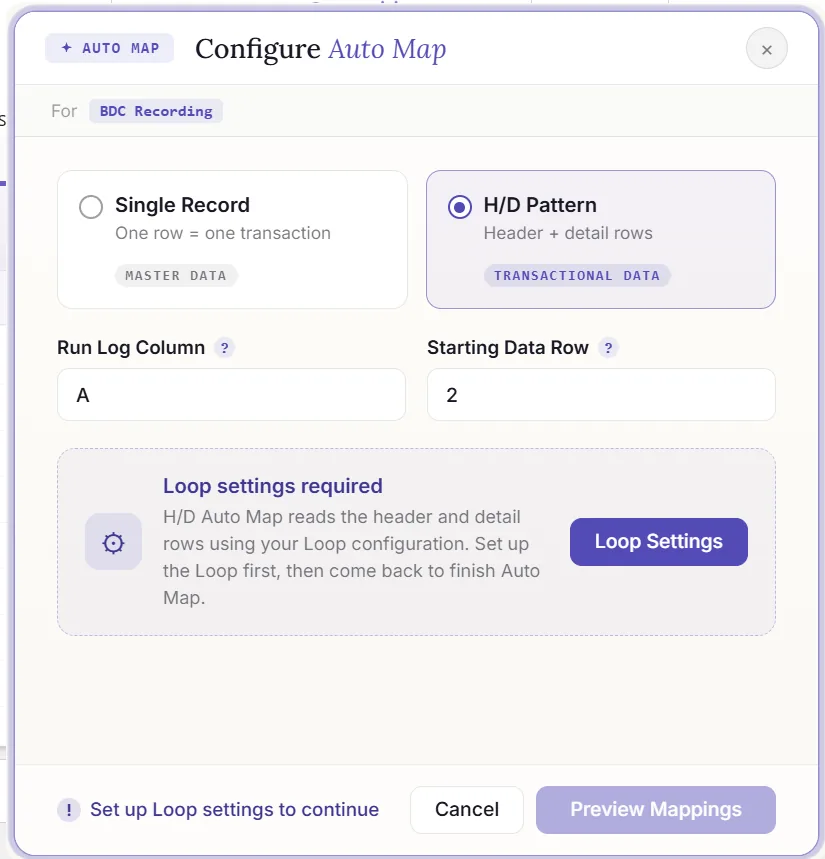
Auto Map and group items under headers
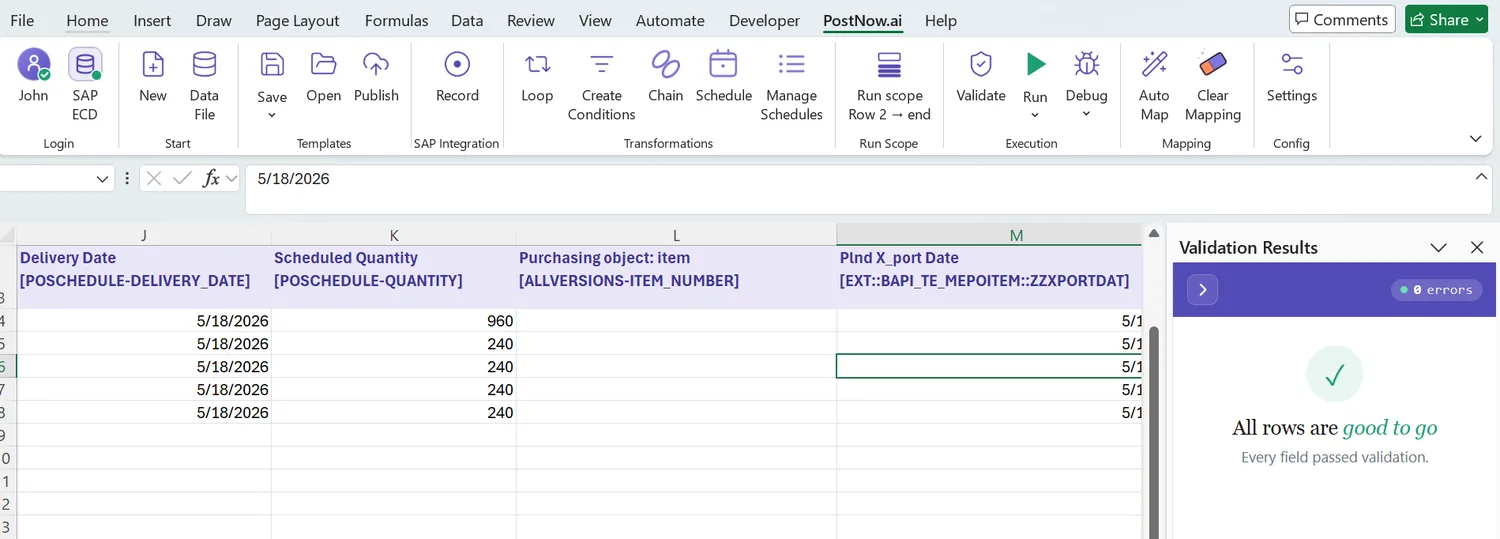
Run Auto Map to fix the mapping and write SAP-tagged headers into the sheet. Because a PO has structure, this is also where you set the header/detail grouping: rows that share an order reference are gathered into one PO, the header read once and the item rows read as lines. From here the workbook is the template and the grouping travels with it.
Set formatting and the X indicators
A field's properties shape how its value posts: leading zeros on material and vendor numbers, upper case on codes, a date format on the delivery date, the right decimals on quantity and price, defaults, and regex.
For amendments through BAPI_PO_CHANGE, the parallel X structures (POHEADERX, POITEMX) decide what is written: a field changes only when its indicator is set. Rather than ticking those by hand, PostNow spots the fields you have edited and raises their X indicators automatically, so amending a batch of orders stays limited to the values you actually changed.
Check the data in Excel first
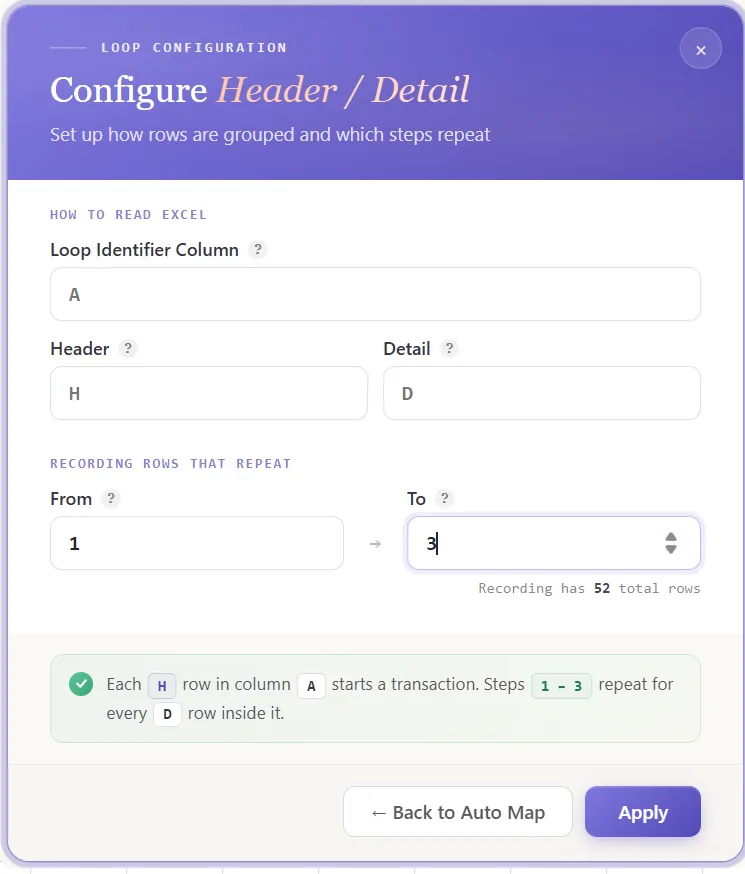
Worth doing before posting: a procurement error usually lands as a short code once a line has already failed. Validate brings the check forward, every row is tested against SAP's length, format, and required-field rules and the offending cells are flagged, so the sheet is clean before any order is sent.
Confirm against live SAP
Good formatting is no guarantee a value exists, a material can read fine and not be set up in the receiving plant. To test it, open the field's properties, enable field validation, and supply the check table and field, a vendor against LFA1, a material against MARA, or a plant against T001W. Select the cell, run Validate master data, and PostNow queries live SAP to see whether the value is present and ready to use.
Group items into headers with loops
A purchase order is the textbook case for header/detail, so this is where the structure pays off:
- Header/detail loops: rows sharing an order reference collapse into one PO, the header taken once and each item row added as a line, however many lines an order runs to.
- IF conditions: include only the lines you want, for example skipping rows with a zero quantity or holding back items flagged as not yet released.
Set the scope, post, and review AI
Choose the range with Run Scope, a single order first, then the rest, and press Run. A few aids:
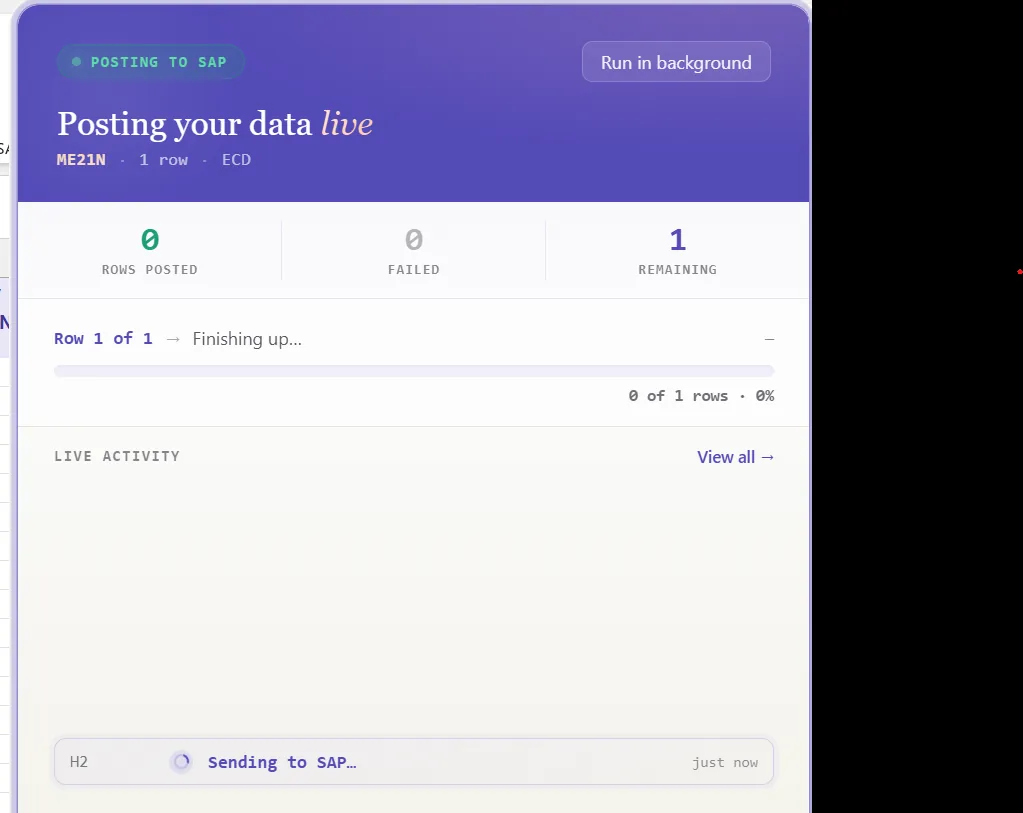
- Run log: outcomes appear live and write into a log column beside each row in Excel.
- Payload view: open the exact data sent to SAP for any order, header and items together, so a failure is never a guess.
- AI error review: AI Review reads the procurement message and explains, plainly, what blocked the order and where to fix it.
- RETURN per order: the BAPI reports messages per document, and PostNow ties each to its rows, writing the new PO number back beside the order it belongs to.
Publish and roll it out to the team
Once the run is clean, publish. The configuration, grouping and all, becomes a script the buying team runs unchanged, they open it, paste their orders, and post, with no mapping to rebuild and no need to know the BAPI underneath. A one-time build becomes the standard way to raise purchase orders.
Let's talk
Bring a real PO file and a live SAP connection to a working session. We will group the items under their headers, map, validate, and post the orders for real, with AI taking the strain. No slide decks.
Frequently asked questions
What is SAP purchase order automation?
ME21N. With PostNow the PO data stays in Excel, item rows fold under their header, and the orders post in one governed run via BAPI_PO_CREATE1, with AI mapping fields, validating values, and explaining errors.How do you create purchase orders in SAP from Excel?
BAPI_PO_CREATE1, groups the items under each header, and commits the document, so there is no ME21N keying and no ABAP.Which BAPI creates SAP purchase orders?
BAPI_PO_CREATE1 creates purchase orders and BAPI_PO_CHANGE amends them. The call nests POITEM line items under a POHEADER, with POSCHEDULE delivery dates, POACCOUNT account assignment, and POCOND pricing, and parallel POHEADERX and POITEMX structures flag the fields to write. The document is saved with BAPI_TRANSACTION_COMMIT, which PostNow handles for you.Can you upload multi-line purchase orders from Excel?
BAPI_PO_CREATE1. One sheet can carry many multi-line purchase orders in a single mass run.