SAP profit center automation is the practice of setting up and revising profit centers programmatically rather than stepping through KE51 one at a time. PostNow drives it from Excel: every profit center is a row, and the add-in posts the set with the standard BAPI_PROFITCENTER_CREATE, placing each one in its controlling area and standard hierarchy, opening the right validity period, checking the values, and committing the batch in a single run, with any SAP error rendered in plain language.
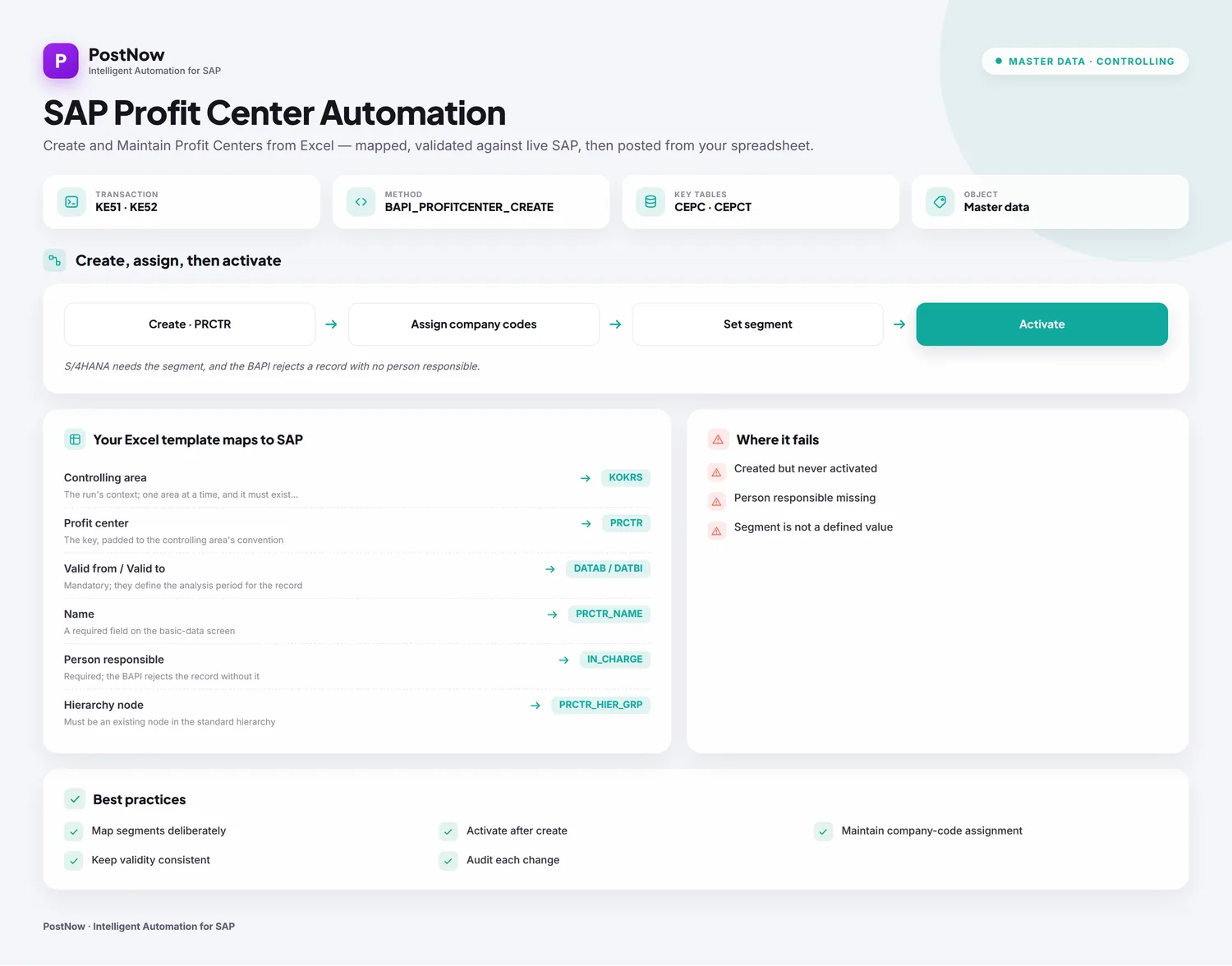
Below is a twelve-step worked example of a profit center upload from Excel to SAP, taking in both new profit centers and edits to existing ones. Save the mapping and what you have is a reusable profit center Excel template, ready for the next hierarchy redesign or year-end. The approach is the same on classic ECC and on S/4HANA, where Profit Center Accounting still creates masters behind KE51 and the same BAPI, with the segment carrying more weight in S/4. After the initial setup, whoever loads the data needs no ABAP and no developer on standby.
Why automate profit center creation rather than keying KE51
Done by hand, a profit center means opening KE51, answering the controlling-area prompt, entering the validity dates, then filling the name, person responsible, hierarchy node, segment, and company-code assignments before activating and saving. A few are easy enough. A new hierarchy, a carve-out, or a segment-reporting change across a group quickly becomes hundreds of records, and that is where the responsible person, the hierarchy node, or the segment slips between entries.
A profit center upload removes the repetition. The list stays in Excel and posts to SAP under a single controlling area in one run. For a bulk profit center creation at go-live or a mass profit center upload during a reorganisation, the fiddly work, choosing the function, matching columns to fields, getting the validity periods right, and reading EC-PCA messages, is handled for you. The twelve steps that follow lay out the whole approach.
Before you start: what you need
- Your profit centers in Excel, one per row, a column for each field you mean to populate, and the controlling area stated so the run knows its context.
- SAP authorization in line with
KE51andKE52for the controlling area in question, with the rights covered by authorization objectK_PCAand the ability to assign nodes in the standard hierarchy. - PostNow in Excel, paired with your SAP system. Its function modules are deployed to SAP once during setup, after which every profit center load runs from the task pane alone.
KE51 on the surface and BAPI_PROFITCENTER_CREATE beneath. In S/4HANA the segment assignment matters more, since profit centers feed segment reporting, but the load itself is unchanged.Your profit center Excel template: the fields SAP expects
A profit center is time-dependent and reports into a standard hierarchy, so a short list of fields decides whether the load posts. These columns are the heart of a profit center upload template; carry them, and make sure the nodes, segments, and company codes they reference are already live.
| Excel column | SAP field | Why it matters |
|---|---|---|
| Controlling area | KOKRS | The run's context; one area at a time, and it must exist (TKA01) |
| Profit center | PRCTR | The key, padded to the controlling area's convention |
| Valid from / Valid to | DATAB / DATBI | Mandatory; they define the analysis period for the record |
| Name | PRCTR_NAME | A required field on the basic-data screen |
| Person responsible | IN_CHARGE | Required; the BAPI rejects the record without it |
| Hierarchy node | PRCTR_HIER_GRP | Must be an existing node in the standard hierarchy |
| Segment | SEGMENT | Drives segment reporting in S/4HANA; must be a defined segment |
BAPI_PROFITCENTER_CREATE builds a profit center, or a fresh analysis period for one, and BAPI_PROFITCENTER_CHANGE edits an existing record. Unlike the cost center call, these run one profit center per call around a PROFITCENTERID key, a validity period, and a BASICDATA structure holding the name, person responsible, hierarchy node, and segment; a companion BASICDATAX marks which fields a change should write. Because the master is time-dependent, the function either opens a new analysis period or merges into one already there, following your settings. Step 2 has PostNow's function finder pick BAPI_PROFITCENTER_CREATE, pull its structures in, and loop the call across your rows.The profit center upload, step by step
Lay out and open your sheet
Give every profit center a row under headers like Controlling Area, Profit Center, Valid From, Valid To, Name, Person Responsible, Hierarchy Node, and Segment. Open the workbook and start the PostNow task pane alongside it.
Choose the profit center BAPI
A standard function does the work, so there is nothing to record. In the function finder, pick the call that fits:
- For new profit centers, take
BAPI_PROFITCENTER_CREATE, which posts one profit center, or a new analysis period for one, per call - For edits, take
BAPI_PROFITCENTER_CHANGE; on this object create and change are distinct functions - Each call carries the controlling area and a validity period, and a test mode lets you trial a load before committing
Confirm the function and PostNow brings in its structures, the key, the period, and the basic-data fields, and loops the call down your rows so you never touch KE51.
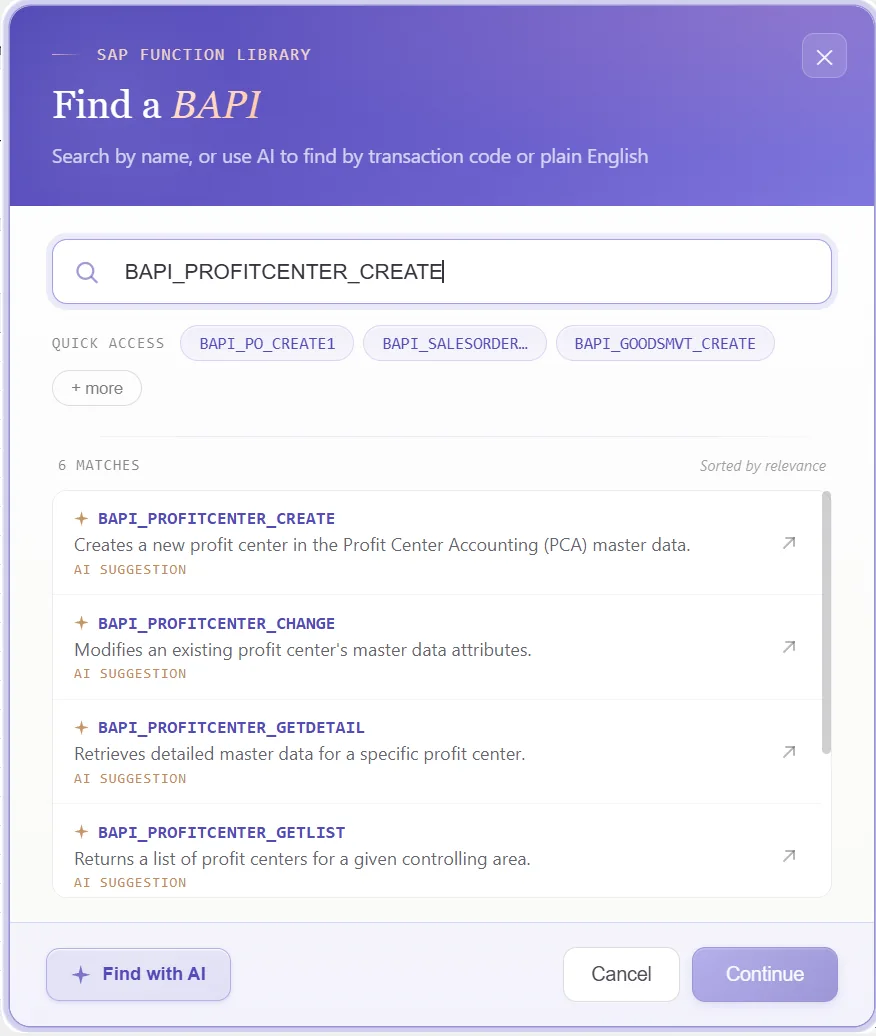
Look over the structures it returns
What comes back is small and pointed: a key, a validity period, a basic-data block, and a matching change indicator. Because it follows how EC-PCA stores a profit center, a glance shows the identity, the period, and the attributes:
That gives you the full shape of each record before a single column is mapped.
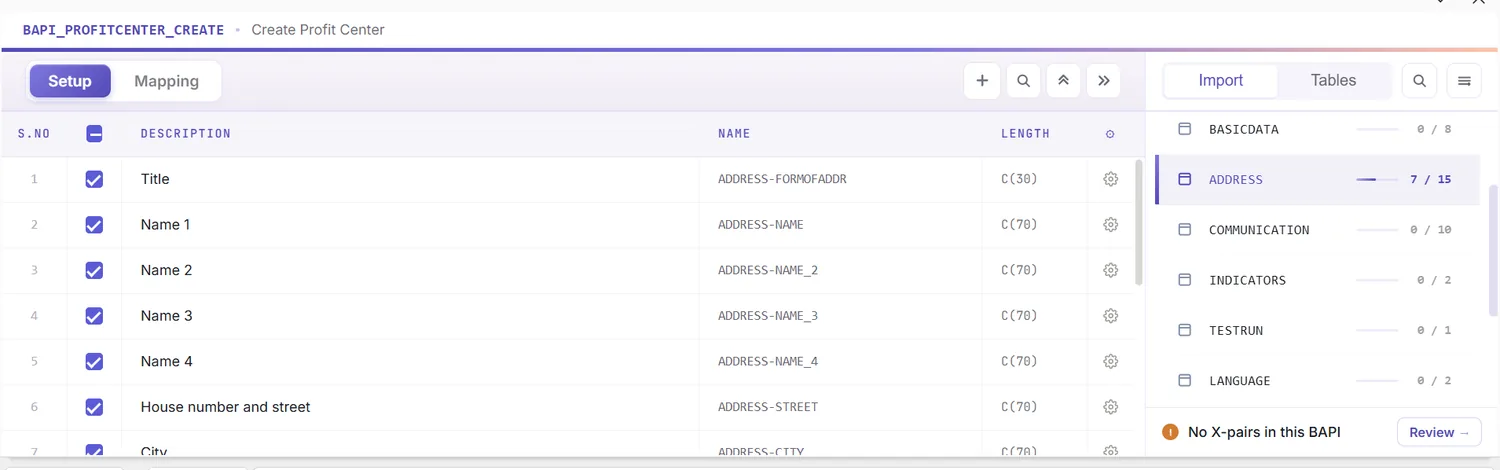
Open the Mapping Designer
Choosing the BAPI fills the Mapping Designer with a line per field. Two things help with profit centers:
- Extensions are picked up. Append fields your installation adds to the profit center structure are detected, so customer columns are ready to map.
- You can add your own. Anything not caught automatically you place by hand, keeping standard and custom data in one load.
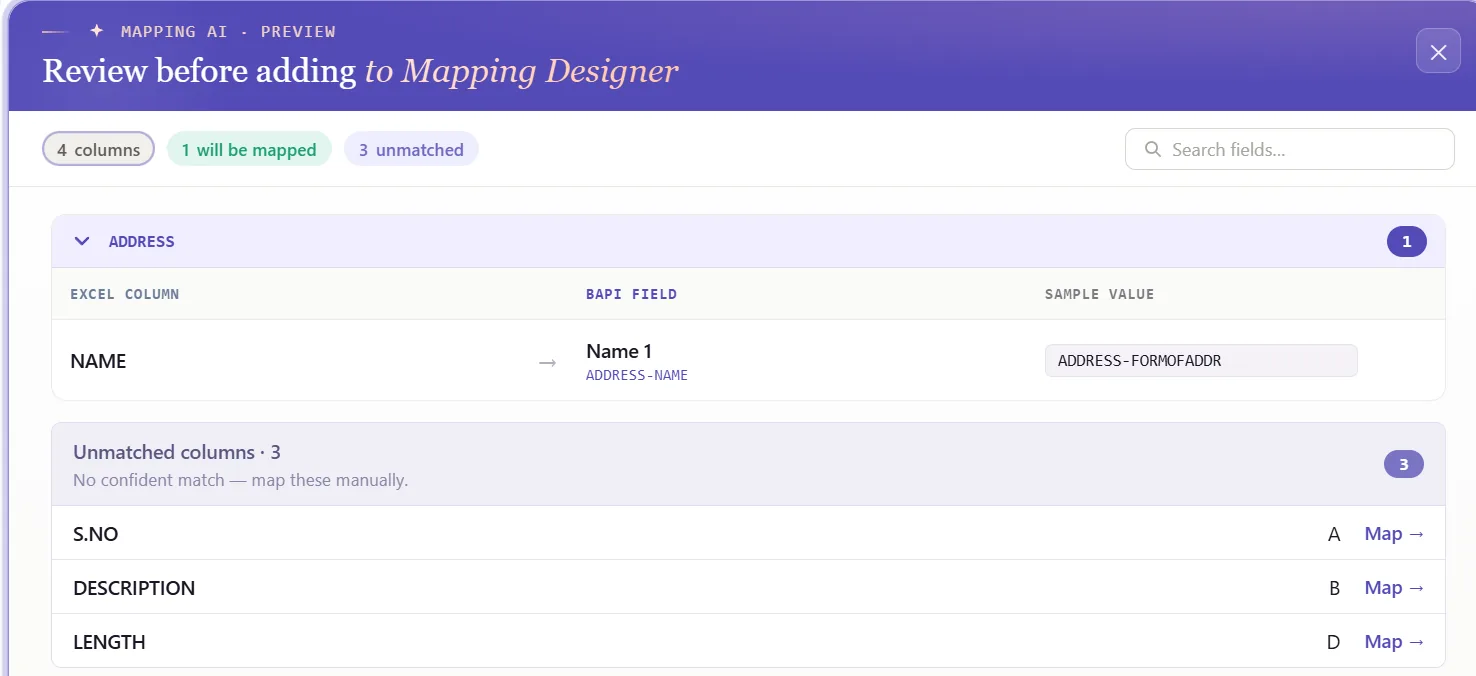
Match columns with Mapping AI AI
Now bind the structure to your data. Mapping AI suggests an Excel column for each SAP field, working from your headers or a screenshot you paste, and you accept or change each one, handy when a profit center brings a period, a hierarchy node, a segment, and a clutch of assignments.
Auto Map and stamp the headers
Press Auto Map to settle the mapping. Each field is bound to its column and SAP-tagged headers are written across the sheet, so the workbook is the template and stays in step with the BAPI structures.
Set the update flags and analysis periods
A field's properties decide how its value is shaped going out: leading zeros on the profit center key, upper case on codes, trimmed spaces, defaults, and regex. The validity columns deserve attention, set the date format on Valid From and Valid To so each analysis period is read correctly, because the period is what decides whether the BAPI opens a new one or merges with an existing record.
For edits, the change call relies on the BASICDATAX structure: a field is only written when its indicator is set. Marking those by hand is tedious, so PostNow detects the fields you have changed and raises their BASICDATAX flags for you, keeping a mass change confined to the data you actually touched.
Check the data in Excel first
Better to check before posting: an EC-PCA error tends to surface as a short code after a row has already failed. Validate moves the check earlier, each row is held against SAP's length, format, and required-field rules and the problem cells are flagged, so the sheet is sound before anything is sent.
Confirm against live SAP
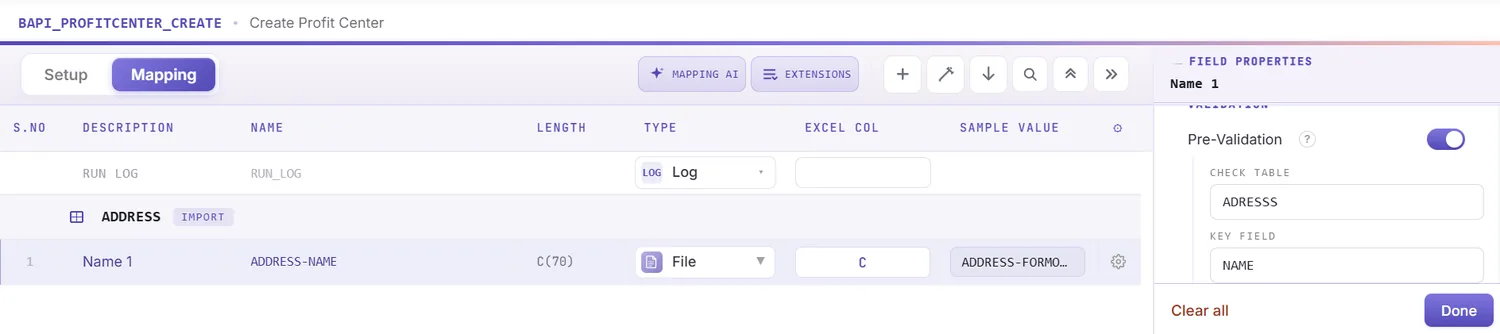
Clean formatting does not prove a value is real, a hierarchy node or segment can look right and be absent from the client. To test it, open the field's properties, turn on field validation, and give it the check table and field to read, a segment against FAGL_SEGM, a company code against T001, or the standard-hierarchy node for the controlling area. Pick the cell, run Validate master data, and PostNow checks live SAP for the value's presence.
Shape the load with loops and conditions
When the file needs structure beyond a plain list, set it up first:
- Loops: since the create call runs one profit center at a time, the loop steps it down your rows, and you can group by controlling area so each area posts under the right context.
- IF conditions: handle only the rows that qualify, for instance posting a profit center only where an active flag is set, or skipping rows with no hierarchy node yet.
Set the scope, post, and review AI
Set the range with Run Scope, one test row before the rest, and press Run; the BAPI's test mode fits here too. A few things help:
- Run log: results show live in the run window and write into a log column next to each row in Excel.
- Payload view: open the exact data sent to SAP for any profit center, so a failure is never opaque.
- AI error review: AI Review reads the EC-PCA message and spells out, plainly, what stopped the row and where to look.
- RETURN per row: the BAPI returns a message per profit center, and PostNow attaches each to its row so the failing record and field are obvious.
Publish and roll it out to the team
With a clean run behind you, publish. The configuration becomes a script colleagues run as is, they open it, paste their profit centers, and post, with no mapping to rebuild and no need to know the BAPI underneath. A single build becomes the team's standard route for loading profit centers.
Let's talk
Bring a real profit center list and a live SAP connection to a working session. We will set the controlling area, shape the validity periods, map, validate, and post it for real, with AI taking the strain. No slide decks.
Frequently asked questions
What is SAP profit center automation?
KE51. With PostNow the profit centers stay in Excel and post in one governed run via BAPI_PROFITCENTER_CREATE, while AI maps the fields, checks the values, and explains any EC-PCA error.How do you upload profit centers from Excel to SAP?
BAPI_PROFITCENTER_CREATE row by row and checks the data against live SAP, so there is no KE51 keying and no ABAP.Which BAPI creates SAP profit centers?
BAPI_PROFITCENTER_CREATE creates a profit center, or a new analysis period for one, and BAPI_PROFITCENTER_CHANGE edits an existing record. Both work a profit center at a time around a PROFITCENTERID key, a validity period, and a BASICDATA structure, with a BASICDATAX companion marking which fields a change should write. PostNow's function finder selects the right one and loops it across your rows.Is there a template for uploading profit centers to SAP?
Can you change a profit center validity period from Excel?
BAPI_PROFITCENTER_CHANGE, raising only the BASICDATAX flags for what you altered. Because profit centers are time-dependent, the function opens a new analysis period or merges into an existing one according to your settings.