What is SAP master data management? SAP master data management is the work of creating, changing, extending and blocking the shared records that every SAP transaction reads: materials, business partners (customers and suppliers), G/L accounts, cost centres and profit centres. Each object has a business owner and agreed standards, and records are maintained either directly in SAP S/4HANA or ECC or through SAP Master Data Governance (MDG) change requests.
Where PostNow.ai fits: creating or extending hundreds of materials, suppliers or cost centres one screen at a time is slow, and a format mistake such as a missing leading zero repeats across every record. For objects maintained directly in the ERP, PostNow.ai loads them from an Excel template mapped to a BAPI or a recorded transaction, checks every row before it posts under the user's own SAP login, and writes SAP's number or message back. Mass Change pulls existing records into Excel and posts only the rows you edit, so a bulk correction stays small and traceable.
PostNow.ai creates, extends and changes SAP master data from Excel through templates mapped to an SAP BAPI or to a recorded transaction, and checks every row before it posts. Materials, business partners, vendors, customers, cost centres and G/L accounts each get a template that carries the rules, and SAP writes back the new number or its own message beside every row. This page shows how that works, which method suits each object, a worked example, and how the changes stay governed.
SAP master data: objects, owners, lifecycle and controls
Master data is the long-lived reference data that SAP copies into every document: a purchase order takes the supplier's payment terms, a sales order the material's sales data, a journal entry the G/L account's and cost centre's settings. An error in one record repeats in every document that uses it, which is why each object needs an owner, a standard and checks.
| Object | Maintained in | Main tables | Typical owner |
|---|---|---|---|
| Material | MM01 / MM02, view by view (basic, plant, sales, purchasing, accounting) | MARA (general), MARC (plant), MBEW (valuation) | Supply chain or product data team |
| Business partner: customer and supplier | S/4HANA: transaction BP. ECC: XD01/XD02 (customer), XK01/XK02 (vendor) | BUT000 (BP), KNA1/KNB1 (customer), LFA1/LFB1 (supplier) | Sales, procurement and finance, each for its own data |
| G/L account | FS00 | SKA1 (chart of accounts), SKB1 (company code) | Finance / controllership |
| Cost centre | KS01 / KS02 | CSKS | Controlling |
| Profit centre | KE51 / KE52 | CEPC | Controlling |
On S/4HANA, customers and suppliers ("vendor" is the ECC term) are maintained as business partners, the single point of entry for this data; SAP Learning the old XK01, XD01 and their change transactions hand over to BP.
Lifecycle. A record is requested, created, then extended as the business grows (a material to a new plant or sales organisation, a supplier to a new company code), changed many times, and finally blocked or flagged for deletion. A block or deletion flag retires a record without removing it; physical removal happens only through archiving.
Governance. There are two models. In the first, records are maintained directly in ECC or S/4HANA, controlled by SAP authorisations, a central master data team and SAP's change documents, which log the old and new value of each changed field in CDHDR and CDPOS. SAP Help In the second, SAP Master Data Governance (MDG) bundles maintenance into change requests that go through workflow and approval in a staging area before the record is activated. SAP Learning Many companies govern some objects in MDG and maintain the rest directly; see MDM vs MDG below.
Data quality controls. Prevent errors at entry (mandatory fields, check tables, number ranges and account groups), detect them afterwards (duplicate, completeness and change reports), and correct them in bulk with mass maintenance. SAP data quality best practices covers the controls in detail.
PostNow.ai's role. PostNow.ai covers create, extend and change from Excel for directly maintained objects, row-level validation before posting, detection through Report Library reports, and Mass Change for corrections. MDG change requests, archiving and SAP's own configuration (field status, number ranges) stay in SAP's standard tools.
How PostNow.ai handles SAP master data
PostNow.ai treats each master data object as a template: a designer builds the rules once, and anyone allowed to run it gets the same checks on every row, whether the file holds five records or five hundred.
Pick create, change or extend, and the posting method
BAPI mode maps Excel columns to the fields of a BAPI that you search by name in your live SAP system, or that Find with AI suggests from a plain-English description (for example "create a business partner" returns BAPI_BUPA_CREATE_FROM_DATA). A row is committed only when SAP returns no E or A message; otherwise it is rolled back. Recording mode records the transaction once through SHDB and posts each row by CALL TRANSACTION, so SAP's normal screen checks apply. It is the route when no BAPI covers the screens you maintain. The free master data templates give a mapped starting layout for materials, cost centres, BOMs, assets and more.
Write the data standard into the template
Per field, the designer sets transformations that run in a fixed order: trim, default value, leading zeros, uppercase. Leading zeros apply to numeric values only and pad to a target length you choose, so a vendor typed as 100087 reaches SAP as 0000100087. Each field also gets a date format (YYYYMMDD, DD.MM.YYYY, Excel serial and others) and optional value help: an SAP lookup from the field's check table, or your own list with descriptions. Switching on Restrict turns that list into a hard allow-list. Required fields show "* " in the Excel header.
For change BAPIs, PostNow.ai fills the companion X structures, such as CLIENTDATAX and PLANTDATAX for BAPI_MATERIAL_SAVEDATA, from the BAPI's dictionary shape, and shows any ambiguous pairs in a Review X-pairs dialog. Copy from SAP prefills a BAPI template from an existing SAP record through the matching read BAPI, so a new record can start from a similar one.
Validate, then Simulate
Validate checks the file before SAP sees it: required fields, type, length, invalid characters, date format, decimal places and allowed values. An optional pre-validation also asks SAP whether referenced master data exists, through a check-table lookup (does this vendor, cost centre or plant exist?). Failing cells turn coral with a message in the Run Log, and the errors export to CSV.
Simulate then tests against SAP. In BAPI mode the BAPI is called and always rolled back. In recording mode the verdict has three states: would post, review (warnings), or would not post. Master data transactions usually have no simulate OK-code, so a recording's Simulate checks the screens only, and the result says so.
Run and read the result per row
Rows post under the user's own SAP login through a standard BAPI or CALL TRANSACTION. SAP authorisations apply, SAP writes its usual change documents, and nothing writes to tables directly. Each row gets a Run Log entry, and the new number (vendor, customer, cost centre) can be written to a column. Retry Failed re-posts only the rows whose Run Log starts with ERROR. AI Review explains a failed row from SAP's messages and the field structure, never the cell values. Clicking a number opens the display transaction prefilled, such as MM03, XK03 or XD03.
Maintain with Mass Change
Mass Change pulls existing records from SAP into the sheet, you edit them, and only the changed rows post back. The worked example below shows the whole loop.
Which transaction or BAPI to use for each object
PostNow.ai can post any of these objects either way. The table shows the route we would start with for each one, and why.
| PostNow.ai mode | Object | Create | Change / extend | Why this route |
|---|---|---|---|---|
| BAPI | Material | BAPI_MATERIAL_SAVEDATA (MM01) | Same BAPI (MM02). An existing material plus new plant or sales data extends it | One BAPI covers create, change and extend, view by view; X structures are filled for you |
| BAPI | Business partner (S/4HANA) | BAPI_BUPA_CREATE_FROM_DATA | BAPI_BUPA_CENTRAL_CHANGE for central data | On S/4HANA, XK01 and XD01 hand over to transaction BP. A chain can run a follow-on BAPI per row with the BP number written back |
| Recording | Vendor (ECC) | XK01 | XK02, or FK02 for company-code data such as payment terms | Replays the exact screens and account group your team already uses, with SAP's field checks |
| Recording | Customer (ECC) | XD01 | XD02 | Same reasoning as vendors; record one sales area and company code per template |
| BAPI | Cost centre | BAPI_COSTCENTER_CREATEMULTIPLE (KS01) | BAPI_COSTCENTER_CHANGEMULTIPLE (KS02) | Standard create and change BAPIs with validity dates per row |
| Recording | G/L account | FS00 | FS00 | One transaction maintains both the chart-of-accounts and the company-code segment |
| Mass Change | Field updates on existing records | n/a | Pull, edit, post changed rows through any flat template above | Only rows that actually changed reach SAP |
Object guides: MM01 mass creation, MM02 mass update, XK01 vendor upload, XD01 customer upload, KS01 cost centres and FS00 G/L accounts. For the BAPI-or-recording choice in general, see BAPI vs BDC.
Free Excel templates
Download the templates for these objects
Each workbook is mapped to its SAP BAPI, with required fields marked and an About, Field Guide and BAPI Mapping sheet. Free, no signup.
Worked example: 120 materials to a new plant, 15 vendors' payment terms
PostNow.ai covers both halves of this job: a BAPI template for the material extension and Mass Change for the vendor fix. The company opens plant 2400 next to plant 1000 and agrees new payment terms with some suppliers in company code 3000, on an ECC system.
Part A: extend 120 materials to plant 2400
- Find the materials. A designer builds an SAP Query on plant data (
MARC) for plant 1000, with a "has no matching record" filter for plant 2400. The 120 materials that still need extending land in Excel. - Build the template. In BAPI mode on
BAPI_MATERIAL_SAVEDATA, the columns are the material number, plant, MRP type, MRP controller and purchasing group. The plant column defaults to2400. Numeric material numbers get leading zeros to your system's material number length.PLANTDATAXis filled automatically, so only the mapped fields are touched. - Constrain the values. MRP type is restricted to an allow-list (
PD,VB,ND), and the existence check confirms the MRP controllers and purchasing groups exist before anything posts. - Simulate, then run. Simulate calls the BAPI and rolls it back. On the real run, any row SAP rejects shows SAP's own message in the Run Log; fix those cells and use Retry Failed for just those rows.
Part B: change payment terms for 15 vendors
- Pull the records. Mass Change, set up on a recorded
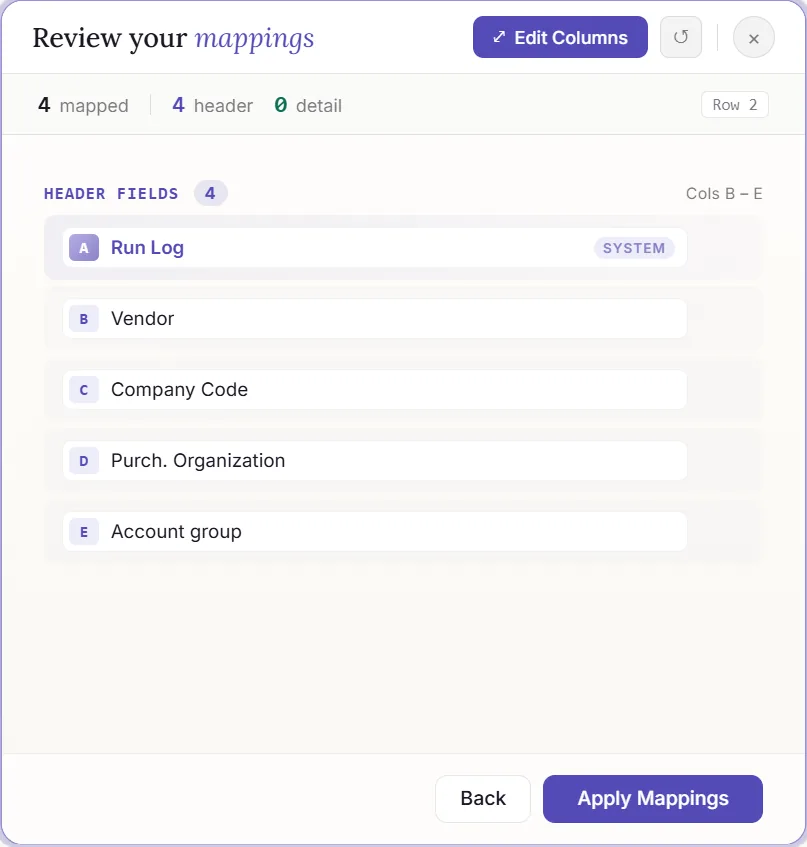
FK02template, queries company-code vendor data (LFB1) for company code 3000 with payment termsN030. Say 42 vendors come back. - Edit only what changes. The analyst sets 15 of them to
N045. The payment terms column uses an allow-list from the terms table (T052), so a typo fails at Validate. - Let change detection decide what posts. PostNow.ai compares the sheet against a hidden baseline snapshot with a hash per row. Blanks count as empty, trailing spaces are ignored, and numerically equal values match ("10.50" = "10.5"), so only the 15 edited rows post, not all 42.
- Approve, run, check. If an approval policy covers the template, Run stays blocked until someone other than the submitter approves. The approval is tied to a fingerprint of the data, so an edit after approval invalidates it. After the run, the central audit holds each row's outcome, and SAP's change documents show the old and new value per vendor.
The same pattern carries a migration load or an ongoing clean-up; see SAP data migration from Excel and SAP data quality best practices.
Finding what to fix: master data reports
PostNow.ai's Report Library has 82 pre-built reports, and several exist for master data hygiene. Operators can run them, and every read uses the user's own SAP authorisations.
- Duplicate vendors, grouped by name, country and VAT number, and duplicate customers on the same idea. Both list likely duplicates; a person decides which record survives.
- Material master completeness, to see which materials are missing a plant or valuation segment before an extension like Part A.
- Blocked and deletion-flagged vendors, to review central and company-code blocks.
- Change documents from
CDHDRandCDPOS: who changed which field to what value, the natural check after a Mass Change. - 360 reports for the material master, vendor master, customers, G/L accounts, cost centres and profit centres.
Once a report shows the problem, the fix is usually a Mass Change on the same records.
Governance checklist: who designs, runs, approves and audits
PostNow.ai separates building a master data template from running it. Use this list to agree the roles before the first bulk load.
- Designers build. Recording, mapping, logic and query authoring sit with designers. Operators get a run-only ribbon.
- Publish to freeze the standard. A published template is a self-contained workbook that is run-only for everyone and shared through the central template library. Operators of a published Mass Change can change only its selection values.
- Grant rights per user. The admin portal sets who may run reports, post, use Mass Change, Debug and Simulate.
- Approve sensitive changes. Approval policies block Run until approved, match the approved data by fingerprint, and never let the submitter approve their own file.
- Keep SAP in charge of access. Every posting runs under the user's own SAP login and authorisations, through standard BAPIs or CALL TRANSACTION.
- Audit twice. The central audit records each row's transaction, template, SAP system, client, user, result and number. SAP's own change documents record the field-level history.
- Share by department. Departments control who sees which templates and reports.
What to know before you plan a load
PostNow.ai is a create-and-change tool with a few clear limits. Knowing them early changes how you plan.
- No undo. SAP postings cannot be reversed by the tool. Stop cancels the remaining rows, and records already posted stay in SAP.
- Mass Change is flat. It works with flat templates only, not header/detail. It pulls 100 rows by default, asks for confirmation above 500, and previews 100.
- No long-text editor. A BAPI's own text tables can be mapped like any other field.
- User-started runs. Postings run when a user starts them, under that user's SAP login.
SAP MDM vs SAP MDG: where PostNow.ai fits
PostNow.ai is a master data management tool: it loads and changes records in the ERP. It is not a replacement for SAP Master Data Governance (MDG), SAP's application for change requests, staging and workflow before a record is activated. SAP NetWeaver MDM was SAP's older master data product; MDG is its strategic successor.
The practical decision is per object. If MDG governs an object, loading it straight into the ERP bypasses MDG's change requests, so agree which objects are MDG-governed before using any bulk tool. For objects maintained directly in ECC or S/4HANA, an Excel template with Validate, approvals and audit gives a central team control over bulk creates and changes. The full MDM vs MDG comparison covers the split of duties, and the SAP MDG guide covers the product itself.