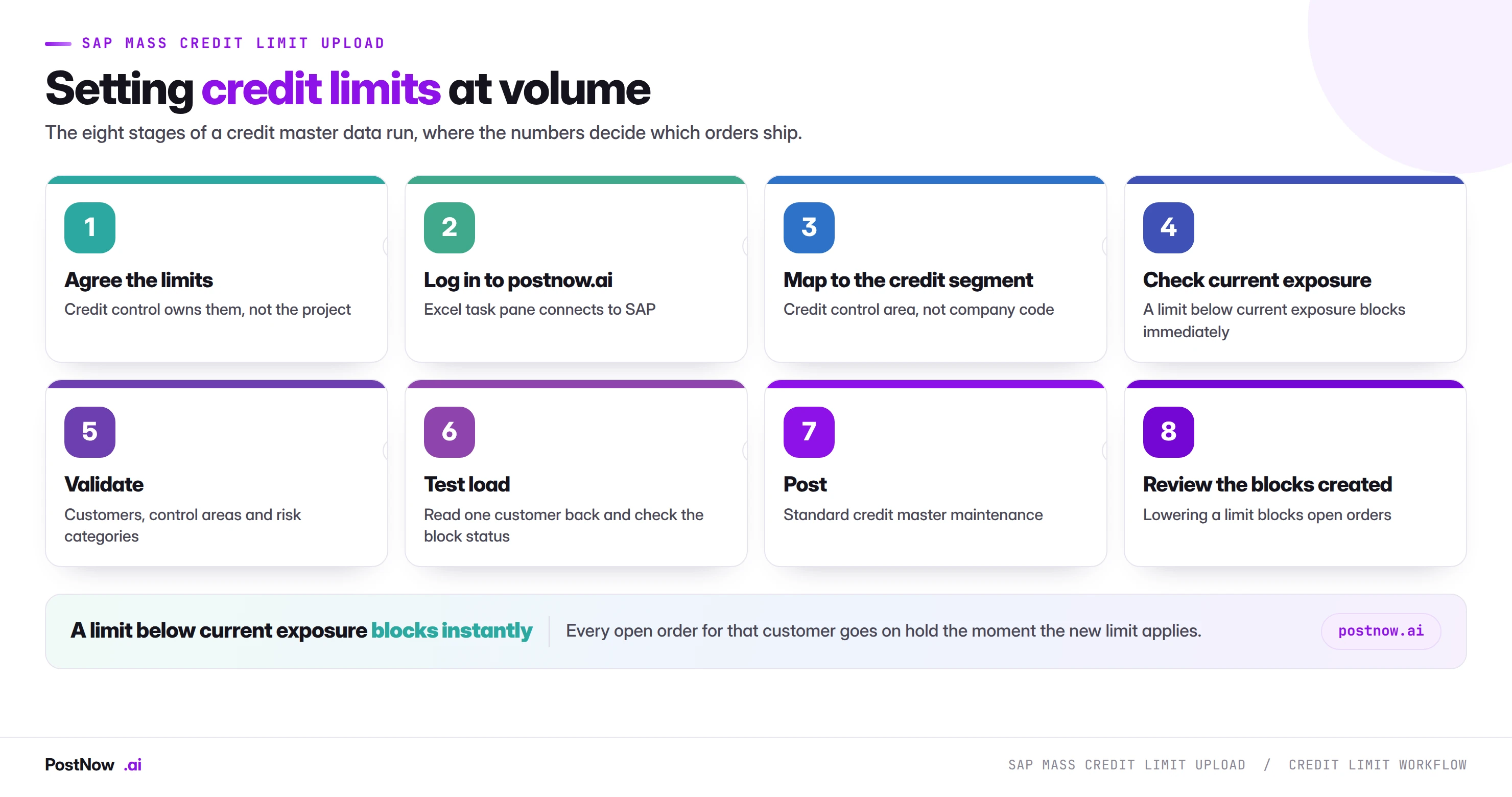
SAP mass update of customer credit limits changes many customers' credit limits in one controlled run. Two things about credit limits catch people out when they load them in bulk. The limit is not held per company code as most assume — it lives at the credit control area, which may span several company codes, so the organisational key on your file has to be right. And lowering a limit is not a neutral edit: the moment a customer's limit drops below their current exposure, open orders can block. This guide covers where the limit actually sits, what it affects downstream, and how to run a credit review across a customer base without freezing sales the same afternoon.
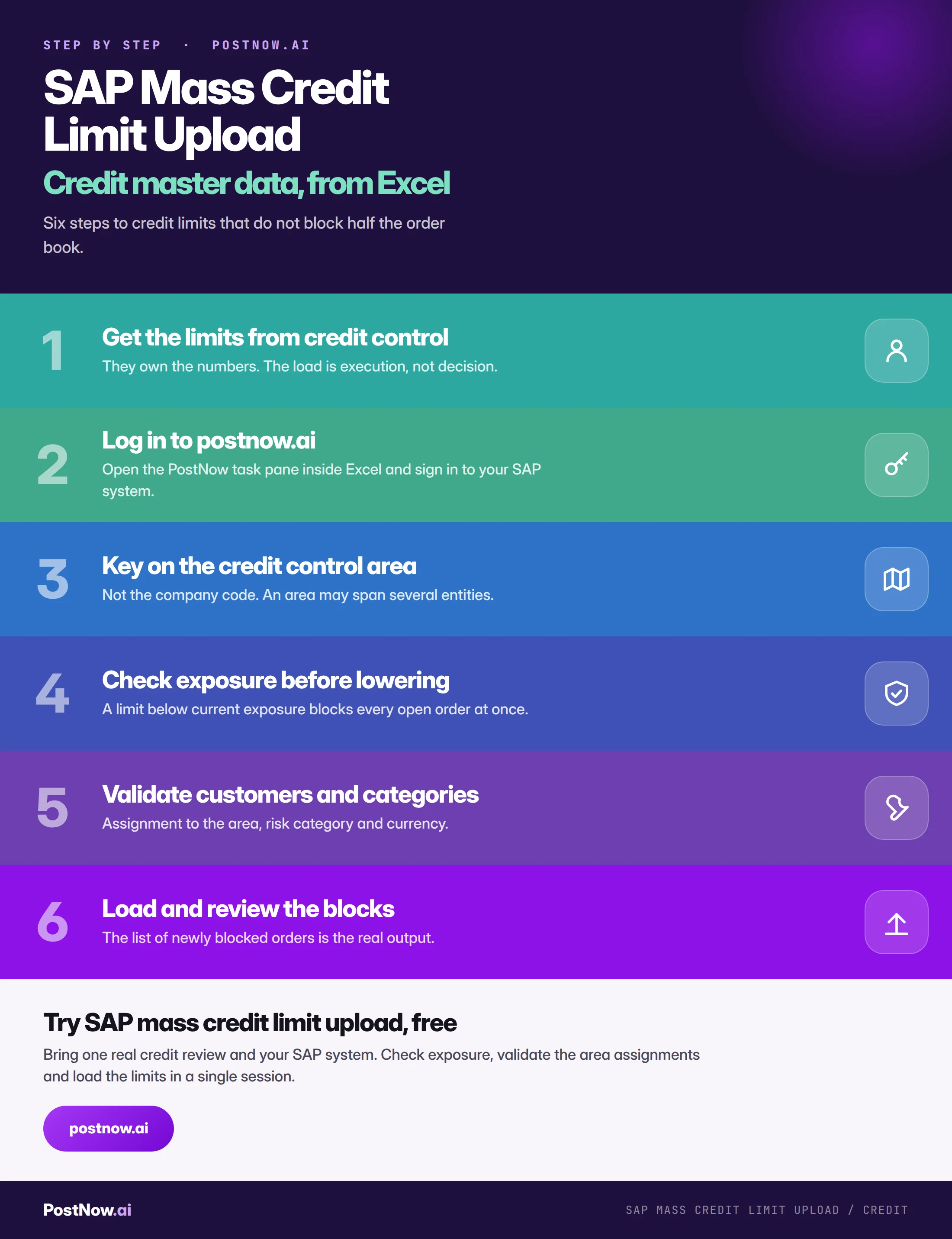
- Credit management keys on the credit control area, not the company code. An area may span several entities with exposure aggregated across all of them.
- A limit below current exposure blocks immediately. Every open order for that customer goes on hold the moment it applies.
- Extract exposure alongside the proposed limits. The file should show which customers a reduction will block, before the run.
- Blocked orders are not failed rows. They exist and wait for a decision; re-running them creates duplicates.
- S/4HANA Credit Management is a redesign. Credit segments and business partners replace credit control areas and customers.
A credit limit upload changes who can buy, immediately
SAP mass credit limit upload is the practice of setting or updating credit limits for many customers in one controlled run, rather than maintaining each individually. The limit is master data with no immediate posting: nothing happens when it changes, and everything created afterwards behaves differently.
It sits behind the credit blocks the sales order guide and delivery guide both describe, and it has one property that makes a mass run genuinely disruptive if it is not anticipated.
A limit set below current exposure blocks immediately. Every open order for that customer goes on hold the moment the new limit applies, and somebody in credit control has to work through them.
A Business Partner credit limit is not keyed where people expect
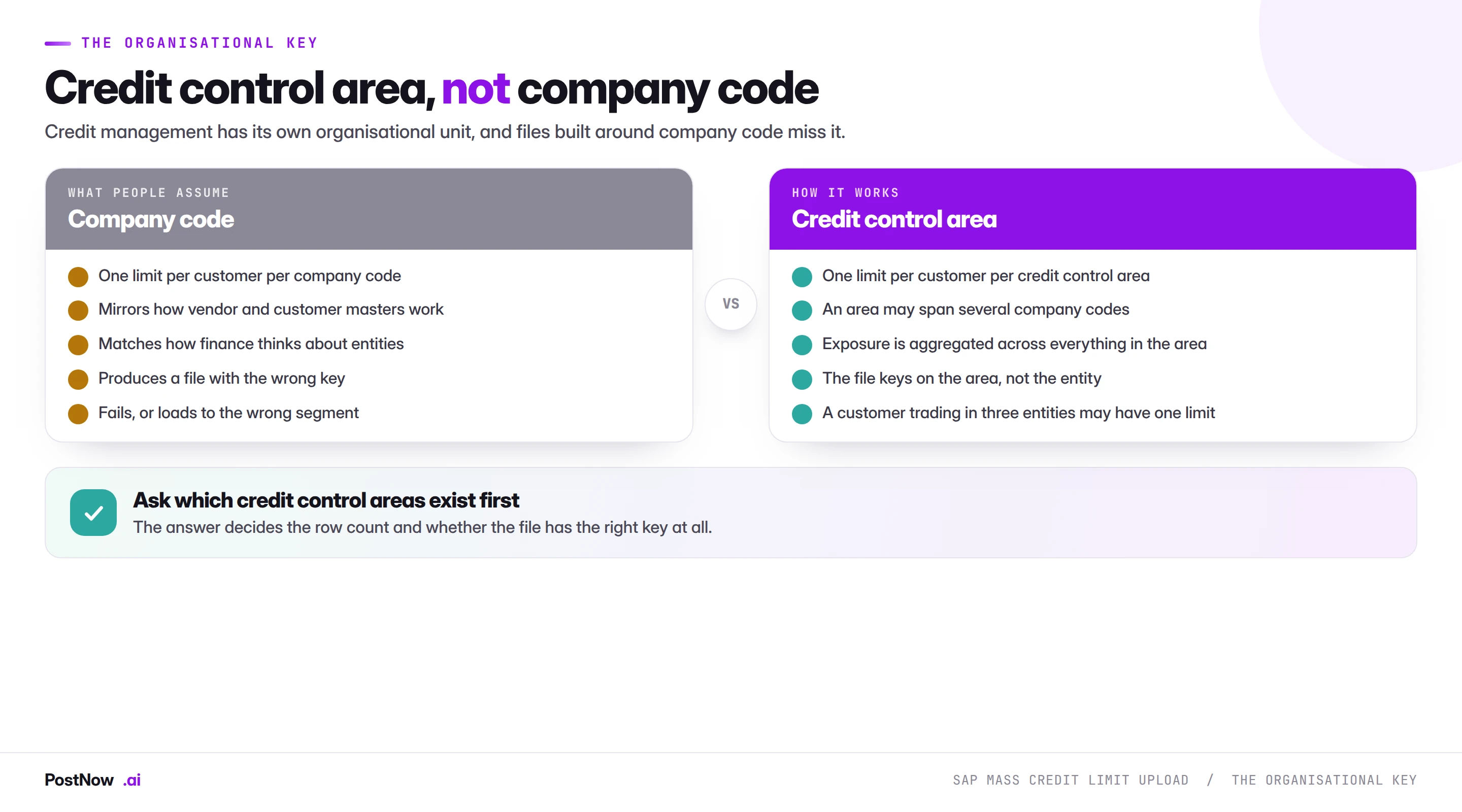
This catches out almost every team building their first credit file, because it breaks the pattern every other master data object follows.
Vendors and customers have company code segments. GL accounts have company code segments. Finance thinks in company codes, so a credit file naturally gets built with one row per customer per company code.
Credit management uses the credit control area. A credit control area may span several company codes, which means a customer trading through three entities can have a single limit covering all of them, with exposure aggregated across everything in the area.
The consequence is practical: ask which credit control areas exist and how company codes map to them before building anything. The answer decides the row count and whether the file has the right key at all.
Lowering a limit is not a neutral act
Raising limits is uneventful. Lowering them is where a mass run causes disruption, and it deserves planning rather than discovery.
The mechanism is simple. If a customer currently has exposure of eighty thousand and the new limit is fifty, everything already open exceeds the limit. The customer is blocked, orders stop shipping, and the resolution is either releasing individual documents or raising the limit again.
Three practices prevent this being a surprise:
- Extract current exposure before the run. Alongside the proposed limit, so the file shows which customers will be blocked and by how much.
- Report the blocking population to credit control before loading. Not afterwards. They may accept it, phase it, or revise specific limits, and all three are better decided in advance.
- Consider phasing reductions. A limit reduced in steps over two periods produces manageable blocking; the same reduction in one step produces a queue.
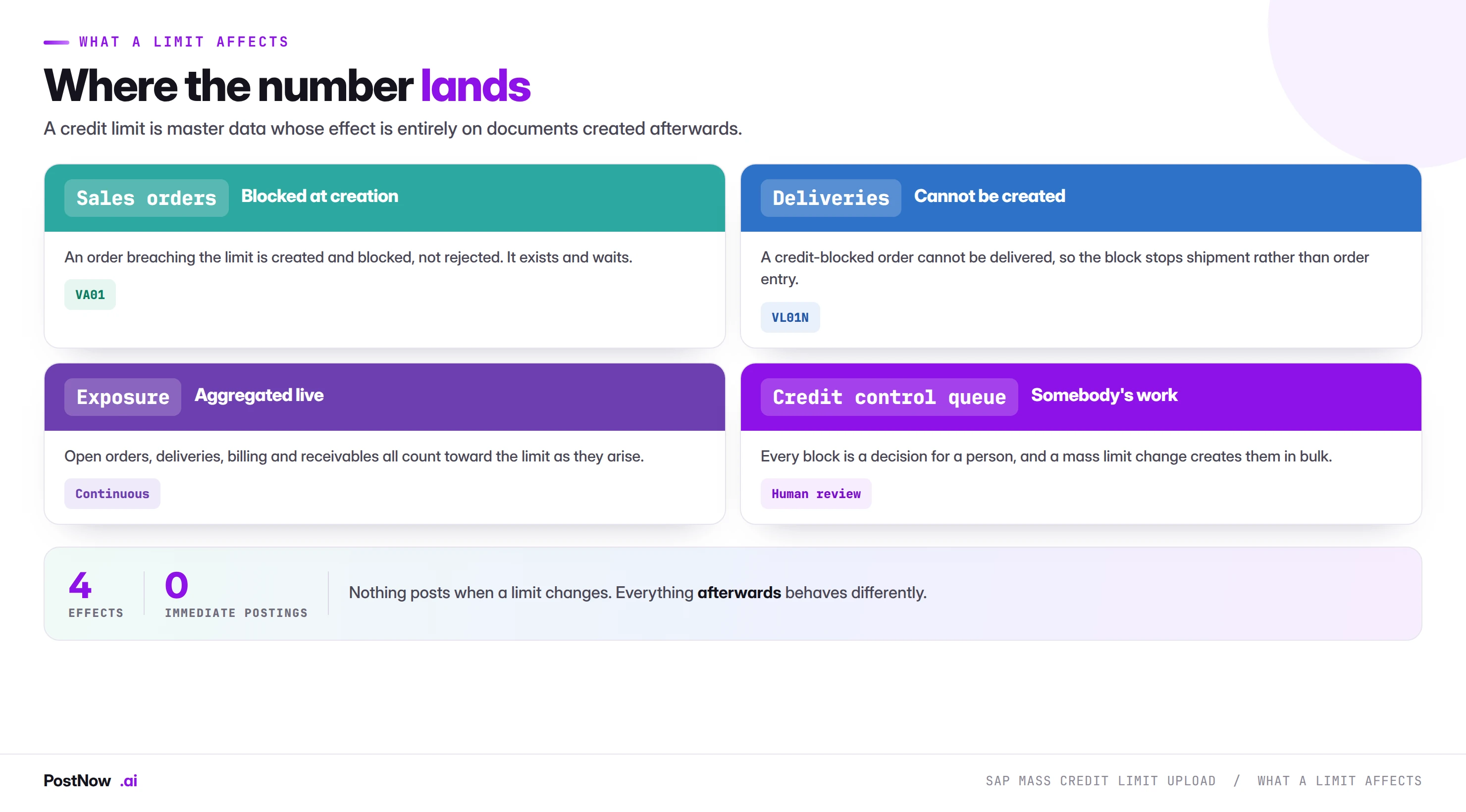
Nothing posts when a limit changes. The effect is entirely on what happens next, which makes this master data with an unusually direct commercial impact.
Sales orders are created and blocked, not rejected. An order breaching the limit exists, has a number, and waits for a release decision. This is the distinction the sales order guide makes: treating blocked orders as failed rows and re-running them creates duplicates.
Deliveries cannot be created for blocked orders. So the practical effect of a credit block is that goods do not ship, which is what the customer notices.
Exposure aggregates continuously. Open orders, deliveries in progress, billed but unpaid invoices and open receivables all count toward the limit as they arise.
Every block is somebody's work. A mass limit change creates blocks in bulk, and credit control has to review each one.
Never lower a limit without reading current exposure
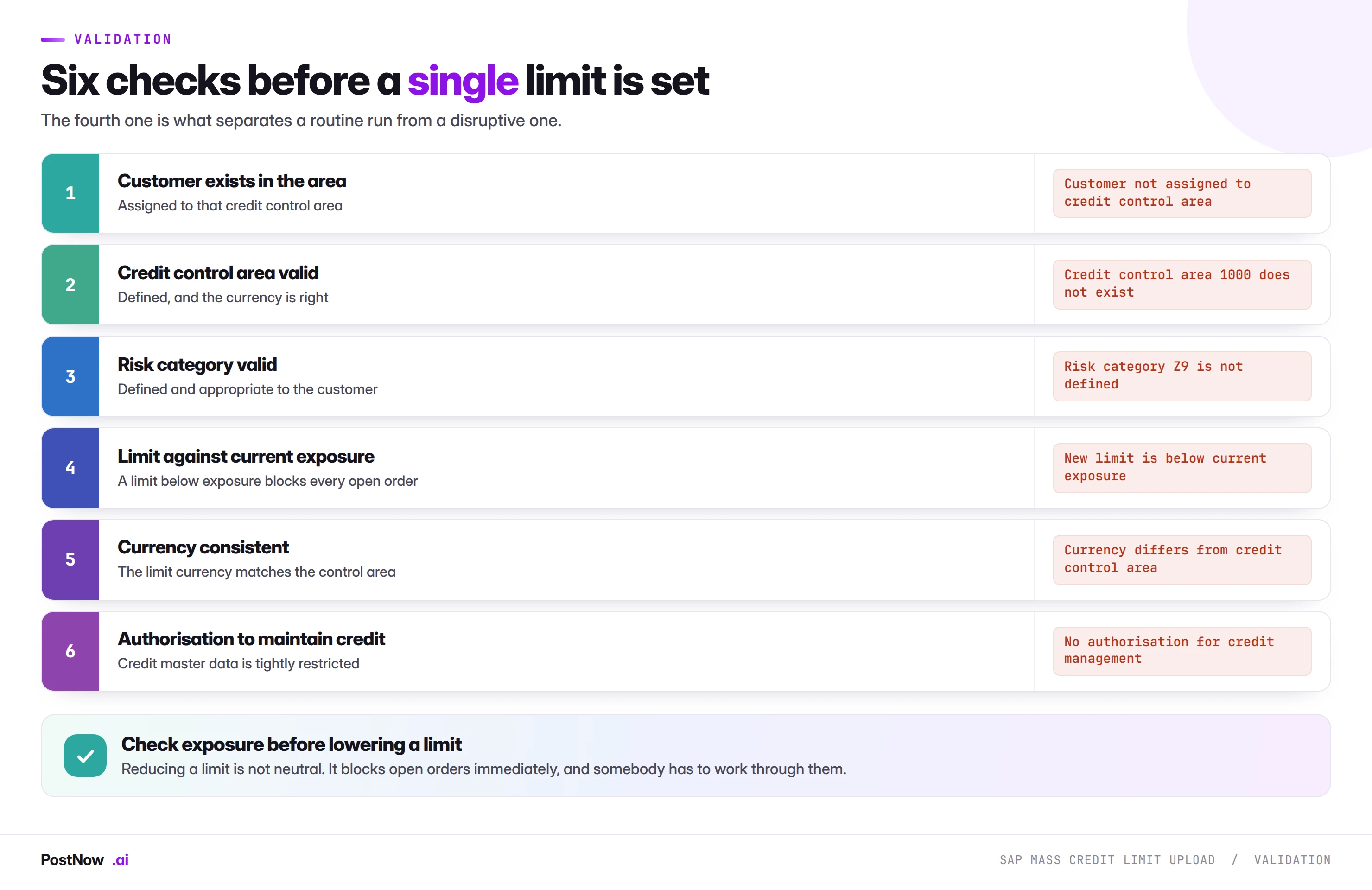
Two beyond the exposure check are worth noting.
Customer assigned to the credit control area. A customer not assigned to the area cannot have a limit there, and the error names the area rather than explaining the assignment is missing. On a file built from a customer list rather than a credit list, this affects whichever customers were never set up for credit management.
Authorisation to maintain credit master data. Credit data is usually restricted more tightly than other customer data, precisely because it controls whether goods ship. A load runs under the operator's authorisations, and partial success here leaves an inconsistent credit position that looks complete.
Limits are written through standard credit management
Control-area keys become written limits in PostNow
Credit reviews are built in spreadsheets, because that is where the analysis happens. PostNow adds a task pane to Excel, connects with your own credentials, and pulls current exposure alongside the proposed limits before anything is written.
Current position pulled beside the proposed limit, per customer.
Which customers a reduction will block, before the run.
Area assignment, risk category and currency against live SAP.
Old and new limits side by side on every row.
FD32 is retired in S/4HANA; FSCM credit management takes over
This is one of the areas that changed materially, and a file built for the classic model may not fit.
Classic credit management is replaced by SAP Credit Management. The newer model uses credit segments rather than credit control areas, holds the credit master data on the Business Partner, and supports scoring and rules-based limit determination that the classic model did not.
The file keys differently. Where a classic file keys on customer and credit control area, the newer model keys on business partner and credit segment. The data is the same in substance and the structure differs.
Limits may be derived rather than set. Where rules-based determination is configured, loading fixed limits may fight the rules rather than complement them. Worth confirming which model is live before assuming a limit file is the right instrument at all.
If a conversion is on the roadmap, this is one of the few objects in this cluster where the migration is a redesign rather than a remap.
The classic mistake is a lowered limit blocking live orders
- Keying on company code. Credit management uses the credit control area, which may span several entities.
- Lowering limits without checking exposure. Blocks every open order for affected customers, immediately.
- Loading an annual review in one step. The downward revisions block a slice of the order book simultaneously.
- Treating blocked orders as failures. They exist and are waiting for a decision; re-running creates duplicates.
- Building from a customer list rather than a credit list. Customers never set up for credit management fail on assignment.
- Assuming the classic model. S/4HANA Credit Management uses segments and business partners, not control areas.
The credit-limit load, condensed

SAP SD mass upload
Where credit blocks are felt: orders created and blocked, deliveries that cannot ship.
Master data
The customers these limits attach to, and their credit control area assignment.
SAP mass change
Why the extract comes first for anything that overwrites an existing value.