Introduction
A migration is not one big event but a sequence of smaller phases, each of which has to be done well. A checklist keeps that sequence honest, so nothing important slips through under pressure.
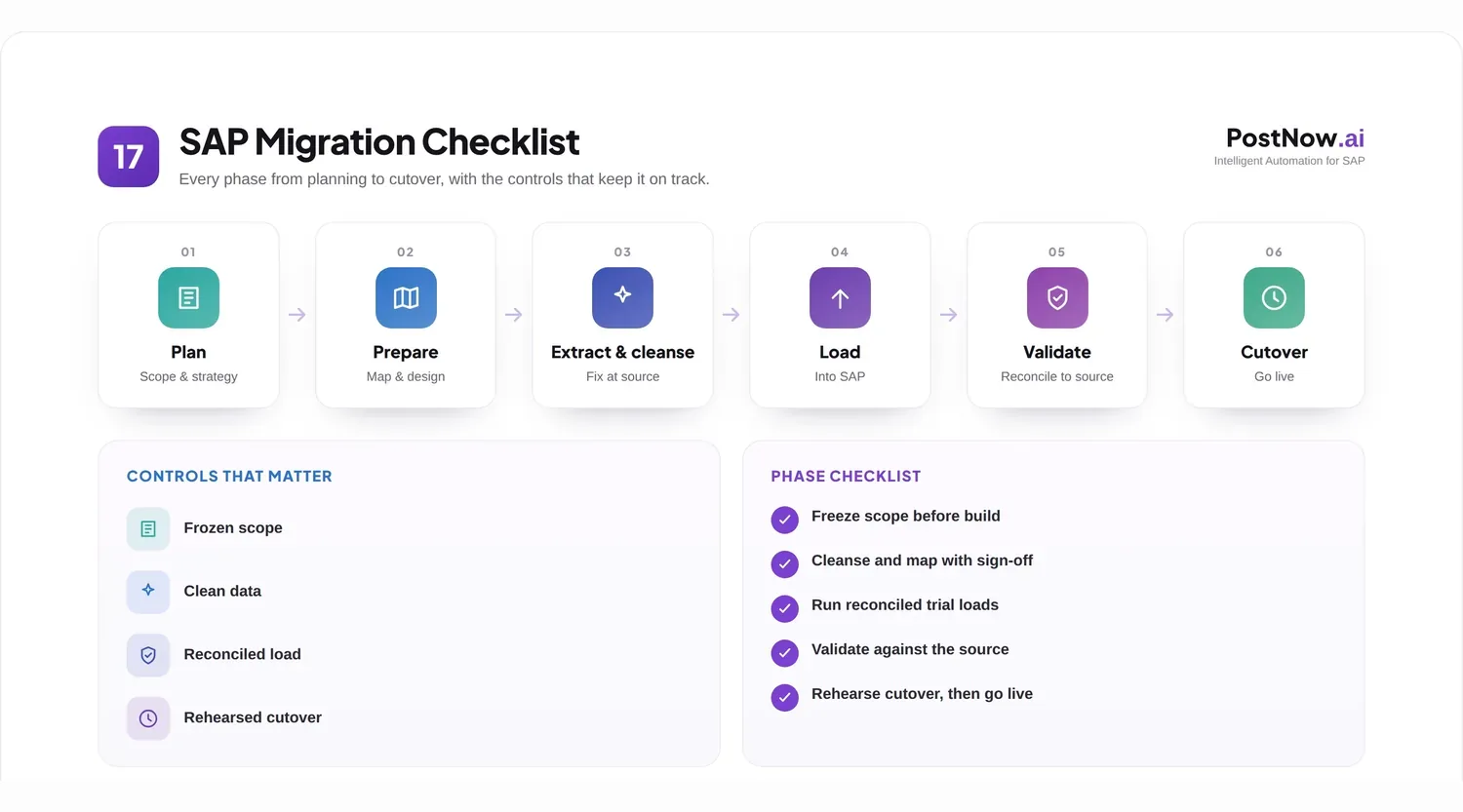
Organizations reach for a checklist when a migration looms and the sheer number of moving parts becomes daunting. The reassuring truth is that almost every successful migration follows the same broad phases, and writing them down turns an intimidating project into an ordered list of manageable steps.
This guide is that checklist. It walks through the phases in order, sets out what to confirm in each, and ends with a go-live readiness gate. It sits alongside the SAP data migration pillar and the companion best practices and common mistakes guides.
It is written for the people running the migration day to day, who need a checklist they can actually work from.
A good migration checklist is short enough to use and complete enough to trust. It should fit on a page, name every phase, and state plainly what must be true before each one is considered done. Anything longer tends to be ignored; anything shorter tends to miss something.
It helps to remember that a checklist scales with the migration. A small, single-object move might confirm each phase in an afternoon, while a full landscape migration spends weeks on some of them. The phases are the same; only the depth of each changes with the size of the task.
Why this matters
A checklist is not bureaucracy; at migration scale it is the difference between a controlled project and a hopeful one.
The business impact is direct. A phase skipped or rushed does not announce itself; it surfaces later as wrong balances, missing records, or a cutover that overruns. A checklist makes each phase a deliberate, completed step rather than an assumption.
There is a governance dimension too. A migration touches ownership, standards, and access, and a checklist gives each of those a place to be confirmed rather than presumed. That record is also what an auditor or a future team will look for.
Operationally, a shared checklist coordinates people. Migrations involve business owners, technical teams, and testers, and a common list of phases and checks keeps them aligned on what is done, what is pending, and what must be true before the next phase begins.
It is worth saying that a checklist does not replace judgment; it supports it. The list reminds you what to check, but deciding whether a phase is truly finished still takes experience. The two work together, with the checklist ensuring nothing is forgotten and judgment ensuring each item is met in substance, not just ticked.
Throughout, the checklist is deliberately tool-neutral. Whatever method or product loads the data, the phases and their checks remain the same, which means the list stays useful even as the tooling around it evolves.
The remainder of this guide follows the same logic as a migration: it explains why the checklist matters, walks the phases in order, presents the checklist and go-live gate, and then covers the challenges, practices, and mistakes that surround them.
Core concepts: the phases in order
The phases build on one another. Each assumes the previous is genuinely finished, which is why order matters as much as content.
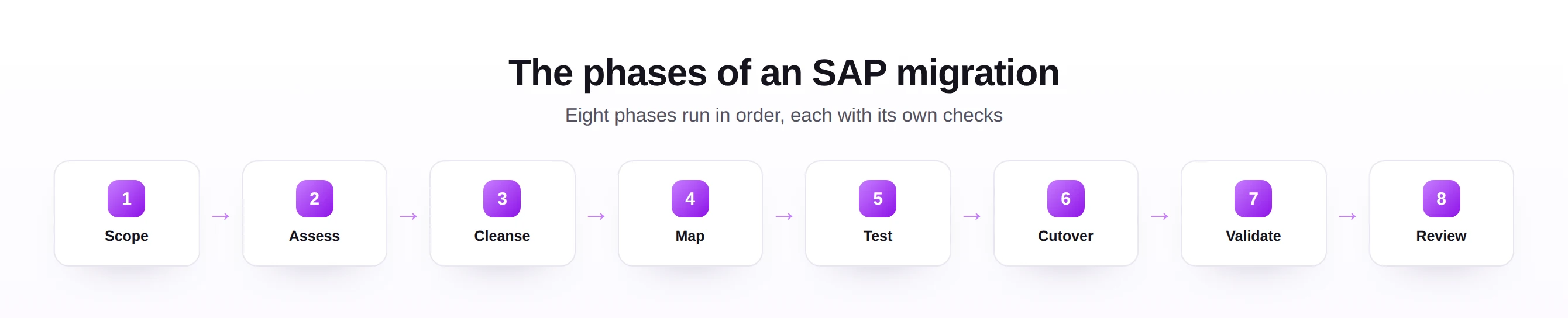
Reading the phases as three groups, foundation, preparation, and execution, makes the flow easier to hold in mind. The foundation phases decide what and how clean; the preparation phases decide where and prove it works; the execution phases run it and confirm the outcome. Each group depends entirely on the one before.
The early phases set the foundation. Scope defines what is being migrated and by when; assess inventories the sources and profiles their data; cleanse fixes the problems profiling reveals. Skipping ahead here is the classic way to carry old errors forward.
The middle phases prepare and prove the load. Map records how every source field lands in SAP and gets that approved; test runs trial loads that are reconciled against the source, more than once. These phases are where confidence is earned.
The final phases execute and confirm. Cutover runs the live load from a rehearsed, timed runbook with a fallback; validate checks the loaded data against SAP and the source; review reconciles the result, monitors early operation, and captures lessons. Together they turn a load into a trusted go-live.
One point about sequencing deserves emphasis: the order is not a suggestion. Cleansing before mapping, mapping before testing, and testing before cutover each exist for a reason, and rearranging them to save time almost always costs more time later. The discipline of the sequence is much of the value.
Print the checklist and keep it where the team can see it. A list consulted daily shapes behavior, while one filed away does not, however well written it happens to be.
The migration checklist
Here is the checklist itself, one key confirmation per phase, followed by the go-live gate that must be fully green before cutover.
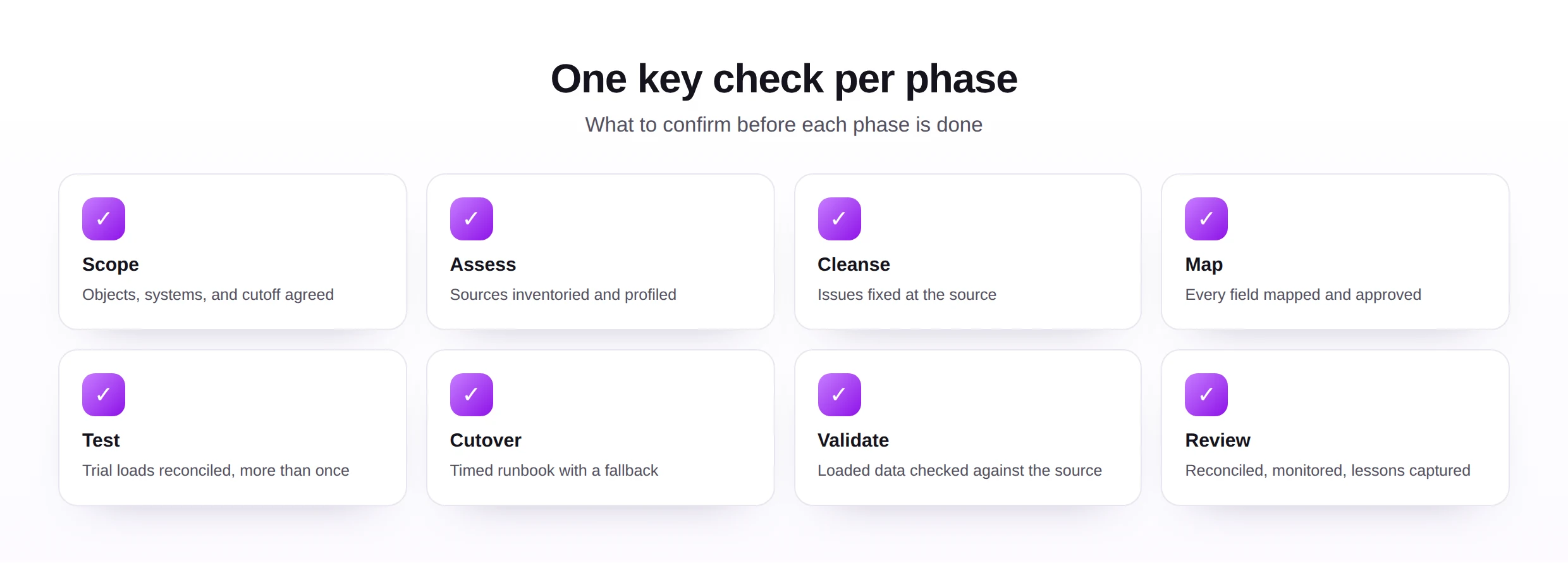
| Phase | Confirm before moving on... |
|---|---|
| Scope | Objects, systems, and the cutoff date are agreed and written down. |
| Assess | Every source is inventoried and its data profiled for gaps and duplicates. |
| Cleanse | Issues are fixed at the source to an agreed, measured standard. |
| Map | Every field has a documented target and an approved owner. |
| Test | Trial loads reconcile against the source, and the test has been repeated. |
| Cutover | A timed runbook exists, has been rehearsed, and has a defined fallback. |
| Validate | Loaded records are checked against SAP rules and the source data. |
| Review | Results are reconciled, early operation monitored, and lessons recorded. |
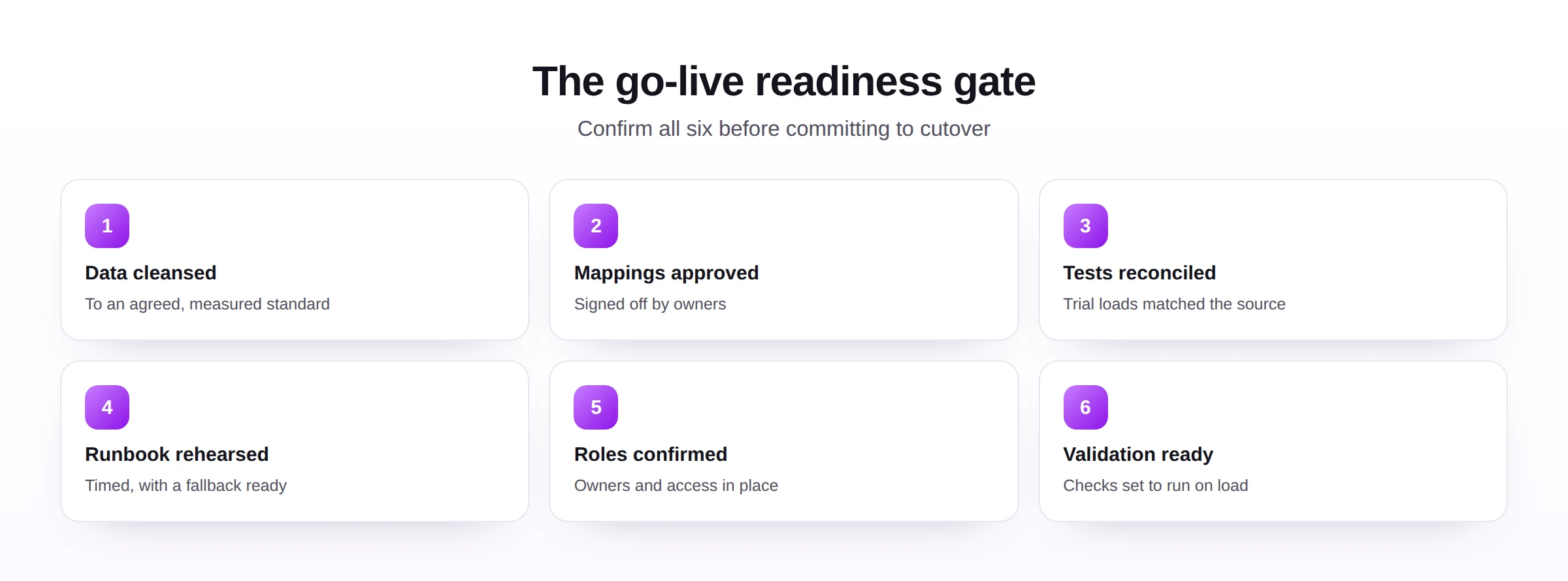
The phase checklist and the go-live gate serve different moments. The phase checklist runs continuously, confirming each step as you go, while the gate is a single, deliberate decision point just before cutover. Keeping them separate prevents the daily checks from blurring into the one decision that most deserves a clear-eyed pause.
The gate is deliberately strict. If any of its six points is unconfirmed, the risk it represents is still live, and committing to cutover means accepting that risk knowingly rather than discovering it midway through go-live.
It is worth assigning an owner to the gate itself, someone whose job is to confirm each point and to hold the line if one is unmet. Without a named owner, a strict gate has a way of softening under deadline pressure, precisely when its strictness matters most.
Common challenges
A few challenges recur across migrations, and naming them helps a checklist anticipate rather than react.
- Scope that drifts, as new objects are added late, which is why scope is agreed and written down first.
- Underestimated cleansing, the most commonly under-budgeted phase, exposed early by profiling.
- Mappings made in isolation, without an owner's approval, which the checklist requires explicitly.
- Compressed testing, squeezed when timelines slip, despite being the cheapest place to find problems.
- Cutover without a fallback, leaving no safe way back if a step fails on the day.
The root cause in each case is treating a phase as optional when the schedule tightens. A checklist resists that by making every phase a visible, named commitment rather than a step that can quietly disappear.
Notice that none of these challenges is technical in nature; all of them are about discipline and coordination. That is characteristic of migrations, where the hardest problems are rarely the tools and almost always the human tendency to defer the careful work. A checklist is a modest but effective countermeasure.
Expect the cleansing phase, in particular, to take longer than first estimated. It is the phase where the true condition of the data finally becomes undeniable, and building slack into the plan for it is one of the most reliable ways to keep the later phases on schedule.
Best practices
A few habits make the checklist more than a formality and turn it into a dependable way of working.
- Cleanse at the source, so fixes are permanent, grounded in strong master data management.
- Require sign-off on mappings, so ownership and accountability are explicit.
- Reconcile every test and the cutover, so correctness is proven, not assumed.
- Keep an audit trail of each phase, for governance and later review, anchored in master data governance.
- Rehearse the load through a repeatable route, often from Excel via Excel to SAP automation, so rehearsal matches reality.
These practices favor auditability, scalability, and maintainability. A migration run this way is not only safer on the day; it leaves behind documentation and clean data that benefit the system long after go-live.
A further practice worth adopting is to keep the checklist itself as a living document. After each migration, the post-go-live review should feed back into it, adding any check that would have caught a problem this time. Over a few projects this turns a generic list into one tuned precisely to your landscape.
Used well, the checklist also becomes a communication tool with stakeholders. Reporting progress as phases completed and gate points confirmed gives sponsors a clear, honest view of where the migration stands, without needing to translate technical detail into a status they can act on.
Common mistakes
The mistakes here are mostly phases done out of order or not at all.
Each maps to a checklist item and a phase. The remedy is simply to honor the sequence: confirm each phase is truly complete before starting the next, and let the go-live gate hold the line at the most critical moment.
The pattern across these mistakes is the same one the checklist is built to prevent: a phase treated as optional because it is inconvenient. Each item on the list is there because some project, somewhere, skipped it and paid for it. Honoring the full sequence is how you avoid repeating their lesson.
Future trends
Tooling is automating parts of the checklist, while the phases themselves remain the proven backbone.
- Automated profiling, making the assess phase faster and more thorough.
- Assisted mapping, proposing field matches for an owner to approve.
- Reconciliation automation, matching loaded records to the source with little manual work.
- Live readiness tracking, showing the go-live gate as a real-time status.
- Governance captured automatically, recording sign-offs and runs as evidence, supported by modern automation tools.
However much of the checklist becomes automated, its logic will hold. A migration will still need scope, clean data, approved mappings, real testing, a rehearsed cutover, validation, and a review, and a checklist that confirms them will always be worth keeping.
For a team facing a migration now, the most useful first step is to adopt this checklist, assign an owner to each phase, and walk it end to end before any data moves. The walk-through alone often surfaces gaps in the plan, which is far better than surfacing them during cutover.
Seen as a whole, the checklist exists to make a migration boring in the best sense. Each confirmed phase removes a source of drama, so go-live becomes the quiet, expected result of careful work rather than a tense gamble on whether the preparation was enough.