SAP BDC Recording
A BDC recording, also called batch input, is a captured sequence of screens and keystrokes that SAP can replay with different data. It is the universal fallback for mass loading, because anything a person can do on a screen can be recorded, and it is tied to the screen it was captured against.
- A recording describes a path, not an intent. When the screen changes, the recording is wrong even though what you want has not changed.
- Data variation is the most common failure. One material batch managed and the next not means an extra screen for some rows only.
- Record the worst case, not the simplest row. A recording built on a clean example meets its first exception in production.
- Record with a clean user. Personal defaults and layout variants make a recording work for its author and nobody else.
- Name an owner. Recordings decay, and an unowned one fails at month end with nobody responsible.
What a BDC recording is
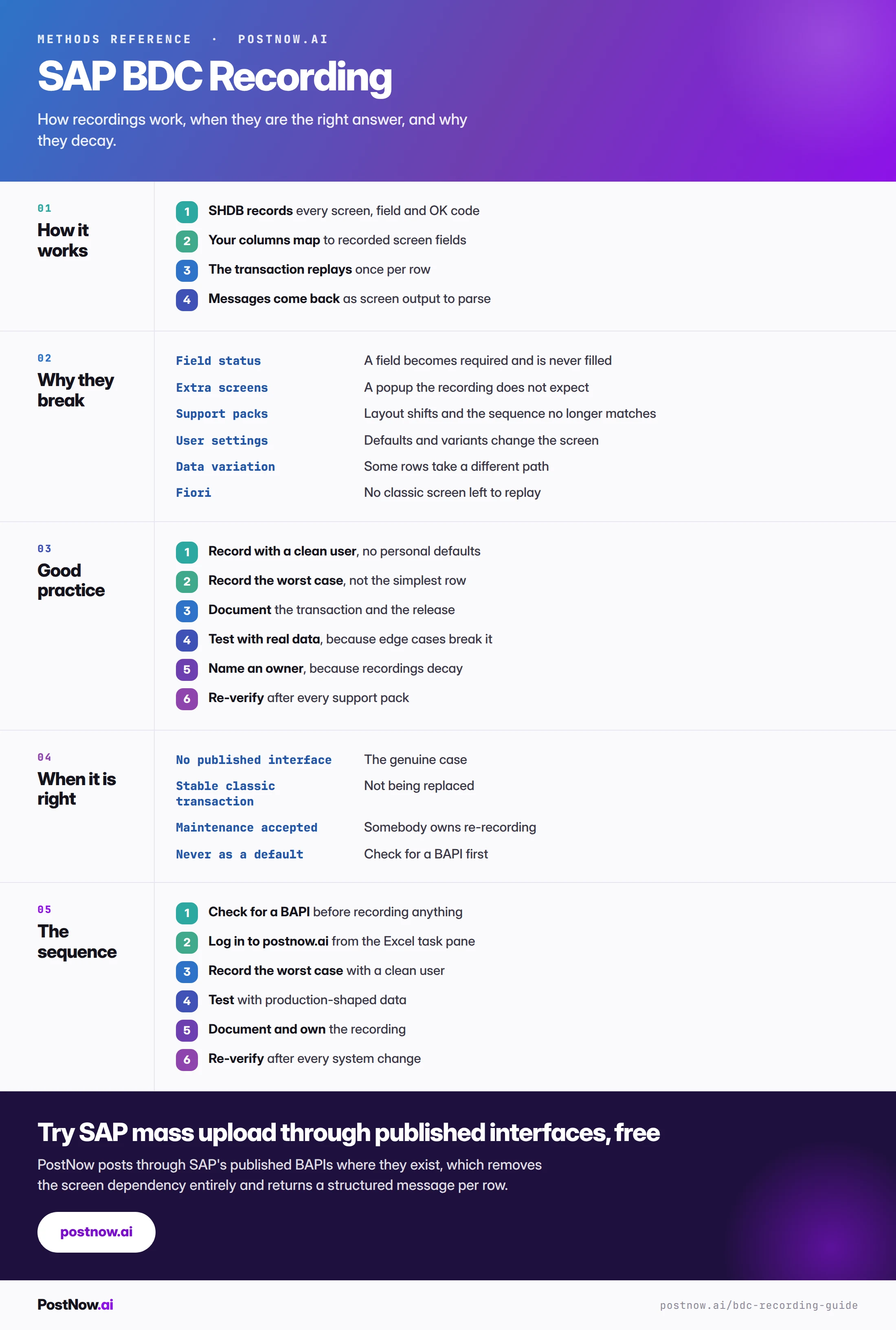
A BDC recording, also called batch input, is a captured sequence of screens and keystrokes that SAP can replay. You perform a transaction once through SHDB while SAP records every screen number, field name and OK code, and the resulting recording can then be executed repeatedly with different data.
It is the universal fallback for mass loading. Anything a person can do on a screen can be recorded, which gives it coverage no other method matches. It is also tied to the screen it was captured against, which is the source of every problem described on this page.
A recording should be a considered choice rather than a default. The BAPI comparison covers when each is right, and the short version is: use a published interface where one exists, and reach for a recording when none does.
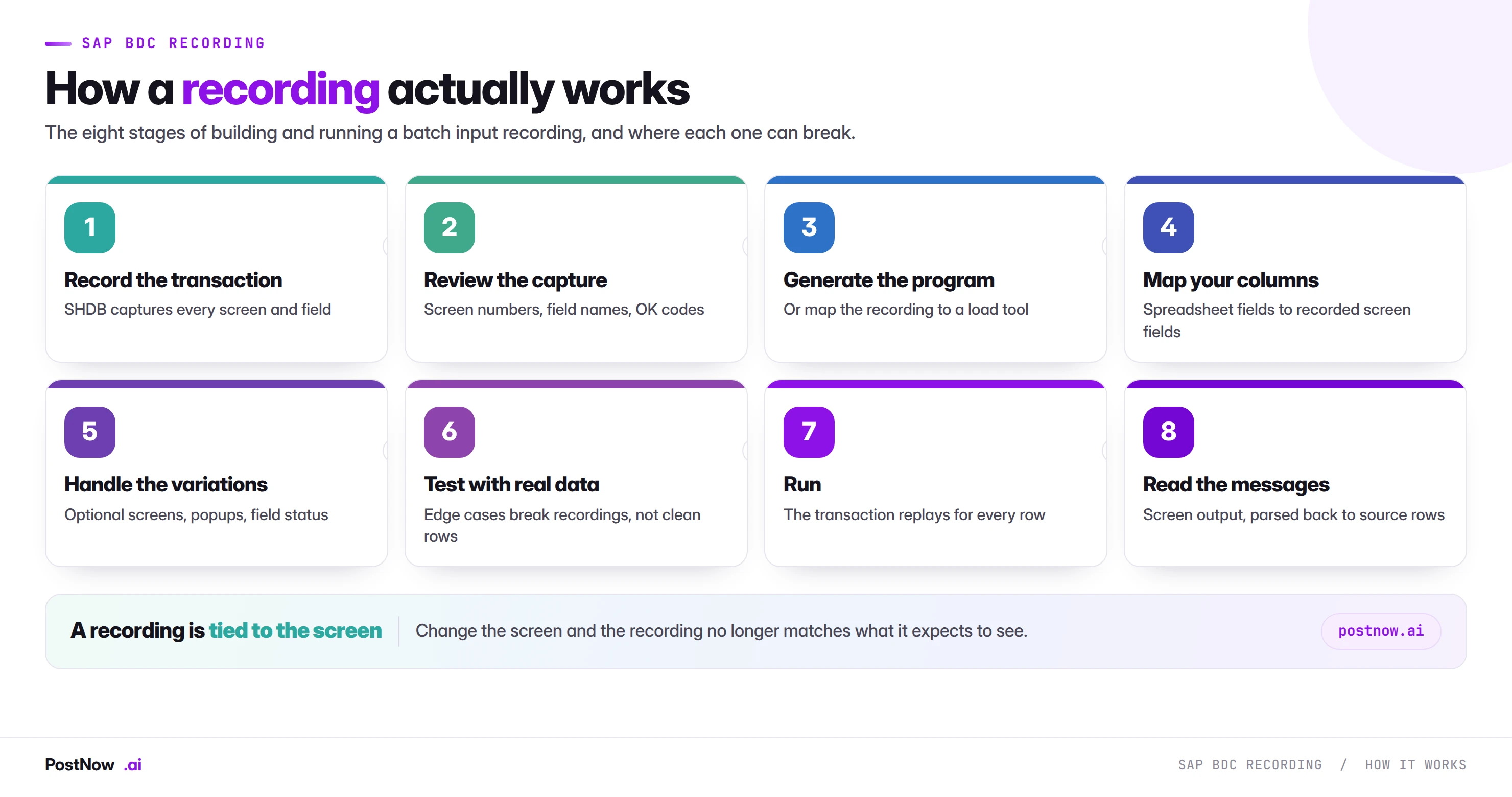
How a recording works, and where each stage can break
Recording captures the transaction as you perform it. Every screen you pass through, every field you fill, every button you press. What it captures is the path you happened to take, not the range of paths the transaction supports.
Mapping connects your spreadsheet columns to the recorded screen fields. Field names are technical rather than what appears on screen, so this stage requires knowing which field is which.
Replay executes the recording once per row. SAP fills the recorded fields with your values and processes the transaction exactly as it would for a person.
Message handling collects whatever appeared on screen. Which is a message, sometimes the one you need, in a form that has to be parsed and matched back to a source row.
The critical property is in the first stage. The recording describes one path. Any row whose data would send the transaction down a different path meets screens the recording does not expect, and processing stops there.
Why recordings break
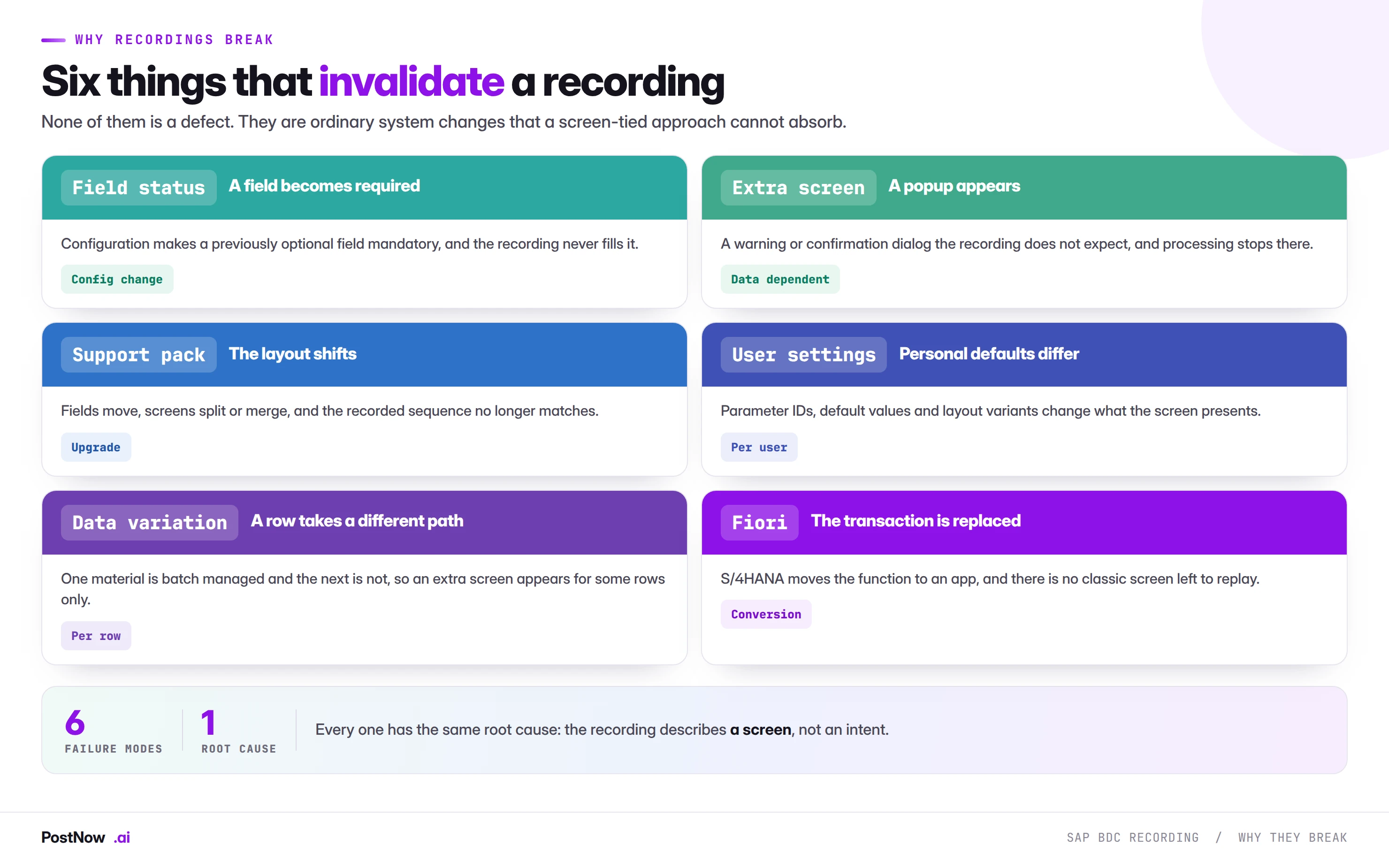
Six causes, none of them a defect. They are ordinary system changes that a screen-tied approach cannot absorb.
Field status changes. Configuration makes a previously optional field required. The recording never filled it because it was optional when captured, so every row now stops on that screen.
An extra screen appears. A warning, a confirmation or an information popup that was not present during recording. The recording sends the next expected input to a screen that is not there.
A support pack shifts the layout. Fields move between screens, screens split or merge, and the recorded sequence no longer matches what the transaction presents.
User settings differ. Parameter IDs, default values and layout variants all change what a screen shows and what it pre-fills. A recording captured under one user's settings can behave differently under another's.
Data variation. The most common cause in practice and the least anticipated. One material is batch managed and the next is not, so an extra screen appears for some rows and not others. The recording works for most of the file and fails on a subset that looks arbitrary.
Fiori replacement. On S/4HANA, where a classic transaction is replaced by an app, there is no screen left to replay.
Making a recording survivable
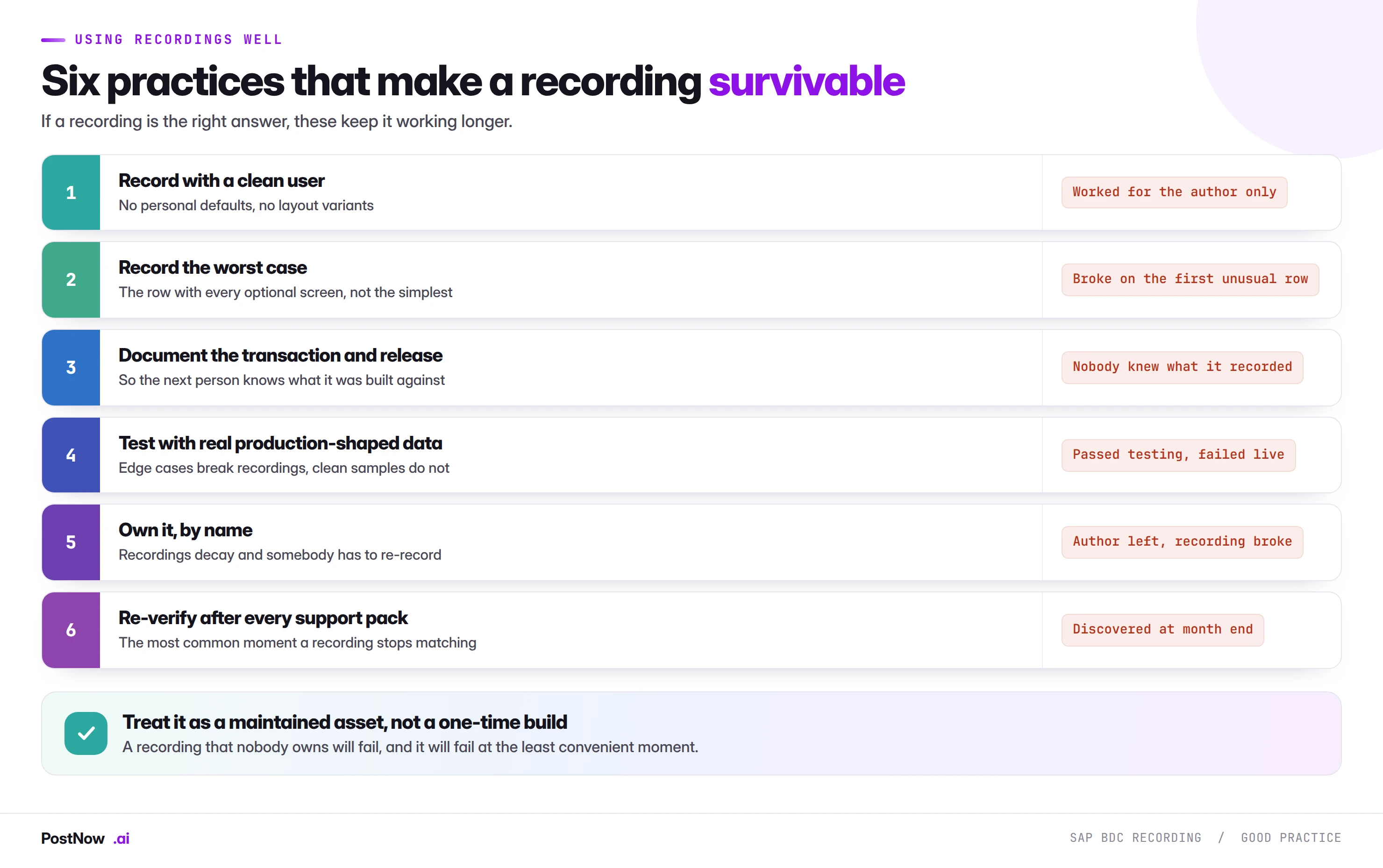
If a recording is the right answer, these six practices keep it working considerably longer than the default approach.
Record with a clean user. No personal parameter defaults, no saved layout variants, no user-specific settings. A recording captured under somebody's customised profile works for them and behaves unpredictably for everyone else.
Record the worst case, not the simplest. Take the row with every optional screen, every popup and every conditional field. A recording built on the cleanest example in the file will meet its first exception in production.
Document the transaction and the release. Which transaction, which system, which support pack level. When it breaks in eighteen months, the person fixing it needs to know what it was built against, and they will not be you.
Test with production-shaped data. Not sample rows. Real files contain batch-managed materials alongside unmanaged ones, text items alongside stock items, and the edge cases that break recordings. Clean test data proves almost nothing here.
Name an owner. Recordings decay, and somebody has to re-record when they do. An unowned recording is a process that will fail at month end with nobody responsible for fixing it.
Re-verify after every support pack. The single most common moment a recording stops matching, and the cheapest moment to discover it.
When a recording is genuinely right
Three conditions, and all three need to hold.
- No published interface exists for the object. Checked rather than assumed. The BAPI comparison lists the interfaces covering the objects that carry most volume, and coverage is better than reputation suggests.
- The transaction is stable and classic. Not one being replaced by a Fiori app, and not one in an area undergoing active configuration change.
- Somebody accepts the maintenance. By name, with the expectation that re-recording is part of the job rather than an incident.
Where all three hold, a recording is a reasonable engineering choice and this guide is about doing it well. Where any of them does not, the recording is borrowing against future maintenance to save time now.
Removing the screen dependency
PostNow posts through published interfaces
Where a BAPI exists, there is no screen to record and nothing to break when a layout changes. PostNow adds a task pane to Excel, signs in with your own credentials, and calls SAP's published function modules directly.
Field status, popups and layout changes stop being your problem.
A structured message rather than screen text to parse.
Remaps at conversion instead of needing a rebuild.
A saved mapping the business keeps, not a recording only IT can read.
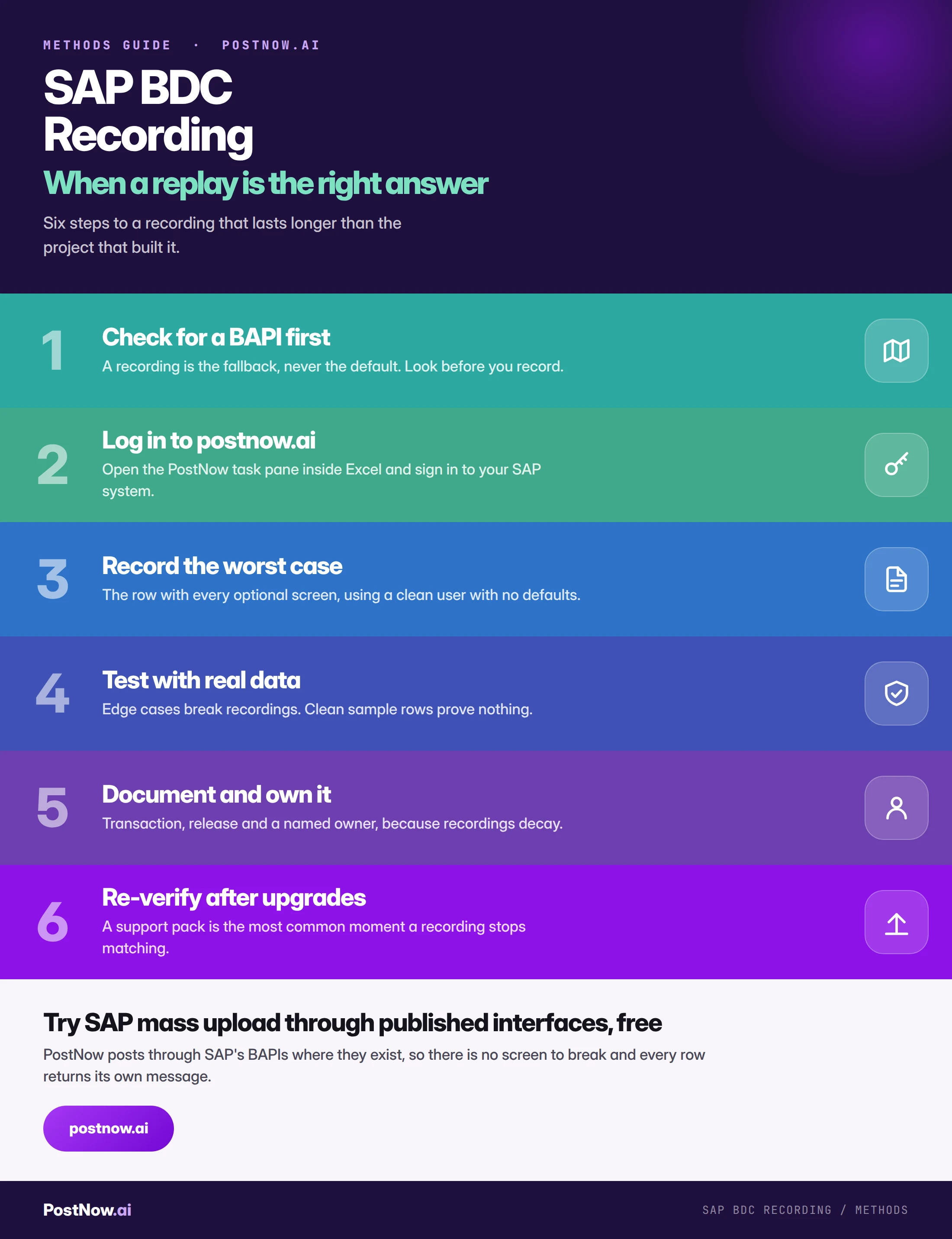
Building a recording, step by step
Recordings and S/4HANA
A conversion is the point at which most recordings stop working, and planning for that is more useful than discovering it.
Where the transaction is replaced by a Fiori app, the recording is worthless. There is no classic screen to replay, so the work has to be redone on a different foundation entirely.
Where the transaction survives, it has probably changed. Field lengths extend, screens are adjusted, and configuration moves. A recording that still runs should be re-verified rather than assumed.
Interfaces mostly carry forward. Which is the practical argument for moving recordings onto published interfaces before a conversion rather than after. The mapping work is the same either way, and doing it once beats doing it twice.
If a conversion is on your roadmap and you maintain recordings, the useful exercise now is an inventory: which recordings exist, which transactions they cover, and which of those transactions have a published interface available. That list is the migration plan.
Common mistakes
- Recording before checking for a BAPI. The most expensive mistake, because the cost is years of maintenance.
- Recording the simplest row. The recording meets its first exception in production instead of in testing.
- Recording under a customised user profile. Works for the author, behaves unpredictably for everybody else.
- Testing with clean sample data. Real files contain the variation that breaks recordings.
- Leaving it undocumented. The person fixing it in eighteen months will not be you.
- Leaving it unowned. It will break, and it will break at month end.
- Assuming it still works after a support pack. That is the most likely moment it stopped.
The complete recording reference
Go deeper
SAP data upload methods
The wider field, and why two of six methods should never be used.
SAP mass upload
The pillar guide covering validation, error handling and governance.