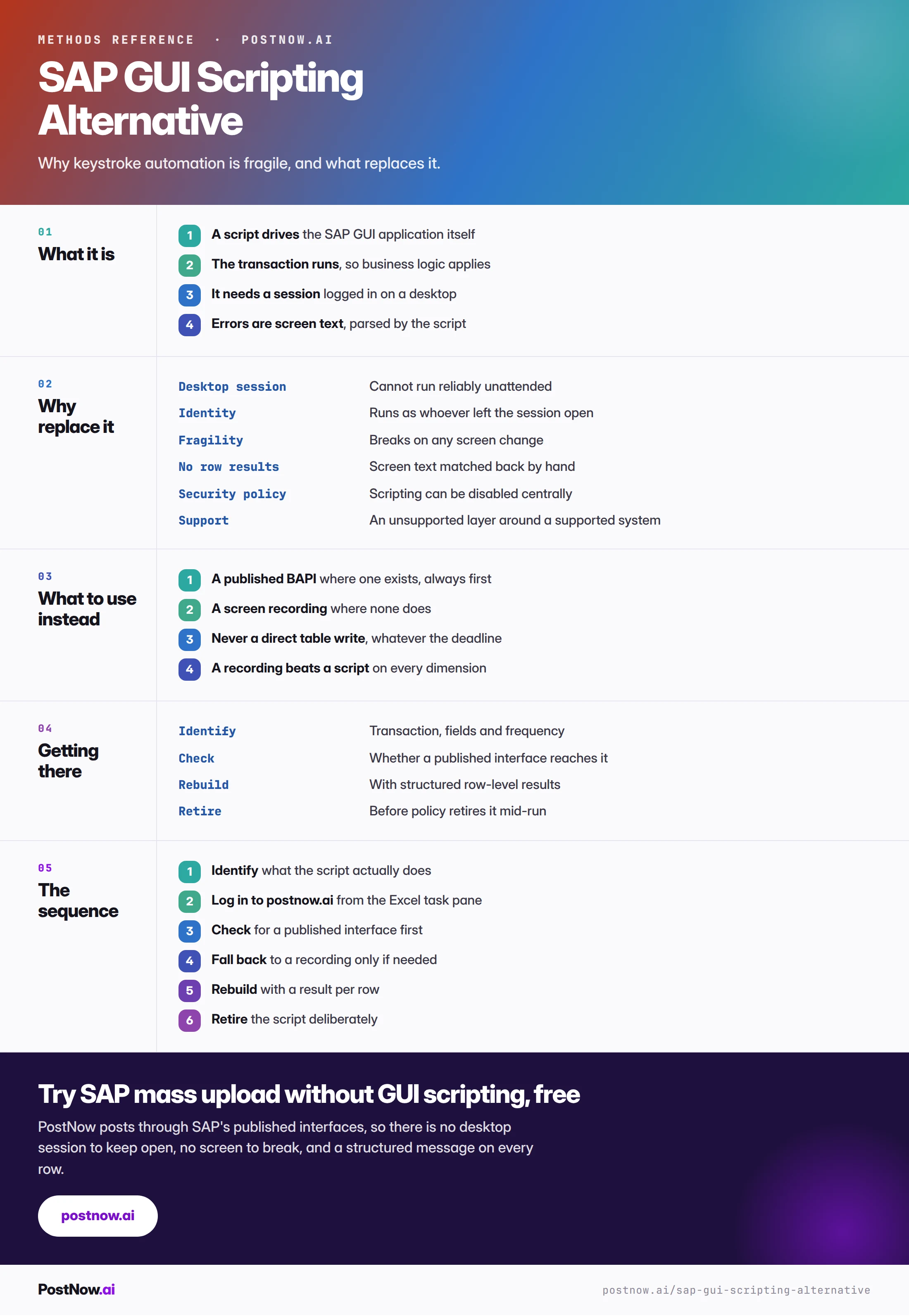
SAP GUI scripting drives the SAP GUI from outside, usually from an Excel VBA macro that types into fields and presses buttons. The transaction genuinely runs so business logic applies, which puts it above a direct table write. Every other dimension counts against it.
- It needs a desktop session. A locked workstation, a timeout or a restart stops the run partway.
- It runs as whoever is logged in. The audit trail names a session rather than a person who decided.
- A screen recording is strictly better. Same screen dependency, without the session, the policy exposure or the identity problem.
- Security policy can disable it centrally. A process depending on it can stop working overnight.
- The only advantage is speed to start. It is borrowed against every other dimension.
What SAP GUI scripting is
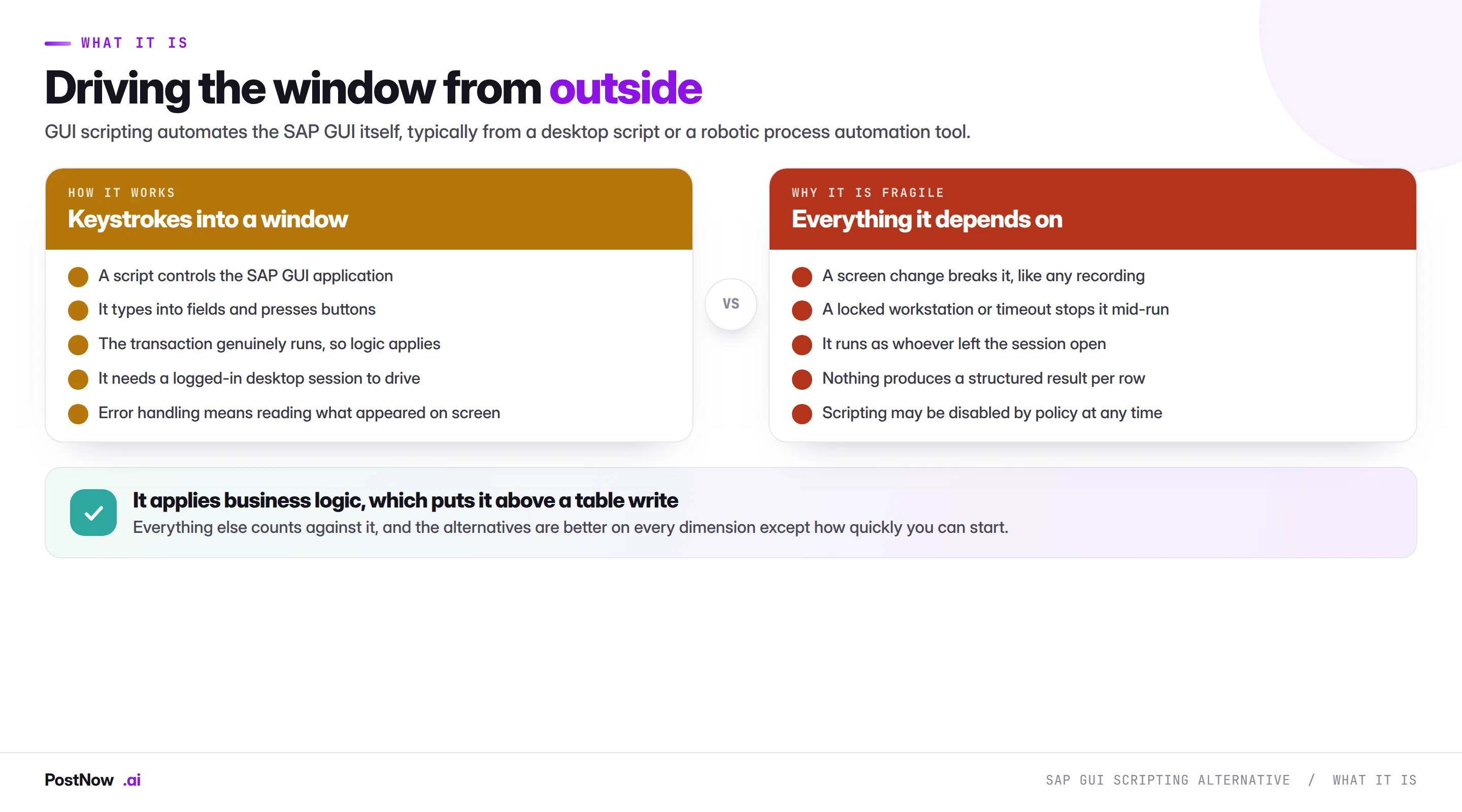
SAP GUI scripting is a way to drive the SAP GUI from outside it, and in practice that outside is almost always Excel. A VBA macro (or an RPA tool) attaches to the SAP window, types into fields, presses buttons and reads what appears on screen. The transaction genuinely runs, so business logic applies, which puts it above a direct table write.
Everything else counts against it. This page covers why, and what to use instead.
Driving SAP from a spreadsheet with VBA
Almost every SAP GUI script starts in Excel VBA, and the opening sequence is always the same. The macro calls CreateObject("SAPGUI"), then GetScriptingEngine, then Connections(0), then Children(0), and finally addresses controls through session.findById("wnd[0]"). If you have written or inherited one of these, that string is the part you recognise.
session.findById is also where the fragility lives. The ID encodes the full screen path to a control, so it only resolves while the screen looks exactly as it did when the macro was written. A support pack, a screen variant, a different layout or a GuiXT change moves the control, the ID stops resolving, and the macro fails at that line.
Scripting does not bypass any SAP authorization check. Because it drives the GUI, every check, field validation and change document fires exactly as it would for a person clicking, so a macro can only do what the signed-in user could already do by hand. Vendors get this wrong in both directions; the accurate statement is that scripting changes the speed of an authorized action, never the permission.
What it does do that matters is run as the logged-in user, so the change documents and the audit trail name that person rather than a service account or an interface. That sounds like a benefit until an unattended machine is left logged in to run the macro, at which point the trail names whoever owns that session.
The volume problem is the last one. A VBA loop posts one screen at a time at screen speed, and the session is locked for anything else while it runs, so a few thousand rows can take hours. Two SAP mechanisms avoid the screen entirely: a published BAPI, and server-side batch input. Both run without a desktop session and return a structured result per row, and an SAP Excel add-in can post through them straight from the workbook without any scripting enabled. Scripting also has to be switched on first through the profile parameter sapgui/user_scripting, which many basis teams keep off.
Screen-level automation breaks when the screen changes
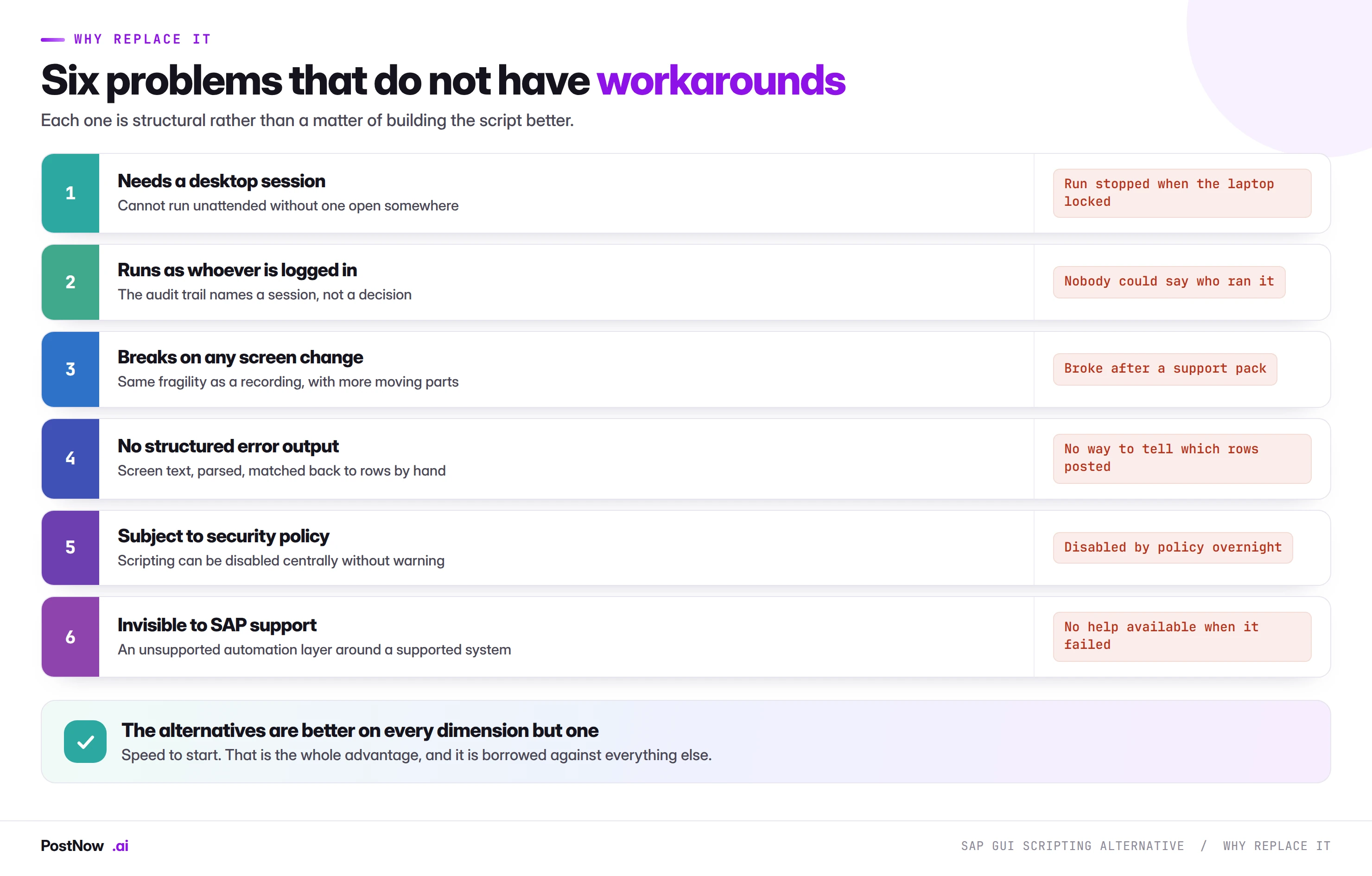
Each of these is structural rather than a matter of writing the script better.
It needs a desktop session. Something has to be logged in somewhere for the script to drive. That makes unattended running unreliable: a locked workstation, a session timeout or a restart stops the run partway.
It runs as whoever is logged in. The audit trail names a session rather than a decision. When somebody asks who ran a load, the honest answer is whoever left that session open, which is not the answer an auditor wants.
It breaks on any screen change. The same fragility as a screen recording, with more moving parts, because the script also depends on the GUI version, the theme and the window state.
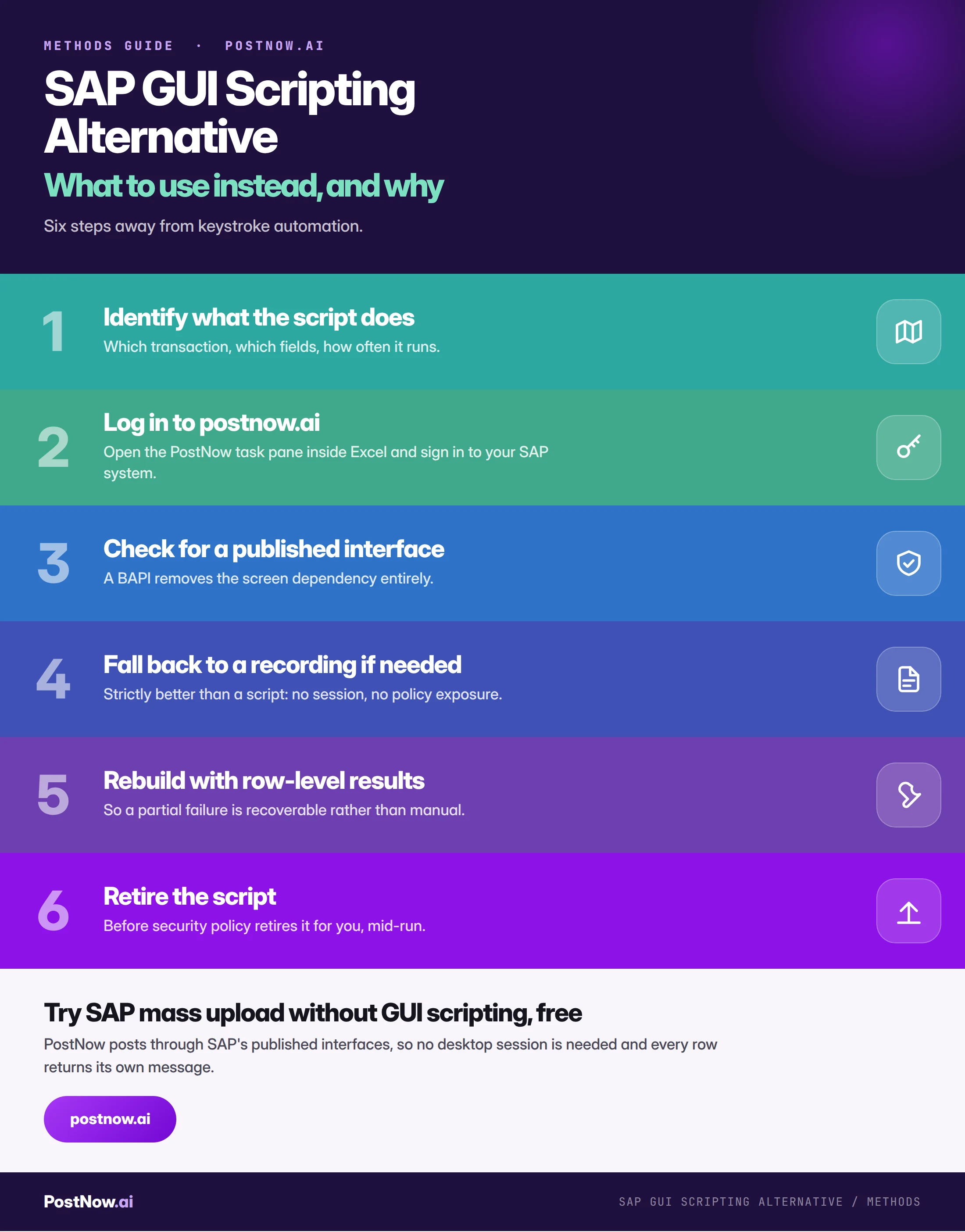
There is no structured error output. Whatever appeared on screen, scraped by the script, matched back to source rows by hand. At volume this is the difference between a recoverable run and a manual reconciliation.
It is subject to security policy. GUI scripting can be disabled centrally, at the server or the client, and organisations do disable it. A process that depends on it can stop working overnight for reasons that have nothing to do with the process.
It is invisible to SAP support. An unsupported automation layer wrapped around a supported system. When something fails in a way that involves both, the support conversation is harder than it needs to be.
What to use instead
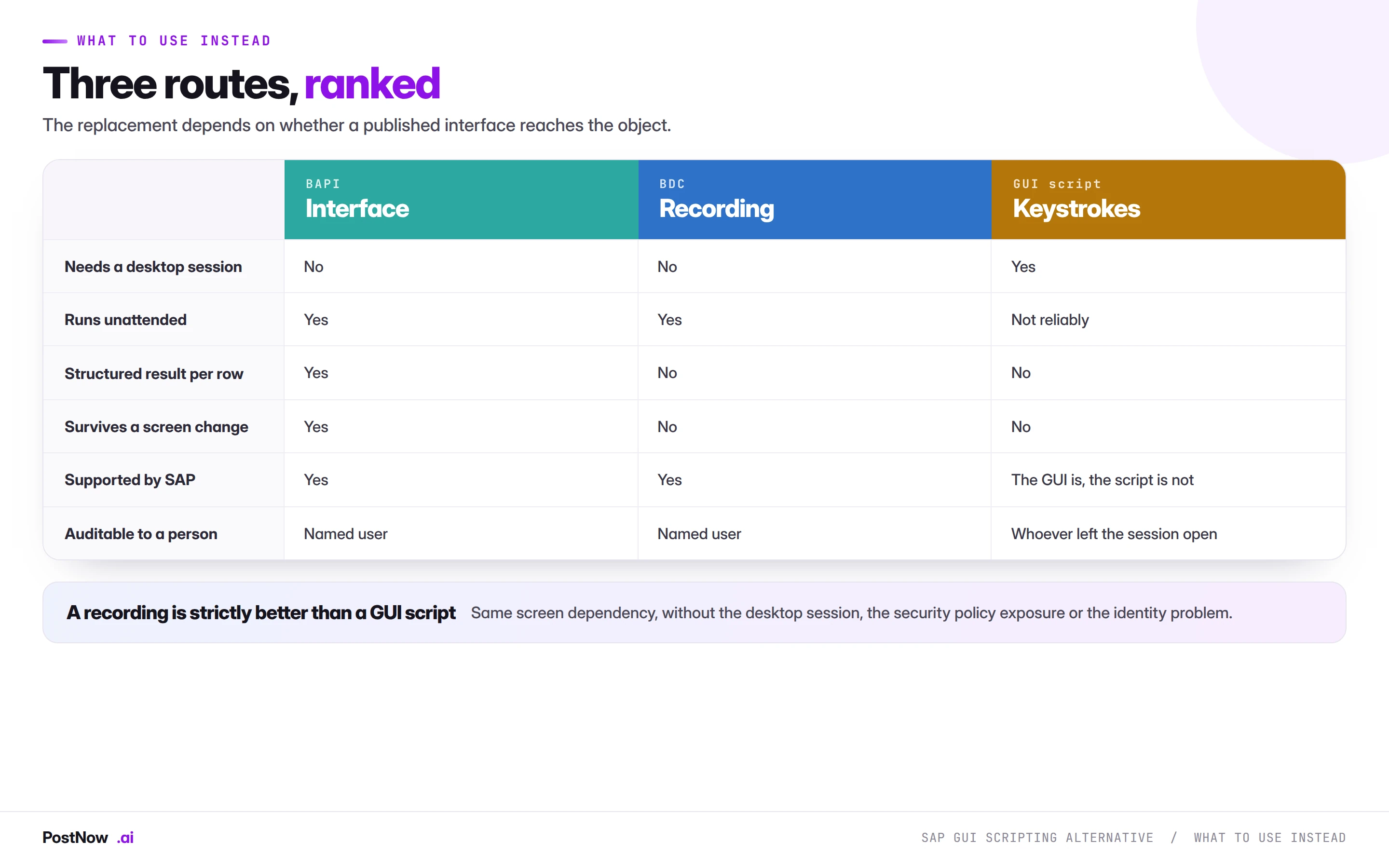
The comparison produces a clear result, and one conclusion surprises people.
A published interface is the answer where one exists. No desktop session, no screen dependency, a structured message per row, and it survives upgrades. The BAPI comparison covers how to check whether one covers your object, and coverage is better than reputation suggests.
A screen recording is strictly better than a GUI script. This is the surprising one. A recording has the same screen dependency, and none of the other problems: it runs server-side without a desktop session, under a named user, unaffected by client-side security policy, and it is a supported SAP mechanism. If you were going to script the GUI because no BAPI exists, record it instead.
Never a direct table write. Whatever the deadline. The methods hub covers why.
The practical consequence is that GUI scripting occupies a position nothing else needs. There is no scenario where it is the best available option: where an interface exists, use it; where none does, record the transaction.
Removing the session dependency
PostNow posts through published interfaces
No window to drive, no session to keep open, no screen to break. PostNow adds a task pane to Excel, signs in with your own credentials, and calls SAP's published function modules directly.
Nothing depends on a desktop staying logged in.
The run carries an identity, not whoever left a window open.
A structured message rather than scraped screen text.
A published SAP interface rather than an automation layer around one.
Moving off a GUI script, step by step
A note on robotic process automation
Much GUI scripting arrives through an RPA platform rather than a hand-written script, and the argument is slightly different there.
RPA is genuinely valuable where a process spans several systems that have no interfaces between them, and where the alternative is a person doing the same clicking. Nothing here argues against that.
What is worth questioning is using RPA to drive SAP when SAP publishes an interface for what you are doing. That is automating the user interface of a system that offers a programmatic one, which inherits every fragility on this page for no benefit. Where an RPA process includes an SAP step, replacing that step with a published interface call usually makes the whole process more reliable while leaving the rest of it alone.
Where keystroke automation trips teams up
- Choosing it for speed to start. The only advantage, borrowed against everything else.
- Assuming no published interface exists. Check before scripting, because coverage is good for high-volume objects.
- Scripting rather than recording when no BAPI exists. A recording is better on every dimension.
- Relying on it for unattended runs. A locked workstation or a timeout stops it partway.
- Ignoring the identity problem. The trail names a session, not a person who decided.
- Not planning for policy change. Scripting can be disabled centrally at any time.